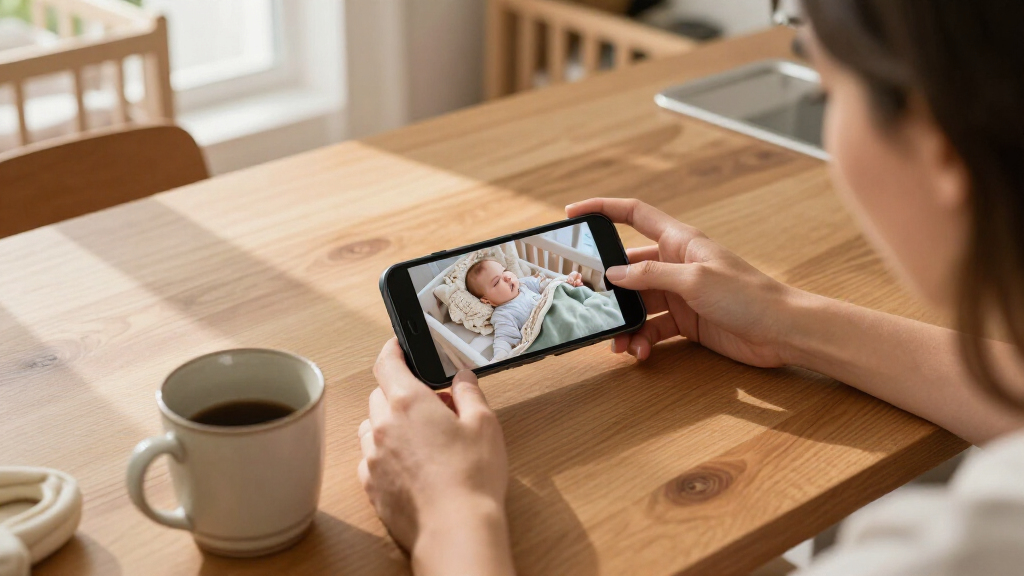
The best baby monitor with a camera depends on whether you value a large parent screen, remote access, or a simpler no-Wi-Fi setup. My best overall pick is the VTech 7-Inch IPS Monitor, which pairs a generous display with pan, tilt, and zoom controls. The HelloBaby HB6550Plus is a strong fit for families who want a dedicated, no-Wi-Fi monitor, while the eufy Baby Monitor E21 stands out for its high-resolution camera. The main tradeoffs are screen size versus portability, local viewing versus app access, and one-camera simplicity versus coverage for multiple rooms. Read on for the full breakdown and guidance on choosing the setup that suits your home.

Turn the school run and nap time into listening time
- Thousands of audiobooks, podcasts and originals
- Listen on your phone, tablet or Echo — also offline
- Cancel anytime
Complete the kit


Key Takeaways
- A larger parent display can make nursery checks easier: The VTech 7-inch model and VTech Smart HQ Max Twin put screen size ahead of compactness.
- No-Wi-Fi models offer a different kind of simplicity: HelloBaby options, the VTech VM819, GoodBaby, and AnKeKe are suited to buyers who prefer a dedicated monitor rather than app-based access.
- Two cameras solve a coverage problem, not a screen-size problem: The VTech VM901-2HD, VTech Smart HQ Max Twin, and HelloBaby HB6550 two-camera bundle are the lineup’s multi-room choices.
- High-resolution cameras do not automatically mean a better fit: The eufy E21, Nanit, VTech VM901, and Philips Avent connected model appeal to buyers prioritizing sharper video or connected features, but they call for closer attention to app use and setup.
- Compact and feature-rich models serve different routines: The VTech VM819 keeps the viewing setup small, while remote pan-tilt-zoom models are better suited to rooms where camera repositioning matters.
| VTech Baby Monitor with 7-Inch IPS Screen, 360° Pan and Tilt, 4x Zoom, Night Vision, Night Light, and Two-Way Talk |  | Best for a Large Screen | Screen: 7-inch true-color IPS | Camera movement: 360° pan and 122° tilt | Zoom: Up to 4x | VIEW LATEST PRICE | See Our Full Breakdown |
| HelloBaby HB6550Plus 6-Inch No-WiFi Video Baby Monitor with Camera |  | Best for Long Battery Use | Screen: 6-inch IPS in title and description; specification list states 5.5 inches | Connection: 2.4GHz FHSS; no Wi-Fi required | Camera movement: 355° pan and 120° tilt | VIEW LATEST PRICE | See Our Full Breakdown |
| VTech VM819 Video Baby Monitor with 2.8-Inch Screen, Night Vision, Two-Way Audio, and Temperature Sensor |  | Best Compact Pick | Screen: 2.8 inches | Video resolution: 480p | Connection: Encrypted 2.4GHz FHSS; Wi-Fi not required | VIEW LATEST PRICE | See Our Full Breakdown |
| GoodBaby 5-Inch Baby Monitor with Camera and Audio, No Wi-Fi |  | Best for Flexible Placement | Display: 5-inch LCD/IPS | Video resolution: 480p | Camera movement: 355° pan and 120° tilt | VIEW LATEST PRICE | See Our Full Breakdown |
| HelloBaby 4.3-Inch Video Baby Monitor with Remote Pan-Tilt-Zoom |  | Best for Sound-Activated Battery Saving | Screen: 4.3-inch IPS | Wireless technology: 2.4 GHz FHSS; no Wi-Fi required | Range: Approximately 1,000 feet | VIEW LATEST PRICE | See Our Full Breakdown |
| AnKeKe ABM570 Baby Monitor with Camera and Audio, 5-Inch 720p IPS Screen, No Wi-Fi |  | Best for Camera Positioning | Display: 5-inch 720p IPS LCD | Connection: 2.4GHz FHSS; no Wi-Fi | Camera movement: 355° pan, 95° tilt | VIEW LATEST PRICE | See Our Full Breakdown |
| HelloBaby HB6550 No-WiFi Baby Monitor with Camera and 5-Inch Screen |  | Best for Multi-Camera Expansion | Display: 5-inch color screen | Connection: 2.4GHz FHSS with digital encryption; no Wi-Fi | Camera movement: 355° horizontal, 120° vertical | VIEW LATEST PRICE | See Our Full Breakdown |
| HelloBaby HB6560 6-Inch Non-Wi-Fi Video Baby Monitor with Camera | 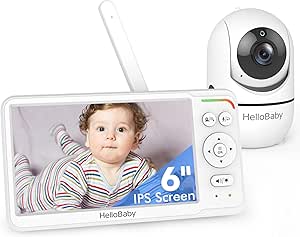 | Best for a Larger Dedicated Screen | Display: 6-inch IPS screen | Connection: Encrypted 2.4GHz FHSS; no Wi-Fi or app required | Camera movement: 355° pan, 120° tilt | VIEW LATEST PRICE | See Our Full Breakdown |
| eufy Baby Monitor E21 with 4K UHD Camera and 5-Inch 720p Screen |  | Best for App and Local Monitoring | Camera resolution: 4K UHD | Parent display: 5-inch, 720p | Connectivity: Wi-Fi and local connection | VIEW LATEST PRICE | See Our Full Breakdown |
| HelloBaby HB6550 No-WiFi Baby Monitor with 5-Inch Screen and 2 Cameras |  | Best Two-Camera Starter Kit | Parent screen: 5-inch IPS | Included cameras: Two | Maximum camera capacity: Up to four | VIEW LATEST PRICE | See Our Full Breakdown |
| VTech VM901-2HD Smart Wi-Fi Baby Monitor with 2 Cameras, 5-Inch HD Parent Unit, Split Screen, Pan-Tilt-Zoom, Night Vision, and App |  | Best for Two-Room Monitoring | Camera count: 2 | Parent unit display: 5-inch split screen | Camera movement: Independent pan, tilt, and zoom | VIEW LATEST PRICE | See Our Full Breakdown |
| VTech Smart HQ Max Twin Wi-Fi Baby Monitor with 2 Cameras and 7-Inch Split-Screen Display |  | Best Large-Screen Twin-Camera Pick | Camera count: 2 | Parent unit display: 7 inches; split-screen and full-screen modes | Camera sensor: 2K | VIEW LATEST PRICE | See Our Full Breakdown |
| Nanit Smart Baby Video Monitor with 1080p Camera and Floor Stand |  | Best for App-Based Sleep Insights | Camera resolution: 1080p HD | Connectivity: Wi-Fi; local-network viewing supported during internet outages when devices share a router | Night vision: Infrared | VIEW LATEST PRICE | See Our Full Breakdown |
| VTech VM901 Smart Wi-Fi Baby Monitor with 1080p Camera and 5-Inch Screen |  | Best Single-Camera Parent-Unit and App Combo | Camera resolution: 1080p | Parent unit screen: 5 inches | Parent unit range: Up to 1,000 feet | VIEW LATEST PRICE | See Our Full Breakdown |
| Philips Avent Premium Connected Baby Monitor with 1080p Camera and 5-Inch HD Screen |  | Best Feature-Rich Hybrid Monitor | Camera resolution: 1080p | Parent unit screen: 5-inch HD | Parent unit battery life: Up to 12 hours in ECO mode | VIEW LATEST PRICE | See Our Full Breakdown |
| baby monitors with camera | Camera movement | Night vision | Zoom | Connection |
|---|---|---|---|---|
| VTech Baby Monitor with 7-Inch | 360° pan and 122° tilt | — | Up to 4x | Encrypted 2.4 GHz FHSS; no Wi-Fi or internet required |
| HelloBaby HB6550Plus 6-Inch No | 355° pan and 120° tilt | Infrared | — | 2.4GHz FHSS; no Wi-Fi required |
| VTech VM819 Video Baby Monitor | — | Automatic infrared | 2x digital | Encrypted 2.4GHz FHSS; Wi-Fi not required |
| GoodBaby 5-Inch Baby Monitor w | 355° pan and 120° tilt | — | 2x | Encrypted 2.4 GHz FHSS; no Wi-Fi |
| HelloBaby 4.3-Inch Video Baby | 350° pan and 120° tilt | — | — | — |
| AnKeKe ABM570 Baby Monitor wit | 355° pan, 95° tilt | Infrared | Up to 4× | 2.4GHz FHSS; no Wi-Fi |
| HelloBaby HB6550 No-WiFi Baby | 355° horizontal, 120° vertical | Infrared | 2× digital | 2.4GHz FHSS with digital encryption; no Wi-Fi |
| HelloBaby HB6560 6-Inch Non-Wi | 355° pan, 120° tilt | Infrared | — | Encrypted 2.4GHz FHSS; no Wi-Fi or app required |
| eufy Baby Monitor E21 with 4K | 330° pan, 60° tilt | — | Up to 8× digital | — |
| HelloBaby HB6550 No-WiFi Baby | 355° pan, 120° tilt, with zoom | — | — | 2.4GHz FHSS; no Wi-Fi required |
| VTech VM901-2HD Smart Wi-Fi Ba | Independent pan, tilt, and zoom | Automatic | Up to 10x in the app; up to 8x on the parent unit | — |
| VTech Smart HQ Max Twin Wi-Fi | Pan and tilt | Automatic | Up to 24x from parent unit; up to 30x from app | — |
| Nanit Smart Baby Video Monitor | — | Infrared | — | — |
| VTech VM901 Smart Wi-Fi Baby M | — | Automatic | — | — |
| Philips Avent Premium Connecte | — | — | — | — |
More Details on Our Top Picks
VTech Baby Monitor with 7-Inch IPS Screen, 360° Pan and Tilt, 4x Zoom, Night Vision, Night Light, and Two-Way Talk
For parents who want to judge a camera view on the parent unit rather than a phone, this VTech’s 7-inch IPS screen is its main advantage. The camera can pan 360 degrees, tilt 122 degrees, and zoom up to 4x, giving it more room-scanning flexibility than the smaller-screen VTech VM819. Its encrypted, no-Wi-Fi connection also avoids app and account setup. A night light, lullabies, ambient sounds, two-way talk, and a temperature display add nursery functions beyond video. The tradeoff is portability: the large screen draws on a rechargeable unit, with up to 12 hours of video monitoring, so it may need frequent charging if kept on. The stated range can also vary with walls and other conditions. Choose it for screen size and control, not the longest video runtime.
Pros:- 7-inch IPS display offers a large viewing area with wide viewing angles.
- Remote 360-degree pan, 122-degree tilt, and 4x zoom help check different parts of the nursery.
- Encrypted FHSS connection works without Wi-Fi, an app, or a cloud account.
- Night light, soothing sounds, two-way talk, and temperature display add useful nursery functions.
Cons:- Up to 12 hours of video monitoring means the parent unit may need recharging during frequent screen use.
- The stated 1,000-foot range can vary with the home environment.
Best for: Parents who want a large, easy-to-view parent screen and remote camera control without relying on Wi-Fi or an app.
Not ideal for: Caregivers who need a compact parent unit or long stretches of video monitoring between charges.
- Screen:7-inch true-color IPS
- Camera movement:360° pan and 122° tilt
- Zoom:Up to 4x
- Camera lens angle:110° wide-angle
- Connection:Encrypted 2.4 GHz FHSS; no Wi-Fi or internet required
- Range:Up to 1,000 feet
- Battery life:Up to 12 hours of video or 18 hours of audio-only monitoring
- Night light and sounds:7-color night light; 5 lullabies and 5 ambient sounds
Our verdict“Pick this VTech if a large screen matters more than compact size or extended video runtime.”
HelloBaby HB6550Plus 6-Inch No-WiFi Video Baby Monitor with Camera
The HB6550Plus is the better fit for caregivers who want a fairly large screen but would rather not keep the parent unit on charge. Its claimed 18–33-hour battery life is a standout beside the VTech 7-inch model, which lists up to 12 hours of video use, though actual runtime depends on how the screen is used. Remote pan and tilt, infrared night vision, two-way audio, cry detection, and temperature alerts cover the main monitoring jobs without Wi-Fi or an app. It can also pair with a second camera, but expansion stops at two, making it less flexible than systems intended for larger setups. One product-data wrinkle is the display size: the title and description say 6 inches, while the specification list says 5.5 inches. Buyers who need an exact screen measurement should verify it before choosing.
Pros:- Uses 2.4GHz FHSS without requiring Wi-Fi or an app.
- Remote 355-degree pan and 120-degree tilt help reposition the view from the parent unit.
- Includes cry detection, temperature alerts, two-way audio, and eight lullabies.
- Claimed battery life of 18–33 hours supports longer use between charges.
Cons:- Camera expansion is limited to two cameras.
- Product information conflicts on screen size, listing 6 inches in some places and 5.5 inches in another.
- The stated battery range is broad, so expected runtime may depend heavily on use.
Best for: Parents who want a no-Wi-Fi monitor with remote camera movement, alert features, and a parent unit designed for extended battery use.
Not ideal for: Households planning to monitor more than two camera locations or buyers who need a confirmed screen-size specification.
- Screen:6-inch IPS in title and description; specification list states 5.5 inches
- Connection:2.4GHz FHSS; no Wi-Fi required
- Camera movement:355° pan and 120° tilt
- Night vision:Infrared
- Battery life:Claimed 18–33 hours
- Camera expansion:Up to 2 cameras
- Audio and alerts:Two-way audio, cry detection, and room-temperature alerts
- Mounting:Tabletop, wall, or ceiling
Our verdict“Choose the HB6550Plus for its claimed extended battery life and useful alerts, provided its screen size and two-camera limit suit your setup.”
VTech VM819 Video Baby Monitor with 2.8-Inch Screen, Night Vision, Two-Way Audio, and Temperature Sensor
The VM819 trades screen size for a parent unit that is easier to keep nearby and a claimed up to 19 hours of video monitoring per charge. That makes it a more compact alternative to the 6-inch HelloBaby HB6550Plus and the 7-inch VTech in this group, but its 2.8-inch display is plainly less suited to studying a detailed image. The direct encrypted FHSS link requires no Wi-Fi, app, or cloud account, and automatic infrared night vision and sound-activated viewing cover routine checks. Two-way talk, simple soothing sounds, and a temperature sensor round out the basics. Video is listed at 480p, and the digital zoom is only 2x, so this is a practical, straightforward monitor rather than a choice for families seeking a large or highly detailed camera view.
Pros:- Compact 2.8-inch screen makes the parent unit easier to carry than the larger-screen options.
- Claimed battery life reaches up to 19 hours of video or 29 hours of audio-only monitoring.
- Encrypted 2.4GHz FHSS connection does not require Wi-Fi, an app, or a cloud account.
- Automatic infrared night vision, two-way talk, and a temperature sensor cover key monitoring needs.
Cons:- The 2.8-inch screen and listed 480p video provide a smaller, less detailed view than larger-screen alternatives.
- Digital zoom is limited to 2x.
- The camera is tabletop and freestanding, which may not suit every nursery placement.
Best for: Caregivers who want a compact, Wi-Fi-free monitor with long claimed runtime and basic camera and audio checks.
Not ideal for: Parents who want a large display, sharper video, or extensive remote camera movement.
- Screen:2.8 inches
- Video resolution:480p
- Connection:Encrypted 2.4GHz FHSS; Wi-Fi not required
- Video range:Up to 1,000 feet
- Battery life:Up to 19 hours of video or 29 hours of audio-only monitoring
- Night vision:Automatic infrared
- Zoom:2x digital
- Audio and comfort features:Two-way talk, cry detection, two lullabies, white noise, and trickling stream
Our verdict“Pick the VM819 if compact size and claimed battery life matter more than a large, detailed camera image.”
GoodBaby 5-Inch Baby Monitor with Camera and Audio, No Wi-Fi
GoodBaby’s clearest distinction is how many ways its camera can be installed: the product data lists ceiling, wall, crib, desk, and freestanding placement. That flexibility may matter more than screen size for parents working around a shelf, an awkward room layout, or a preferred overhead angle. Remote 355-degree pan and 120-degree tilt then let them adjust the view from the parent unit, while encrypted FHSS keeps the system off Wi-Fi. The 5-inch screen is smaller than the VTech’s 7-inch display, and its listed 480p resolution is modest. Runtime also depends on the viewing mode: up to 30 hours in VOX mode, but up to 10 hours with the screen on. Compared with the HelloBaby 4.3-inch model, GoodBaby offers a larger listed screen and more specified mounting choices, but neither is a high-resolution pick.
Pros:- Mounting options include ceiling, wall, crib, desk, and freestanding placement.
- Remote 355-degree pan and 120-degree tilt help adjust the nursery view.
- Encrypted 2.4 GHz FHSS works without Wi-Fi or an internet connection.
- VOX mode, temperature alerts, two-way audio, lullabies, and a feeding timer add practical functions.
Cons:- Listed video resolution is 480p.
- Battery life is listed as up to 10 hours with the screen on, compared with up to 30 hours in VOX mode.
- The camera requires corded electric power, limiting placement away from an outlet.
Best for: Families who need several camera mounting options and want a no-Wi-Fi monitor with VOX alerts and remote pan and tilt.
Not ideal for: Parents seeking a high-resolution image or who expect to keep the screen continuously on for long periods.
- Display:5-inch LCD/IPS
- Video resolution:480p
- Camera movement:355° pan and 120° tilt
- Zoom:2x
- Connection:Encrypted 2.4 GHz FHSS; no Wi-Fi
- Battery life:Up to 30 hours in VOX mode; up to 10 hours with screen on
- Mounting options:Ceiling, wall, crib, desk, or freestanding
- Additional features:Two-way audio, infrared night vision, temperature alerts, 8 lullabies, and feeding timer
Our verdict“Choose GoodBaby for adaptable camera placement and VOX monitoring, not for sharper video or all-day screen-on use.”
HelloBaby 4.3-Inch Video Baby Monitor with Remote Pan-Tilt-Zoom
This HelloBaby is a middle-ground option for buyers who want a color parent display without carrying the larger VTech unit. Its 4.3-inch IPS screen sits between the VM819’s compact 2.8-inch display and the VTech’s 7-inch screen, while the camera offers remote 350-degree pan and 120-degree tilt. Sound-activated ECO mode is the key battery feature: it can extend stated runtime to 30 hours by reducing screen use, while non-ECO operation is listed at up to 16 hours. That makes it a better match for caregivers comfortable with the screen waking in response to sound than for those who want continuous viewing. Night vision, two-way audio, temperature monitoring, lullabies, and feeding alarms supply useful extras. Like the other no-Wi-Fi choices here, it uses FHSS rather than an app-based connection.
Pros:- 4.3-inch IPS display offers a middle ground between compact and large-screen parent units.
- Remote 350-degree pan and 120-degree tilt help adjust the camera view.
- Sound-activated ECO mode is listed for up to 30 hours of battery life.
- Includes night vision, two-way audio, temperature monitoring, lullabies, and feeding alarms.
Cons:- Listed battery life falls to up to 16 hours in non-ECO mode.
- Designed for indoor use only.
- The stated range is approximate and may vary with the home environment.
Best for: Parents who want a medium-size IPS screen, remote camera movement, and sound-triggered viewing to stretch time between charges.
Not ideal for: Caregivers who need continuous screen viewing for extended periods or want a monitor rated for outdoor use.
- Screen:4.3-inch IPS
- Wireless technology:2.4 GHz FHSS; no Wi-Fi required
- Range:Approximately 1,000 feet
- Camera movement:350° pan and 120° tilt
- Battery life:Up to 30 hours in ECO mode; up to 16 hours in non-ECO mode
- Battery capacity:3,500 mAh
- Monitoring features:Night vision, two-way audio, and sound-activated ECO mode
- Additional features:Lullabies, temperature monitoring, and feeding alarms
Our verdict“Choose this HelloBaby if sound-activated ECO viewing and a mid-size screen suit your routine better than continuous monitoring.”
AnKeKe ABM570 Baby Monitor with Camera and Audio, 5-Inch 720p IPS Screen, No Wi-Fi
The AnKeKe ABM570 is a strong fit for parents who want a wide, adjustable camera view without adding Wi-Fi or an app. Its 355° pan, 95° tilt, and 4× zoom give it more zoom reach than the HelloBaby HB6550’s 2× digital zoom, making it easier to check a small detail from the parent unit. The 5-inch 720p IPS screen and infrared night vision cover everyday viewing, while two-way audio, temperature alerts, feeding reminders, and lullabies add useful controls.
The tradeoff is that its stated 100-hour battery figure is standby time, not continuous screen use, and the 1,000-foot range applies to open areas. Choose it over the HB6560 if stronger zoom matters more than a larger display; skip it if you want app-based monitoring or need a proven runtime figure for active viewing.
Pros:- No-Wi-Fi 2.4GHz FHSS connection avoids an app and cloud service.
- 355° pan, 95° tilt, and 4× zoom help inspect more of the room from the parent unit.
- 5-inch 720p IPS display with infrared night vision supports day and night viewing.
- Adds two-way audio, temperature alerts, feeding reminders, and eight lullabies.
Cons:- The stated 100-hour battery life refers to standby, not continuous viewing.
- The advertised 1,000-foot range is measured in open areas and may not reflect indoor performance.
Best for: Parents who want a private, app-free monitor with substantial camera movement and more zoom than a basic 2× model.
Not ideal for: Caregivers who need app access, a larger parent screen, or a clearly stated long runtime during active monitoring.
- Display:5-inch 720p IPS LCD
- Connection:2.4GHz FHSS; no Wi-Fi
- Camera movement:355° pan, 95° tilt
- Zoom:Up to 4×
- Night vision:Infrared
- Battery:3,500mAh; up to 100 hours standby
- Additional features:Two-way audio, VOX, temperature alerts, feeding reminders, eight lullabies
- Signal range:Up to 1,000 feet in open range
Our verdict“Pick the ABM570 if you want flexible camera positioning and strong zoom on a dedicated monitor, but not if app access or a larger screen is a priority.”
HelloBaby HB6550 No-WiFi Baby Monitor with Camera and 5-Inch Screen
The HelloBaby HB6550 suits families who want a straightforward, private monitor that can grow beyond one room. Its 2.4GHz FHSS connection with digital encryption does not need Wi-Fi, and the system can support up to four cameras. That makes it a more flexible starting point than the AnKeKe ABM570, which is listed with one camera, though the HB6550’s 2× digital zoom gives you less reach for close checks.
Remote camera movement, infrared night vision, two-way audio, temperature alerts, and eight lullabies cover the basics. The audio-only power-saving mode is useful when you want to hear changes without keeping the screen on. The limits are the modest zoom and the fact that multiple-camera support does not mean split-screen viewing is specified. This is a sensible choice for adding rooms over time, not for parents seeking the largest screen or app access.
Pros:- Encrypted 2.4GHz FHSS connection works without Wi-Fi.
- Supports up to four cameras for coverage across multiple rooms.
- 355° horizontal and 120° vertical camera movement help redirect the view remotely.
- Audio-only power-saving mode, two-way audio, infrared night vision, and temperature monitoring.
Cons:- 2× digital zoom offers less detail reach than the AnKeKe ABM570’s 4× zoom.
- The product data does not specify split-screen viewing for multiple cameras.
- The camera is not water resistant.
Best for: Families planning to monitor more than one room with a dedicated, no-Wi-Fi parent unit.
Not ideal for: Parents who want a high-zoom camera, split-screen viewing, or smartphone access outside the home.
- Display:5-inch color screen
- Connection:2.4GHz FHSS with digital encryption; no Wi-Fi
- Camera movement:355° horizontal, 120° vertical
- Zoom:2× digital
- Night vision:Infrared
- Camera capacity:Up to four cameras
- Battery life:Listed average of 30 hours
- Additional features:Two-way audio, temperature alert, eight lullabies, sound-level LED, audio-only mode
Our verdict“Choose the HB6550 if you want a private monitor that can expand to several cameras, and skip it if zoom detail or split-screen monitoring matters more.”
HelloBaby HB6560 6-Inch Non-Wi-Fi Video Baby Monitor with Camera
For parents who spend a lot of time checking the parent unit, the HelloBaby HB6560’s 6-inch IPS display is its clearest advantage. It gives the camera feed more room than the 5-inch screens on the HelloBaby HB6550 and AnKeKe ABM570, while the encrypted FHSS connection keeps monitoring app-free. The camera also pans 355° and tilts 120°, and split-screen viewing can show feeds from up to two cameras—useful for checking two rooms without swapping views.
That larger display comes with a more limited expansion ceiling than the HB6550, which supports up to four cameras. The HB6560 adds a feeding timer, VOX/ECO mode, temperature alerts, and sound-level indicators, but its listed battery life spans 16–30 hours, depending on use. Choose it for screen size and two-camera split view; skip it if you expect to build a larger camera system or need a specified water-resistance rating.
Pros:- 6-inch IPS screen provides a larger viewing area than the 5-inch HB6550 and ABM570.
- Encrypted, no-Wi-Fi connection requires no app or account.
- 355° pan, 120° tilt, and split-screen support for up to two cameras.
- Includes two-way audio, temperature alerts, feeding timer, VOX/ECO mode, and sound-level indicators.
Cons:- Supports up to two cameras, fewer than the HB6550’s four-camera capacity.
- Battery life is listed as 16–30 hours, so runtime varies with use.
- The product information does not specify a water-resistance rating.
Best for: Parents who prefer a larger parent-unit display and want split-screen viewing for two camera feeds.
Not ideal for: Families planning to connect more than two cameras, or anyone who needs a stated water-resistance rating.
- Display:6-inch IPS screen
- Connection:Encrypted 2.4GHz FHSS; no Wi-Fi or app required
- Camera movement:355° pan, 120° tilt
- Camera capacity:Up to two cameras with split-screen viewing
- Battery life:16–30 hours
- Night vision:Infrared
- Additional features:Two-way audio, temperature alerts, eight lullabies, feeding timer, VOX/ECO mode
- Mounting:Tabletop or wall mount
Our verdict“Choose the HB6560 for a bigger screen and two-camera split view, but choose the HB6550 if expanding beyond two cameras is more important.”
eufy Baby Monitor E21 with 4K UHD Camera and 5-Inch 720p Screen
The eufy Baby Monitor E21 is the most flexible choice here for parents who want both a dedicated screen and smartphone access. Its hybrid Wi-Fi and local monitoring options set it apart from the no-Wi-Fi HelloBaby HB6560 and HB6550: you can use the parent unit while retaining app features such as recording and alerts. The 4K UHD camera, 8× digital zoom, and 330° pan offer more detail and magnification on paper than the other listed models, while split-screen viewing can show two feeds.
That added connectivity brings a different set of tradeoffs: the E21 relies on app setup for its smart functions, and local SD recording requires a card that is not included. The parent screen is still 720p, so the camera’s 4K resolution does not make the built-in display a 4K screen. Choose it for connected access and recording options; pick a HelloBaby model if you prefer a simpler, app-free system.
Pros:- Offers both Wi-Fi app access and a local monitoring connection.
- 4K UHD camera with up to 8× digital zoom and infrared night vision.
- Alerts cover audio, motion, crying, room temperature changes, and loud noises.
- Supports two-feed split-screen viewing and encrypted local SD-card recording.
Cons:- The built-in 5-inch parent screen is 720p, not 4K.
- An SD card is not included for local recording.
- Wi-Fi and app features add setup and connectivity requirements absent from the HelloBaby HB6560.
Best for: Parents who want smartphone access, recording options, and a dedicated parent screen in one system.
Not ideal for: Caregivers who want a fully app-free monitor, a 4K parent display, or local recording without buying a separate SD card.
- Camera resolution:4K UHD
- Parent display:5-inch, 720p
- Connectivity:Wi-Fi and local connection
- Camera movement:330° pan, 60° tilt
- Zoom:Up to 8× digital
- Recording:24/7 app recording; local SD-card storage
- Battery:5,000mAh built-in battery
- Alerts:Audio, motion, crying, temperature changes, and loud noises
- Security:RSA-1024 and AES-128 encryption
Our verdict“Pick the E21 if you want app access and recording alongside a parent screen, but choose a no-Wi-Fi HelloBaby model for simpler dedicated monitoring.”
HelloBaby HB6550 No-WiFi Baby Monitor with 5-Inch Screen and 2 Cameras
The HelloBaby HB6550-2 makes the most sense for families who already know they need two camera positions. Unlike the single-camera HelloBaby HB6550, this package includes two cameras and keeps the parent unit on a private 2.4GHz FHSS connection, with no app or internet required. Remote pan, tilt, and zoom help adjust each view, while one-tap switching makes it straightforward to move between rooms. VOX sound activation can reduce screen use when the room is quiet.
It can grow to four cameras, matching the HB6550’s expansion capacity, but it does not offer split-screen viewing: feeds are checked one at a time. That makes it less convenient than the HB6560 when you want to watch two rooms simultaneously, despite the HB6560 including split-screen support. The listed 30-hour battery life applies in ECO mode, and the cameras are not water resistant. Pick this bundle for two-room coverage without Wi-Fi, not simultaneous viewing.
Pros:- Includes two cameras and supports expansion to four.
- Private 2.4GHz FHSS connection operates without Wi-Fi or an app.
- Remote pan, tilt, zoom, VOX, two-way audio, and infrared night vision support everyday monitoring.
- Up to 30 hours of battery life in ECO mode, with multiple mounting options.
Cons:- Camera feeds switch one at a time; there is no split-screen view like the HB6560 offers.
- The stated 1,000-foot range is for outdoor use and depends on antenna extension.
- Cameras are not water resistant.
Best for: Parents who need two camera positions from the start and want a dedicated, no-Wi-Fi monitor.
Not ideal for: Caregivers who need simultaneous split-screen viewing or plan to place cameras where water exposure is possible.
- Parent screen:5-inch IPS
- Included cameras:Two
- Maximum camera capacity:Up to four
- Connection:2.4GHz FHSS; no Wi-Fi required
- Camera movement:355° pan, 120° tilt, with zoom
- Battery life:Up to 30 hours in ECO mode
- Range:Up to 1,000 feet outdoors; antenna extension recommended
- Monitoring features:VOX, two-way audio, infrared night vision, temperature alert, sound-level indicator
- Water resistance:Not water resistant
Our verdict“Choose the HB6550-2 when two-room coverage matters more than seeing both feeds at once, and choose the HB6560 for split-screen monitoring.”
VTech VM901-2HD Smart Wi-Fi Baby Monitor with 2 Cameras, 5-Inch HD Parent Unit, Split Screen, Pan-Tilt-Zoom, Night Vision, and App
I’d choose the VM901-2HD when the main job is watching two rooms without switching between feeds. Its split-screen 5-inch parent unit shows both cameras together, and each camera pans, tilts, and zooms independently—useful when children are in different parts of the home. Like the larger-screen VTech Smart HQ Max Twin, it also pairs a dedicated monitor with app access, but the HQ Max offers a bigger display and 2K camera sensors. This model is the more compact two-camera setup, with up to 10x zoom in the app and up to 8x from the parent unit. The tradeoff is reliance on 2.4 GHz connections for wireless features, while the cameras are indoor-only. I’d skip it if one room is all you need or a larger shared view matters more than keeping the parent unit smaller.
Pros:- Split-screen parent unit and app can show both camera feeds at once.
- Each camera has independent pan, tilt, and zoom controls.
- Two-way audio, automatic night vision, and motion and temperature alerts support everyday monitoring.
- App access can be shared with caregivers.
Cons:- The 5-inch split-screen is smaller than the 7-inch display on the VTech Smart HQ Max Twin.
- Uses 2.4 GHz wireless connectivity.
- Cameras are designed for indoor use and are not water resistant.
Best for: Parents monitoring two bedrooms or a bedroom and playroom who want both feeds visible on a dedicated screen and in an app.
Not ideal for: Families who need outdoor cameras, a larger parent display, or only need to monitor one room.
- Camera count:2
- Parent unit display:5-inch split screen
- Camera movement:Independent pan, tilt, and zoom
- Zoom:Up to 10x in the app; up to 8x on the parent unit
- Night vision:Automatic
- Connectivity:2.4 GHz FHSS and 2.4 GHz Wi-Fi
- App:MyVTech Baby Plus
- Audio:Two-way audio
Our verdict“Choose the VM901-2HD if you want two independently controlled cameras and simultaneous views on a dedicated parent unit without moving up to a 7-inch display.”
VTech Smart HQ Max Twin Wi-Fi Baby Monitor with 2 Cameras and 7-Inch Split-Screen Display
For households that need to watch two rooms and want the feeds easy to distinguish, I’d put the Smart HQ Max Twin ahead of the VM901-2HD. Its 7-inch split-screen display gives each live view more room, while 2K sensors and wide-angle lenses help show more of each space. Pan-and-tilt controls and substantial zoom—from the parent unit or app—make it easier to check a particular part of either room without walking in. Each camera also includes an adjustable multi-color night light, two-way talk, and lullabies, adding room-level soothing features the VM901-2HD doesn’t list. The tradeoff is that this is still an indoor, signal-dependent system; app viewing needs a connection, and the larger screen may be unnecessary if you usually watch one room. I’d choose it for two-room coverage, not simply for the most elaborate single-camera setup.
Pros:- 7-inch split-screen displays two rooms at once, with a full-screen viewing option.
- 2K sensors and wide-angle lenses combine detail with broad room coverage.
- Pan, tilt, and high zoom levels can be controlled from the parent unit or app.
- Each camera has an adjustable night light, two-way talk, and lullabies.
Cons:- The larger parent display may be more than single-room households need.
- Remote app viewing depends on having a signal.
- Cameras are intended for indoor use.
Best for: Caregivers watching two children or rooms who want a large dedicated display, broad camera views, and per-room soothing features.
Not ideal for: Parents monitoring one room, seeking a compact parent unit, or needing cameras for outdoor areas.
- Camera count:2
- Parent unit display:7 inches; split-screen and full-screen modes
- Camera sensor:2K
- Camera view:Wide-angle
- Camera movement:Pan and tilt
- Zoom:Up to 24x from parent unit; up to 30x from app
- Night vision:Automatic
- App:MyVTech Baby Plus; remote viewing and shared access
- Camera features:Adjustable multi-color night light, two-way talk, and lullabies
Our verdict“Pick the Smart HQ Max Twin over the VM901-2HD if two-room coverage is a priority and you want a larger screen with 2K camera sensors.”
Nanit Smart Baby Video Monitor with 1080p Camera and Floor Stand
The Nanit is the app-first choice in this group: it pairs 1080p video and infrared night vision with sound, motion, temperature, and humidity alerts, then adds sleep tracking and coaching features. That makes it a different proposition from the VTech VM901, which supplies a dedicated 5-inch parent unit and pan-tilt-zoom camera; Nanit’s listed appeal is its app and sleep information, not a handheld monitor or remote camera movement. Core live monitoring and alerts work without a subscription, but advanced insights and video history require a paid plan after the included three-month trial. It also supports local-network viewing during an internet outage when the phone and camera share a router, though initial setup still needs internet and Wi-Fi. I’d choose it for caregivers who value app-based sleep tools, but not for anyone who wants a standalone screen or subscription-free access to every feature.
Pros:- 1080p video, infrared night vision, and two-way audio support remote monitoring.
- Customizable sound, motion, temperature, and humidity alerts cover several nursery conditions.
- Floor stand and wall-mount options allow different camera placements.
- Core monitoring features work without a paid subscription.
Cons:- Initial setup requires internet access and Wi-Fi.
- Advanced sleep insights and video history require a paid subscription after the trial.
- Unlike the VTech VM901, it does not list a dedicated parent unit or pan-tilt-zoom camera.
Best for: Wi-Fi-focused caregivers who want detailed app alerts, sleep tracking, and flexible floor-stand or wall-mount placement.
Not ideal for: Families who need a dedicated parent-screen unit, camera pan-and-tilt controls, or advanced sleep history without a subscription.
- Camera resolution:1080p HD
- Connectivity:Wi-Fi; local-network viewing supported during internet outages when devices share a router
- Night vision:Infrared
- Audio:Two-way audio
- Alerts:Sound, motion, temperature, and humidity
- Sleep features:Sleep tracking, insights, NextNap predictions, and trends
- Mounting:Floor stand or wall mount
- Security:256-bit AES encryption and two-factor authentication
- Subscription:Three-month Nanit Insights Sleep Plan trial; core monitoring works without a subscription
Our verdict“Choose Nanit if app-based sleep tracking and broad alerts matter more to you than a dedicated parent screen or remotely movable camera.”
VTech VM901 Smart Wi-Fi Baby Monitor with 1080p Camera and 5-Inch Screen
The VTech VM901 suits parents who want one camera, a dedicated screen, and remote app viewing without the added setup of a two-camera system. Its 1080p camera can pan, tilt, and zoom up to 10x, while the 5-inch parent unit connects directly to the camera; the MyVTech Baby app adds remote viewing and caregiver sharing. That gives it a practical middle ground between the app-centered Nanit and the dual-camera VM901-2HD: you get a local screen for home monitoring, but don’t pay in complexity for a second camera you may not need. The listed parent-unit range is up to 1,000 feet, though actual coverage can vary by home. Remote app use requires internet, so this is less suited to caregivers who want app viewing regardless of connectivity. It also lacks the two-room split-screen advantage of its twin-camera sibling.
Pros:- Combines a 5-inch parent unit with remote viewing through the MyVTech Baby app.
- 1080p camera offers automatic night vision and pan, tilt, and zoom.
- Two-way talk, temperature monitoring, and movement and sound alerts add useful checks.
- App access can be shared with other caregivers.
Cons:- Remote app monitoring requires an internet connection.
- The stated parent-unit range is up to 1,000 feet and may not cover every home.
- Unlike the VM901-2HD, it has one camera and cannot show two rooms simultaneously.
Best for: Parents monitoring one nursery who want both a dedicated parent unit at home and app access for shared or remote viewing.
Not ideal for: Households monitoring multiple rooms at once or caregivers who need remote app viewing without an internet connection.
- Camera resolution:1080p
- Parent unit screen:5 inches
- Parent unit range:Up to 1,000 feet
- Camera control:Pan, tilt, and zoom up to 10x
- Night vision:Automatic
- Connectivity:Wi-Fi app monitoring and direct camera-to-parent-unit connection
- App:MyVTech Baby
- Alerts:Movement, sound, and temperature
Our verdict“Choose the VM901 if you need a single-room camera with both a dedicated parent screen and app access, rather than the VM901-2HD’s two-room view.”
Philips Avent Premium Connected Baby Monitor with 1080p Camera and 5-Inch HD Screen
The Philips Avent Premium Connected brings a broad set of camera-based monitoring tools into a hybrid setup: a rechargeable 5-inch HD parent unit for local viewing, plus app access for remote checks. Its listed features include 1080p video, night vision, digital zoom, two-way talk, and motion and breathing tracking, along with cry detection, a room thermometer, night light, and white noise. Compared with the VTech VM901, it puts more emphasis on sleep and breathing features and lists both Wi-Fi and non-Wi-Fi modes; the VTech, by contrast, specifies pan-tilt-zoom control. Philips Avent states that its tracking features are not medical tools, so I’d treat them as supplementary information, not a substitute for adult supervision or medical advice. App availability is limited to the USA, Canada, and Mexico, which narrows its fit for families elsewhere.
Pros:- Includes a rechargeable 5-inch HD parent unit as well as app connectivity.
- Offers Wi-Fi and non-Wi-Fi modes with an encrypted Secure Connect System.
- 1080p video, night vision, digital zoom, and two-way talk cover core camera-monitoring needs.
- Adds cry detection, room-temperature monitoring, a night light, and white noise.
Cons:- The app is available only in the USA, Canada, and Mexico.
- Sleep, breathing, and cry features are not medical tools and cannot replace adult supervision or medical advice.
- Unlike the VTech VM901, pan-and-tilt camera movement is not listed.
Best for: Caregivers in the USA, Canada, or Mexico who want a rechargeable parent unit, remote app access, and extra sleep and breathing features.
Not ideal for: Families outside the app’s listed regions, or anyone seeking medical-grade breathing monitoring or specified pan-and-tilt camera control.
- Camera resolution:1080p
- Parent unit screen:5-inch HD
- Parent unit battery life:Up to 12 hours in ECO mode
- Range:Up to 1,300 feet
- Connectivity:Wi-Fi and non-Wi-Fi modes; encrypted Secure Connect System
- Monitoring features:Sleep and breathing tracking, cry detection, and room thermometer
- Camera and audio features:Night vision, digital zoom, and two-way talk
- App availability:USA, Canada, and Mexico
- Mounting:Wall mount
Our verdict“Choose Philips Avent if you want a feature-rich hybrid monitor with a rechargeable screen and supplemental sleep tools, and its regional app access fits your household.”
How We Picked
I compared these baby monitors with cameras around the decisions that shape everyday use: whether the parent unit has a useful screen, how much camera control it offers, whether the system depends on Wi-Fi, and how well it can cover one or more sleeping spaces. I also considered setup complexity and whether a feature—such as a second camera, app access, or a larger display—solves a clear household need rather than adding controls a buyer may not use.
The ranking favors balanced viewing and practical usability over a single headline specification. Models that combine an easy-to-use parent display with camera movement or straightforward local monitoring rank ahead of options that make more sense for a narrower need, such as connected viewing or multi-room coverage. Since the lineup includes different configurations and feature sets, buyers should check the exact bundle and connectivity requirements before choosing; a model lower on the list may be the better match for a specific nursery or monitoring routine.
| baby monitors with camera | Night vision |
|---|---|
| VTech Baby Monitor with 7-Inch | — |
| HelloBaby HB6550Plus 6-Inch No | Infrared |
| VTech VM819 Video Baby Monitor | Automatic infrared |
| GoodBaby 5-Inch Baby Monitor w | — |
| HelloBaby 4.3-Inch Video Baby | — |
| AnKeKe ABM570 Baby Monitor wit | Infrared |
| HelloBaby HB6550 No-WiFi Baby | Infrared |
| HelloBaby HB6560 6-Inch Non-Wi | Infrared |
| eufy Baby Monitor E21 with 4K | — |
| HelloBaby HB6550 No-WiFi Baby | — |
| VTech VM901-2HD Smart Wi-Fi Ba | Automatic |
| VTech Smart HQ Max Twin Wi-Fi | Automatic |
| Nanit Smart Baby Video Monitor | Infrared |
| VTech VM901 Smart Wi-Fi Baby M | Automatic |
| Philips Avent Premium Connecte | — |
Factors to Consider When Choosing Baby Monitors With Cameras
Before choosing a camera monitor, I would start with how and where you plan to watch—not with the longest feature list. These are the practical tradeoffs that can make one system easier to live with than another.
Choose Between a Dedicated Parent Unit and App Viewing
A dedicated parent unit gives you a screen made for monitoring without needing to open a phone app. That can suit nighttime checks or households where a phone is often in use for other tasks. Wi-Fi and app-enabled systems can add remote viewing, but they bring network setup and account or app management into the routine. A common mistake is buying connected features for access you rarely need, or choosing a local-only model when you expect to check in away from home. Decide where you need to view the camera before comparing image specifications. Also check whether the model includes a parent screen, an app, or both, since those arrangements differ across this roundup.
Match Screen Size to Where You’ll Watch
A bigger screen can make it easier to inspect the crib from across a room, but it can be less convenient to carry around the home. Smaller displays prioritize compactness and may suit a parent unit kept on a bedside table or carried between rooms. Think about viewing distance and whether you want to see a broad room view or mainly check on the baby. Do not assume a larger screen alone gives a clearer picture; camera resolution and display quality also shape what you see. If you regularly share monitoring duties, consider whether the display is comfortable for each caregiver. Choose the screen that fits your routine rather than treating the largest option as an automatic upgrade.
Decide How Much Camera Movement You Need
Remote pan, tilt, and zoom controls help when the camera needs to cover a wide crib area or a child who moves around the sleep space. A fixed or less adjustable view may be enough when the camera can sit in a stable position with a clear line of sight. Before paying for more movement, plan where the camera will be mounted and check whether that position already captures the area you need. Zoom can help with a closer view, but it does not replace placing the camera safely and appropriately. Buyers sometimes focus on the number of controls without checking how often they are likely to reposition the camera. The best choice is the one that matches the room layout and your preferred view.
Treat Multiple Cameras as a Coverage Decision
A two-camera setup can make sense for twins, siblings, or a home where one parent unit needs to cover separate spaces. It can also add setup and switching choices, so a second camera is not automatically useful for a single nursery. Check how the monitor displays both feeds: split-screen viewing and cycling between cameras offer different experiences. If simultaneous viewing matters, confirm that the exact model supports it rather than assuming every multi-camera package does. Consider whether cameras are sold together or whether a bundle contains a different parent unit than the single-camera version. Choose multi-camera coverage only when it solves a real room or caregiver need.
Weigh Camera Resolution Against Your Viewing Setup
Higher-resolution cameras can offer a sharper image, but the benefit depends on the parent display, viewing distance, and how you use the monitor. A 4K camera paired with a lower-resolution parent screen does not mean every view on that screen will appear in 4K. Night vision, camera placement, and a stable view also affect how useful the image is for routine checks. Avoid choosing by resolution alone if you will mostly glance at a dedicated display from nearby. On the other hand, buyers who want detailed app viewing may value a high-resolution camera more. Compare the full camera-and-screen combination rather than the camera specification in isolation.
Plan for Setup, Placement, and Daily Handling
Camera monitors need a practical place to sit or mount, a dependable power arrangement, and a clear view of the sleep area. A floor stand can suit some rooms, while a compact camera may be easier to position on furniture; either way, check the included mounting approach and the space available. Keep cords and equipment arranged safely and follow the manufacturer’s placement instructions. Connected models may need extra time for network and app setup, while dedicated systems may reduce that part of the process. Think about who will adjust the camera, carry the parent unit, or manage settings at night. A system that fits the room and caregiver routine can be more useful than one with extra features that complicate setup.
Frequently Asked Questions
Should I choose a no-Wi-Fi baby monitor or a connected model?
Choose a no-Wi-Fi model if you want a dedicated local monitor and do not need to check the camera through an app away from home. A connected model can suit families who value app access or other smart features, but it adds network and account setup. Neither type is automatically right for every household, so start with where you expect to view the feed. If more than one caregiver needs access, check how the specific system handles users and devices. Also confirm that the exact product configuration includes the screen or app features you expect.
Is a 4K baby monitor camera worth choosing over a 1080p model?
It can be worthwhile if sharper camera detail is a priority and the viewing setup makes use of it. The eufy E21 is the lineup’s 4K camera option, while the Nanit, VTech VM901, and Philips Avent models list 1080p cameras. A parent unit’s own display resolution can affect what you see, so a higher-resolution camera does not guarantee a 4K image on every screen. Consider whether you mostly watch on the parent unit or through an app, and compare the full system rather than the camera number alone. For many buyers, ease of viewing and a well-positioned camera may matter more than the largest resolution figure.
When do I actually need a baby monitor with two cameras?
Two cameras are most useful when you need to watch two children or separate sleeping spaces from one monitoring setup. This roundup includes multi-camera choices from HelloBaby and VTech, with some models offering split-screen viewing. Check whether both feeds can be seen at once or whether the monitor switches between them, since those are not the same experience. If you only need one nursery view, a second camera can add equipment without improving your daily routine. Before buying, verify the camera count in the exact package and whether the display supports the way you want to monitor both rooms.
What should I check before buying a baby monitor for a small nursery?
Start by measuring where the camera and parent unit will sit, then check that the camera can capture the sleep area without awkward placement. A compact parent screen may be easier to keep nearby, while pan-and-tilt controls can help if the camera’s position needs adjustment. A larger display can be helpful from farther away, but it may take up more bedside space. Pay attention to cord routing and follow the manufacturer’s placement guidance. If the camera has a stand or mounting hardware, confirm that its footprint and setup suit the room.
How do I choose between a small parent screen and a larger one?
Choose based on where you will use the parent unit and how far away you expect to view it. Smaller screens can be easier to carry or keep on a crowded bedside table, while larger screens can make the image easier to inspect at a distance. A larger display may also make the parent unit less compact, so consider whether portability matters in your home. Screen size does not tell the whole story; camera resolution and display quality affect the image too. If possible, compare the stated screen and camera specifications together before deciding.
Conclusion
For the broadest balance of viewing area and camera control, I’d start with the VTech 7-Inch IPS Monitor as my best overall choice. For a dedicated no-Wi-Fi setup, the HelloBaby HB6550Plus is my best-value direction, while the VTech VM819 makes sense for beginners who prefer a simpler, compact parent unit. Buyers seeking sharper camera detail should compare the eufy E21 with the connected 1080p options, including Nanit and Philips Avent, and confirm how they plan to view the feed. For two rooms or children, I’d focus on the VTech VM901-2HD, VTech Smart HQ Max Twin, or the two-camera HelloBaby bundle. Choose the option whose connectivity, screen, and camera count match your routine—not simply the one with the longest feature list.
Black Friday Picks

Sonos One (Gen 2) Two-Room Set Voice-Controlled Smart Speaker with Alexa (2-Pack, Black)
As an affiliate, we earn on qualifying purchases.