
To reduce strain, position your screen or reading material at eye level and use stands or pillows to keep pages aligned with your line of sight. Opt for soft, diffuse lighting and position lights to minimize glare and reflections. Choose a quiet, clutter-free space with neutral walls to improve focus. Taking regular breaks, like the 20-20-20 rule, and managing environment factors will support long-term comfort. Keep reading to discover more tips for a stress-free experience.
Key Takeaways
- Position reading materials at eye level to promote relaxed neck and shoulder posture.
- Use soft, diffuse lighting and minimize glare to reduce eye effort and discomfort.
- Choose a quiet, clutter-free environment with neutral-colored walls to enhance focus.
- Adjust screen or book angle to prevent reflections and maintain consistent, comfortable positioning.
- Take regular breaks, following the 20-20-20 rule, to relax eye muscles and prevent fatigue.
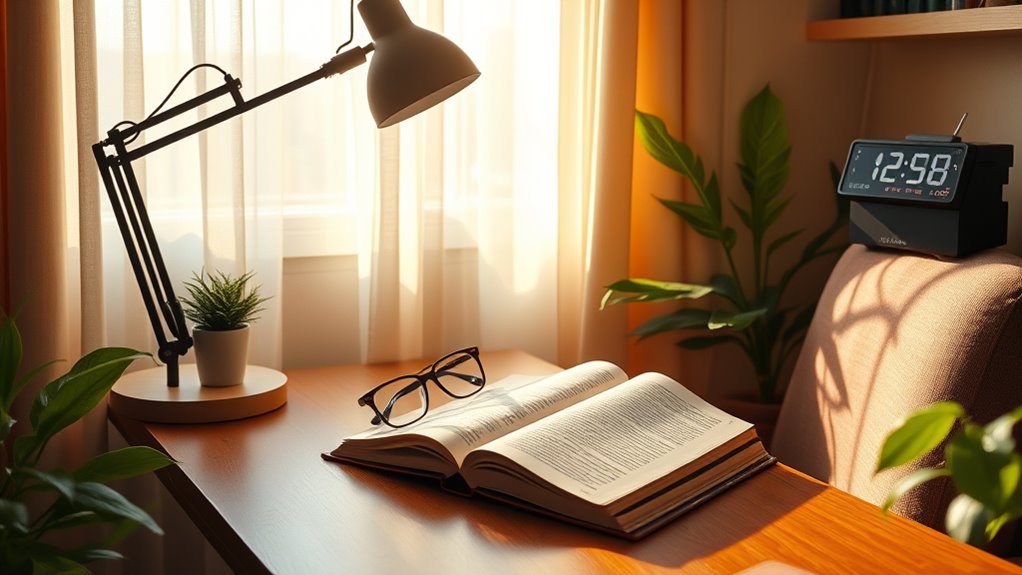
Creating a vision-friendly reading setup is essential for maintaining healthy eyes and reducing fatigue. When you sit down to read, the way you arrange your space can make a significant difference in how your eyes feel after extended periods. Start by positioning your reading material at eye level. This helps you keep your neck and shoulders relaxed, preventing tension that can contribute to headaches and discomfort. If you’re using a book, place it on a stand or pillow so that the pages are aligned with your line of sight. For digital screens, adjust the height of your monitor or device so that the top of the screen is roughly at or just below eye level. This reduces the need to tilt your head or strain your neck, which can also lead to fatigue.
Position your reading material at eye level to keep your neck and shoulders relaxed.
Lighting plays a crucial role in creating a healthy reading environment. Bright, uneven lighting causes your eyes to work harder, leading to strain. Aim for soft, diffuse lighting that evenly illuminates your reading material. Natural light is ideal; position yourself near a window, but avoid glare that reflects off the screen or pages. If natural light isn’t available, use a desk lamp with adjustable brightness and direction. Keep the light source behind you or to the side, never directly in front or behind your eyes, to prevent glare and reflections that make reading more difficult. Consistent, well-balanced lighting minimizes the effort your eyes need to focus, thereby reducing fatigue.
Another key aspect is minimizing visual distractions in your environment. A cluttered or overly bright background can cause your eyes to continually adjust, straining your focus. Choose a quiet, tidy space with neutral-colored walls that don’t pull your attention away from your reading material. The surrounding environment should complement your vision, not compete with it. If you find yourself frequently shifting focus or experiencing discomfort, consider using a matte screen filter or anti-glare coating on digital devices to reduce reflections and glare that can cause eye strain. Additionally, ensuring proper air quality in your reading space can help reduce dryness and irritation, contributing to overall eye comfort.
Lastly, take regular breaks to rest your eyes. Follow the 20-20-20 rule: every 20 minutes, look at something 20 feet away for at least 20 seconds. This simple habit helps relax the ciliary muscles in your eyes, preventing fatigue and maintaining clear vision over time. Combining proper positioning, lighting, environment, and breaks will help you create a vision-friendly reading setup that promotes comfort, reduces strain, and supports your eye health in the long run.
Frequently Asked Questions
How Often Should I Take Breaks During Reading Sessions?
You should take a break every 20 minutes during reading sessions. This helps reduce eye strain and fatigue. Follow the 20-20-20 rule: look at something 20 feet away for at least 20 seconds. If you feel discomfort, take an additional break. Remember, regular breaks keep your eyes healthy and improve focus. Don’t skip these pauses—they’re essential for maintaining good vision and comfort during long reading periods.
What Are the Best Types of Lighting for Eye Health?
Think of lighting like a gentle river guiding your eyes. The best lighting for eye health is soft, natural light, ideally from windows, which reduces glare and harsh shadows. If natural light isn’t available, opt for warm, diffused LED or incandescent bulbs that mimic daylight. Avoid fluorescent lights, which can cause flickering and strain. Consistent, well-placed lighting keeps your eyes comfortable and prevents unnecessary fatigue during reading.
Can Specific Glasses Enhance Reading Comfort and Reduce Strain?
Yes, specific glasses can markedly enhance your reading comfort and reduce strain. Progressives or bifocals help with focus at different distances, while blue light glasses block screens’ harmful rays. Anti-reflective coatings minimize glare, and reading glasses with the correct prescription improve clarity. By choosing the right glasses tailored to your vision needs, you’ll experience less eye fatigue, making reading more comfortable and enjoyable.
How Does Screen Distance Affect Eye Strain?
You should keep your screen about arm’s length away, roughly 20 to 30 inches, to reduce eye strain. When the screen is too close, your eyes work harder to focus, causing fatigue. If it’s too far, you might squint or lean forward, which also strains your eyes. Maintaining the proper distance helps your eyes stay relaxed, decreases discomfort, and improves your overall visual comfort during extended screen time.
Are There Exercises to Prevent Eye Fatigue?
You can prevent eye fatigue by practicing simple exercises that refresh your eyes like the 20-20-20 rule—every 20 minutes, look at something 20 feet away for 20 seconds. Blink frequently to keep your eyes moist, and try rolling your eyes in gentle circles to relieve tension. Imagine a calming breeze sweeping across your gaze; these movements help relax eye muscles and reduce strain during long reading or screen time.
Conclusion
By creating a vision-friendly reading setup, you’re building a sanctuary where your eyes can thrive instead of suffer. Think of it as tuning a delicate instrument—small adjustments make a big difference. When you position your screen at eye level, reduce glare, and take regular breaks, you’re giving your eyes the gift of clarity and comfort. Remember, your vision is the lens through which you experience the world—protect it like a precious treasure, and it will serve you well for years to come.