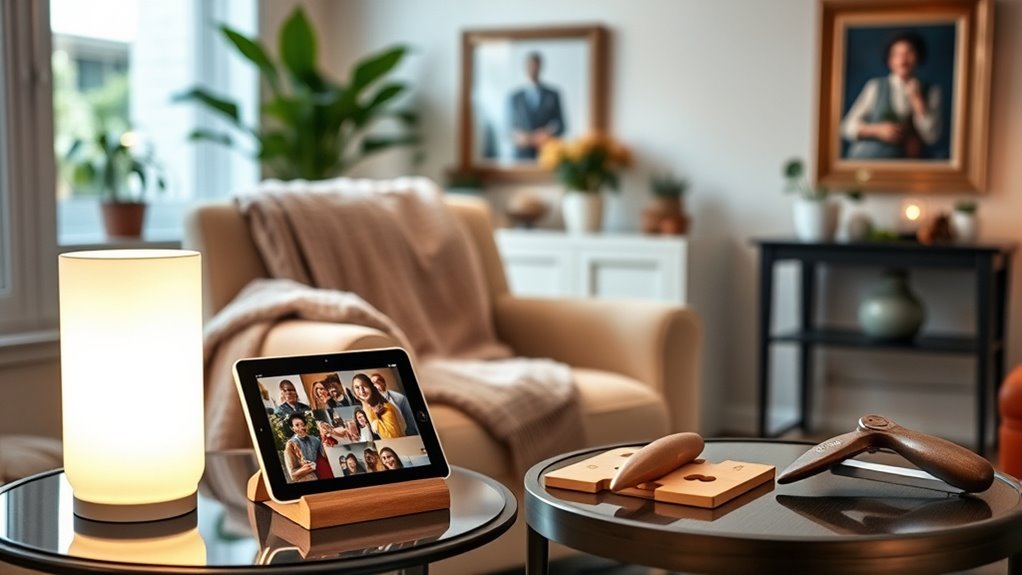

For practical gifts for elderly parents, I’d start with the Kekoy Foldable Grabber Reacher as the best overall pick: it can make everyday reaching tasks easier without requiring a complicated setup. The Uinxan Jar Opener is a useful choice for someone who struggles with tight lids, while the Greenlight Family Hub suits households that want shared schedules in one visible place. The main tradeoff is between gifts that solve a specific daily frustration and those that add connection or enjoyment but need more setup. Comfort aids also depend on personal health, mobility, and preferences, so a practical gift should fit the recipient rather than imply what they can or cannot do. Read on for the full breakdown and advice on choosing a useful gift your parent will actually want to use.

Turn the school run and nap time into listening time
- Thousands of audiobooks, podcasts and originals
- Listen on your phone, tablet or Echo — also offline
- Cancel anytime
Complete the kit


Key Takeaways
- Everyday independence leads the lineup: the Kekoy reacher and Uinxan jar opener address common household tasks directly, while tech gifts depend more on setup and ongoing use.
- The best choice depends on the problem being solved: a grabber helps with out-of-reach items; a jar opener targets grip effort, so neither is a substitute for the other.
- Digital gifts bring a family benefit but require participation: the Greenlight calendar and Frameo frame make sense when relatives will help with setup and keep content or schedules current.
- Low-tech does not always mean effortless: the password book avoids device setup, but storing sensitive information on paper brings privacy and safekeeping tradeoffs.
- Comfort and hosting gifts are more preference-dependent: the leg massager and neck fan need a comfort and safety fit, while the charcuterie set is most useful for someone who enjoys serving guests.


| practical gifts for elderly parent | Weight |
|---|---|
| Kekoy 36-Inch Foldable Grabber | 10 ounces |
| I Remember That!: Captivating | — |
| Greenlight Family Hub 15.6" Di | — |
| Frameo 10.1" WiFi Digital Pict | 350 g |
| Uinxan Patented Jar Opener for | 5.28 ounces |
| Password Keeper Book for Senio | — |
| Portable Neck Fan | 8.8 ounces |
| ALLJOY Leg Massager for Circul | — |
| SMIRLY Charcuterie Board Set w | 6.8 pounds |
More Details on Our Top Picks
Kekoy 36-Inch Foldable Grabber Reacher Tool with Anti-Slip 360° Rotating Jaw and Magnetic Claw
I’d choose the Kekoy for a parent who often needs to retrieve light items from the floor, a shelf, or beside a chair without bending or stretching. Its 36-inch reach helps with those routine tasks, while the 10-ounce build is less tiring to hold than a heavier tool. The swiveling, rubber-coated jaw is more suited to carefully picking up small objects than a basic reacher, and the magnet can help with dropped metal items such as keys.
Compared with the Uinxan jar opener, this addresses reaching rather than grip strength, so the two solve different everyday problems. The Kekoy folds to under 12 inches and includes a strap for a walker or wheelchair, but its jaws are intended for light loads, not heavy or awkward objects. It also comes in just one length, so it may not suit every reach or storage need.
Pros:- Folds to under 12 inches and includes a strap for convenient walker or wheelchair storage.
- 10-ounce aluminum construction helps limit arm fatigue during everyday use.
- 360° swivel head and rubber-coated jaws help with positioning and gripping small items.
- Built-in magnet can retrieve small metal objects such as keys.
Cons:- Designed for light objects and may struggle with heavier loads.
- Only one length option is listed, which may not fit every user’s reach or storage preferences.
Best for: Parents who use a walker or wheelchair and want a lightweight tool for retrieving small, light objects without bending.
Not ideal for: Anyone who needs to lift heavy items or wants a choice of reacher lengths; this model is designed for light use and has one stated length.
- Extended length:36 inches
- Folded length:Under 12 inches
- Weight:10 ounces
- Shaft and internals:Aluminum alloy shaft with steel cable internals
- Jaw width:4 inches
- Jaw features:360° swivel head, rubber coating, and magnetic claw
- Included accessory:Strap
Our verdict“Choose the Kekoy for a parent who needs a compact, lightweight reacher for small everyday items, not for lifting heavier objects.”
I Remember That!: Captivating Stories, Interesting Facts and Fun Trivia for Seniors
I’d give this book to a parent who enjoys short, varied reading and conversational trivia more than a long, demanding narrative. The combination of stories, facts, and quizzes offers a change of pace from page to page, with material described as tailored for senior readers and intended to prompt memories as well as provide amusement. That makes it a more personal, low-tech gift than the Greenlight Family Hub, which centers on schedules, lists, and connected features.
The tradeoff is depth: this collection may feel too simple to someone who prefers detailed reporting, complex puzzles, or a sustained subject. Unlike the Frameo digital picture frame, it does not depend on Wi-Fi, a phone app, or a screen, but it also cannot bring in new family photos or interactive content. I’d treat it as a gentle option for a reader who likes browsing and sharing recollections, rather than as a challenging brain-training program.
Pros:- Mixes stories, facts, and trivia rather than relying on one format.
- Designed with senior readers in mind.
- Offers screen-free entertainment that can prompt conversation and recollection.
Cons:- May be too simple for readers who prefer deeper analysis or more challenging material.
- The supplied product information does not specify format, page count, or print size.
Best for: Parents who enjoy light reading, nostalgia, and short quizzes they can pick up and put down without using a device.
Not ideal for: Readers who want rigorous trivia, deep analysis, or a continuous story; the material may feel too simple and varied for those tastes.
- Format:Book
- Content:Stories, facts, and trivia
- Intended audience:Seniors
- Activity type:Reading and quizzes
- Stated purpose:Entertainment and memory stimulation
- ASIN:1648450784
Our verdict“Pick this book for a parent who likes gentle, varied reading and nostalgic conversation more than demanding puzzles or in-depth nonfiction.”
Greenlight Family Hub 15.6″ Digital Calendar with Touch Screen Display
The Greenlight Family Hub is the most involved gift in this group: I’d choose it when a parent benefits from seeing family plans, chores, and shared lists together on a wall display. Its 15.6-inch touchscreen gives the calendar more room than a phone screen, while syncing with popular calendar apps can help relatives keep plans current. Photo streaming and location features add a family connection that a standalone frame such as the Frameo 10.1-inch does not offer in the same all-in-one format.
That breadth brings more setup and upkeep than the simpler Frameo, which is focused on displaying shared photos. The Hub also has an optional premium tier after a 30-day trial, and the supplied details do not clarify hardware specifications or which features sit behind that tier. I’d choose it for a household willing to configure and maintain a shared system, not for a parent who wants a simple, ready-to-view gift with little interaction.
Pros:- Combines a shared calendar, chores, and lists on one 15.6-inch touchscreen.
- Syncs with popular calendar apps to help keep family schedules aligned.
- Includes photo streaming and family location features in addition to planning tools.
- Offers an optional premium tier with an AI assistant.
Cons:- Premium features may require a subscription after the 30-day free trial.
- Hardware details are limited in the supplied product information.
- Offers more connected features and setup demands than a dedicated photo frame such as the Frameo.
Best for: Families coordinating appointments and household tasks across relatives who can help set up and maintain a shared display.
Not ideal for: Parents who want a simple photo display or prefer not to use connected services; setup, Wi-Fi, and potential subscription features add complexity.
- Display size:15.6 inches
- Display type:Touchscreen
- Connectivity:Wi-Fi
- Calendar connections:Syncs with popular calendar apps
- Additional features:Photo streaming, chores, lists, and safety features
- Photo services:Google Photos and iCloud
- Premium option:Optional tier with a 30-day free trial; listed at $9.99/month afterward
Our verdict“Choose the Greenlight Hub for a tech-comfortable parent whose family will actively maintain shared schedules, lists, and photos.”
Frameo 10.1″ WiFi Digital Picture Frame
I’d choose the Frameo for a parent who would enjoy seeing family photos arrive without needing to manage a digital calendar or social app. Relatives can share pictures and videos through the Frameo app, while the 10.1-inch touchscreen and auto-rotate make it a dedicated display for a table or wall. Compared with the Greenlight Family Hub, this frame gives up calendars, chores, and location features in exchange for a more focused photo experience.
The 16 GB of internal storage, expandable by microSD, provides room for a collection, though the listed expansion limit is 32 GB. Wireless sharing depends on Wi-Fi, and some families may need to help with setup; it is not the right fit for a parent who wants a completely offline gift. Its plastic frame and 1280 × 800 resolution also make it a practical display rather than a premium decorative frame. I’d favor it over the Greenlight when photos matter more than household coordination.
Pros:- Relatives can share photos and videos wirelessly through the Frameo app.
- 10.1-inch HD IPS touchscreen includes auto-rotate for flexible placement.
- 16 GB internal storage can be expanded with a microSD card up to 32 GB.
- Can be placed on a surface or wall-mounted.
Cons:- Wi-Fi is required for wireless sharing features.
- Some users may find setup more complicated than a conventional photo frame.
- Plastic construction and listed 1280 × 800 resolution may not suit buyers seeking a premium display.
Best for: Families who want to send photos and short videos to a parent’s dedicated display and can help with initial Wi-Fi setup.
Not ideal for: Parents without reliable Wi-Fi or anyone seeking a shared calendar and household task hub; this is primarily a photo frame.
- Display size:10.1 inches
- Resolution:1280 × 800
- Aspect ratio:16:10
- Internal storage:16 GB
- Expandable storage:Up to 32 GB via microSD card
- Connectivity:Wi-Fi and USB
- Dimensions:10.51 × 7.2 inches
- Weight:350 g
- Warranty:1 year
Our verdict“Choose the Frameo for a parent who wants a steady stream of family photos without the extra calendar and task features of the Greenlight Hub.”
Uinxan Patented Jar Opener for Seniors and Weak Hands
For a parent who struggles with jar lids, the Uinxan is the most directly practical kitchen gift here. Its lever-action design is intended to reduce the hand strength needed to open stubborn lids, and the stated 0.2-to-5.3-inch range covers a broad selection of jar and bottle sizes. The 9-inch handle gives the user leverage rather than asking them to grip and twist harder. Compared with the Kekoy reacher, which helps retrieve dropped or out-of-reach items, this addresses a specific daily task that can otherwise require another person’s help.
The opener’s stainless steel and polycarbonate construction, dishwasher-safe design, and three-year warranty support regular kitchen use. Still, it may take some adjustment on very tight lids, and it only fits lids within its stated size range. Unlike the broader Greenlight hub, it has no digital setup or ongoing service needs; its value depends on whether opening containers is a recurring frustration. I’d choose it for practical independence, not as a general-purpose grip aid.
Pros:- Lever action is designed to reduce the hand effort needed to loosen lids.
- Fits a stated range of 0.2 to 5.3 inches for jars and bottles.
- Uses 304 and 420J2 stainless steel with polycarbonate components.
- Dishwasher-safe design and a three-year warranty.
Cons:- Very tight lids may require some initial adjustment.
- Use is limited to lids within the stated size range.
Best for: Parents with reduced hand strength or arthritis who regularly struggle to open jars and bottles within the stated lid-size range.
Not ideal for: Anyone needing a tool for lids outside the 0.2-to-5.3-inch range or expecting every very tight lid to open without adjustment.
- Materials:304 and 420J2 stainless steel, polycarbonate
- Handle length:9 inches
- Handle width:5.5 inches
- Weight:5.28 ounces
- Color:Blue
- Lid size range:0.2 to 5.3 inches
- Care:Dishwasher safe
- Warranty:3 years
Our verdict“Choose the Uinxan for a parent whose main daily frustration is opening jars and bottles, rather than reaching or organizing household tasks.”
Password Keeper Book for Seniors – Large Print with Space for Notes
For parents who prefer paper to another device, this large-print password keeper offers a straightforward place to record login details and personal notes. Its biggest advantage over the Greenlight Family Hub is simplicity: there’s no screen or setup, just a paperback book that can stay near a desk. The humorous, gift-ready design makes a routine organizational tool feel more personal than a blank notebook. The tradeoff is that written passwords have no digital backup, and anyone who needs to update entries often may find the pages less durable than a digital system. It also follows a set layout, so it won’t suit someone who wants to customize how information is organized. I’d choose it for a parent who values readable print and a familiar paper format, not as a secure solution for every household.
Pros:- Large-print pages are easier to read than standard small text
- Dedicated space accommodates passwords and additional notes
- Keeps login details together in a familiar paperback format
- Humorous design gives a practical gift a more personal feel
Cons:- No digital backup if the book is lost or damaged
- Paper pages can wear with frequent use
- Fixed layouts offer limited customization
Best for: Parents who prefer writing information by hand and want large-print pages for keeping household passwords together
Not ideal for: Parents who regularly update many accounts, want digital access or backup, or need a highly customizable system
- Format:Paperback book
- Print size:Large print
- Target audience:Seniors
- Space for notes:Yes
- Page count:Not specified
- Digital backup:None specified
Our verdict“Choose this for a parent who prefers a readable paper record over the setup and screen use of a digital organizer.”
Portable Neck Fan, 6000mAh Rechargeable Bladeless Personal Wearable Fan, 360° Airflow, LED Display, 4 Speeds, Hands-Free for Indoor & Outdoor Use (Black)
This neck fan is the most outing-focused gift in this group: its hands-free, bladeless design provides personal airflow without asking the wearer to hold a device. Four speeds let a parent adjust cooling for a walk, travel day or warm room, while the display shows battery status. Compared with the Kekoy grabber reacher, which helps with reaching and picking things up, this is aimed at comfort during activity rather than everyday household tasks. The tradeoff is weight: at 8.8 ounces, it may feel tiring around the neck during extended wear, and the stated runtime of up to 14 hours applies to the lowest speed. It can also fall short in extreme heat. I’d pick it for a parent who enjoys being outdoors and wants portable airflow, rather than someone seeking a home-based comfort aid.
Pros:- Bladeless design avoids exposed fan blades
- Hands-free wear keeps both hands available
- Four speed settings provide airflow choices
- LED display makes battery status visible
Cons:- At 8.8 ounces, it may be tiring to wear for long periods
- Up-to-14-hour runtime is specified for the lowest speed, not every setting
- May not provide enough cooling in extremely hot conditions
Best for: Parents who take walks, travel, or spend time in warm spaces and want cooling without holding a fan
Not ideal for: Parents sensitive to wearable weight, needing strong cooling in extreme heat, or unlikely to recharge a personal device
- Battery capacity:6000mAh
- Power source:Rechargeable battery
- Charging time:2.5 hours
- Runtime:Up to 14 hours on speed 1
- Speeds:4
- Weight:8.8 ounces
- Dimensions:8.2 × 2.2 × 7.2 inches
- Noise level:25 dB
- Airflow:200,000 cubic centimeters per minute
Our verdict“Choose it for an active parent who wants wearable cooling, but skip it if neck comfort or strong heat relief is the priority.”
ALLJOY Leg Massager for Circulation and Pain Relief
For a parent who wants a seated relaxation routine, the ALLJOY combines air compression and heat with several modes and pressure levels, giving more adjustment than a simple warming accessory. The LCD controller, saved last-used setting and 20-minute auto shut-off make it easier to operate without having to remember a sequence each time. Compared with the portable neck fan, this is a home-use comfort device rather than something to take outdoors; its coverage reaches the feet and calves, with extenders included for fit. That broader setup comes with real costs: it can be bulky to store, and the extenders don’t remove the limits of its size range. I’d treat it as a comfort gift, not a substitute for medical advice or prescribed care, particularly for a parent managing swelling or circulation concerns.
Pros:- Four massage modes and four pressure intensities allow adjustment
- Two heat levels add warmth alongside compression
- Included extenders expand the fit range
- LCD, memory function and auto shut-off support straightforward sessions
Cons:- Bulky design can be awkward to store
- Extenders do not make it a universal fit
- Heat and compression may not suit every health condition
Best for: Parents who want adjustable heat and compression for seated relaxation and whose leg measurements fit the stated range
Not ideal for: Parents with limited storage, legs outside the stated fit range, or medical concerns that require clinician guidance before using compression or heat
- Heat levels:2 (42°C and 52°C)
- Massage modes:4
- Pressure intensities:4
- Maximum calf length fit:29.5 inches
- Maximum foot length fit:13.8 inches
- Extenders included:2
- Display:LCD
- Auto shut-off:20 minutes
Our verdict“Choose this for a parent who wants an adjustable at-home leg comfort routine and has space to store the equipment.”
SMIRLY Charcuterie Board Set with Serving Accessories, Bamboo
This set suits parents who enjoy having family over and want serving pieces that arrive together: the bamboo board, fruit tray, bowls, knives and labels cover more of the setup than a board alone. The hidden drawer keeps the knives close at hand, while the grooves add a place for bread or cookies. Compared with the large-print password keeper, this is less about a daily organizational need and more about making shared meals feel considered; it’s a stronger fit when entertaining is already part of a parent’s routine. Its drawbacks matter for that audience: at 6.8 pounds, it may be cumbersome to carry, and the included board is not a large platter for bigger gatherings. Hand-wash care also makes cleanup less convenient than putting serving pieces in a dishwasher. I’d choose it for smaller gatherings, not for someone who prefers low-effort, lightweight servingware.
Pros:- Includes a board, fruit tray, bowls, knives, markers and slate labels
- Hidden drawer keeps the cheese knives with the board
- Bamboo board includes grooves for bread and cookies
- Decorative gift box makes it ready to give
Cons:- At 6.8 pounds, it may be cumbersome to move
- The board is not a large platter for bigger spreads
- Hand-wash care requires more cleanup effort than dishwasher-safe pieces
Best for: Parents who host small family gatherings and enjoy arranging appetizers, cheese or desserts
Not ideal for: Parents who need a lightweight board, host large groups, or prefer dishwasher-safe serving pieces
- Material:Bamboo
- Dimensions:13 × 13 × 1.6 inches
- Weight:6.8 pounds
- Included components:Board with drawer, fruit tray, 2 bowls, 4 cheese knives, 2 chalk markers, 2 slate labels and gift box
- Care:Hand wash only; wipe with a damp cloth
- Color:Light brown
- Recommended gathering size:2–4 people
Our verdict“Choose this for parents who enjoy hosting small gatherings and can comfortably handle a substantial, hand-wash serving set.”

How We Picked
I compared these nine gifts by how clearly each one addresses a real need in an older parent’s daily life, how much effort it takes to use, and whether its benefits seem likely to last beyond the first day. I also weighed setup, storage, maintenance, adaptability, and the possibility that a gift could feel overly medical or draw attention to a limitation. Since comfort, mobility, vision, dexterity, and technology habits differ widely, I treated fit for the recipient as a central part of usefulness.
The ranking gives priority to items with a straightforward, repeatable household benefit and fewer requirements for ongoing help. That puts the reacher and jar opener ahead of gifts whose value depends on family updates, personal comfort preferences, or entertaining habits. The calendar and photo frame offer stronger connection and organization benefits for tech-friendly families, while the massager and neck fan need closer attention to individual comfort and health needs. Books, a password keeper, and a serving set can be thoughtful choices, but their usefulness is more tied to personal habits than to a broadly shared daily task.
Factors to Consider When Choosing Practical Gifts For Elderly Parents
I’d choose a gift by starting with the parent’s routines, not their age. A practical present should fit how they already live, respect their preferences, and avoid creating new work for them or the family.
Start With a Specific Friction Point
Think about a task your parent has mentioned or a routine you have observed, rather than guessing what they need based on age. A tool for opening jars and a reacher solve separate problems, and buying both without asking could make a parent feel singled out. Practicality can also mean less mental clutter, more family contact, or an easier way to host—not only physical assistance. When you are unsure, ask what task they would most like to make easier, or discreetly check with someone who shares their home. Avoid gifts that suggest a diagnosis or limitation the recipient has not discussed. A small, specific improvement is often more welcome than a broad “senior” solution.
Match the Gift to Dexterity, Vision, and Mobility
Product labels do not tell you whether an item will feel manageable in someone’s hands or comfortable in their home. Consider grip strength, reach, balance, eyesight, and whether using the item requires standing, bending, or holding a position. Large print may help with a password book, but the recipient still needs a safe plan for keeping it private. A digital display may be easy to see from across a room yet harder to configure through menus. If a gift is intended to address a health or mobility concern, ask the parent or their care professional about suitability before choosing it. A simpler item that fits existing abilities may be more useful than one with extra features.
Count Setup and Ongoing Help as Part of the Gift
Connected products often need Wi-Fi, app configuration, account access, and occasional troubleshooting. The initial setup may be manageable for an adult child, but think about who will handle updates after the gift is opened. A family calendar stays useful when someone keeps schedules accurate; a photo frame needs relatives to share pictures and the recipient to enjoy viewing them. By contrast, a paper book or basic household tool asks less of the family after delivery, though it may offer fewer shared or changing features. If the parent dislikes screens or rarely uses a smartphone, a device can become an unused object rather than a convenience. Give digital gifts with a clear plan for installation and follow-up.
Check Comfort, Safety, and Health Fit
Wearable comfort devices and leg massagers involve more personal judgment than a serving board or a household opener. Fit, sensation, noise, weight, heat, and the ability to stop or adjust use can affect whether the recipient wants to use them. A feature described as supporting circulation or easing discomfort should not be treated as a substitute for medical advice or care. Ask about existing sensitivities and relevant health guidance before buying a device intended for the body. If your parent prefers not to discuss health needs, choose a less medical gift that supports comfort or daily enjoyment without making claims. The goal is a welcome addition to a routine, not a treatment promise.
Balance Convenience Against Privacy and Maintenance
Useful gifts can introduce responsibilities that are easy to miss at purchase time. A password keeper is simple to use but makes physical storage and access control important; digital calendars and frames may involve accounts, network access, and family data sharing. Reusable tools and serving items need cleaning and a place to live, while battery-powered devices need charging. Consider who will maintain the item and whether that person is the recipient or a family member. Extra functions are only worthwhile when they reduce effort rather than add menus, parts, or upkeep. Before choosing a connected device, discuss what information will be shared and who can access it.
Pay More for Fit and Support, Not Feature Count
A higher-feature gift is not automatically a better fit. Spend more when it provides a clear benefit the recipient will use, such as a display that works for their household or a device with controls they can manage comfortably. For a one-task need, a straightforward tool may be preferable to a complicated alternative. Also think beyond the item itself: help with setup, a printed instruction card, or an offer to install it can matter more than added functions. For gifts that may be returned or exchanged, check the seller’s current terms before buying, especially if fit and comfort are uncertain. A gift that is easy to try and adapt is a safer choice when preferences are not yet clear.
Frequently Asked Questions
What is a practical gift if my parent says they do not need anything?
I would avoid framing the gift as help they need and instead connect it to a routine they already enjoy. A household tool can be presented as a small convenience, while a photo frame or trivia book can add enjoyment without implying reduced independence. If you do not know what would be welcome, ask about one task they find irritating or one activity they would like to do more often. A gift card or an offer to set up a family photo-sharing routine may be better than an object that adds clutter. Their reaction to the idea is useful information, not a reason to press the purchase.
Should I choose a digital calendar or a digital photo frame?
Choose the calendar when the household has shared appointments, reminders, or routines that are easier to see in one place. Choose the photo frame when regular family pictures would be more meaningful than schedule management. Both options work best when a relative is willing to help with initial setup and keep the content current. Before deciding, check whether the recipient is comfortable with touch screens, Wi-Fi, and any related app or account. If screens are unwelcome or technical help will be hard to provide, a non-digital gift is likely to see more use.
Are wearable fans or leg massagers suitable gifts for every older adult?
No; personal comfort and health needs vary, so these gifts call for more discussion than a general household tool. A wearable fan may not suit someone bothered by devices around the neck, airflow, or charging routines. A leg massager may be uncomfortable or unsuitable for someone with particular health concerns, and product descriptions should not replace clinical guidance. Ask the recipient what kind of comfort device they like, and check with a health professional when a relevant condition is involved. If the fit is uncertain, choose a gift that does not make a health-related promise.
Is a password keeper book safer than using a digital password manager?
Neither option is automatically safer for every person; each has different risks. A paper book avoids app accounts and device access, but anyone who finds it may see the written details, so it needs a secure, known storage place. A digital manager can reduce repeated writing and may offer security features, but it depends on devices, account access, and the user’s comfort with software. Ask how your parent currently handles passwords before replacing a familiar system. If you give a book, help them decide what not to record and where it should be kept.
How can I choose a gift without making my parent feel less independent?
Focus on convenience and personal preference rather than describing a product as something they need because of their age. Ask permission before buying an aid tied to mobility, grip, or comfort, and offer it as one option rather than a correction. Gifts that support existing interests—such as reading, family photos, or hosting—can feel more personal than an item centered on a limitation. Give clear instructions without taking over; let your parent decide how and when to use the gift. If they decline it, respect that choice and select something that better matches their priorities.
Conclusion
For the best overall, I’d choose the Kekoy reacher when your parent would welcome help reaching everyday items; it offers a clear household purpose without the ongoing setup of connected tech. The best value in practical usefulness is the Uinxan jar opener for someone whose main frustration is opening containers, while the best premium-style choice is the Greenlight Family Hub for a family ready to maintain a shared digital schedule. For a beginner-friendly gift with minimal device setup, the reacher or jar opener is a more approachable starting point than a calendar or photo frame. Choose the Frameo for a parent who enjoys family pictures and has relatives willing to send them; consider the password book only with a privacy plan, and the leg massager or neck fan only when comfort and health fit are clear. For someone who loves hosting, the SMIRLY serving set is the more personal fit. The right pick is the one your parent welcomes and can use comfortably, not simply the one with the most features.