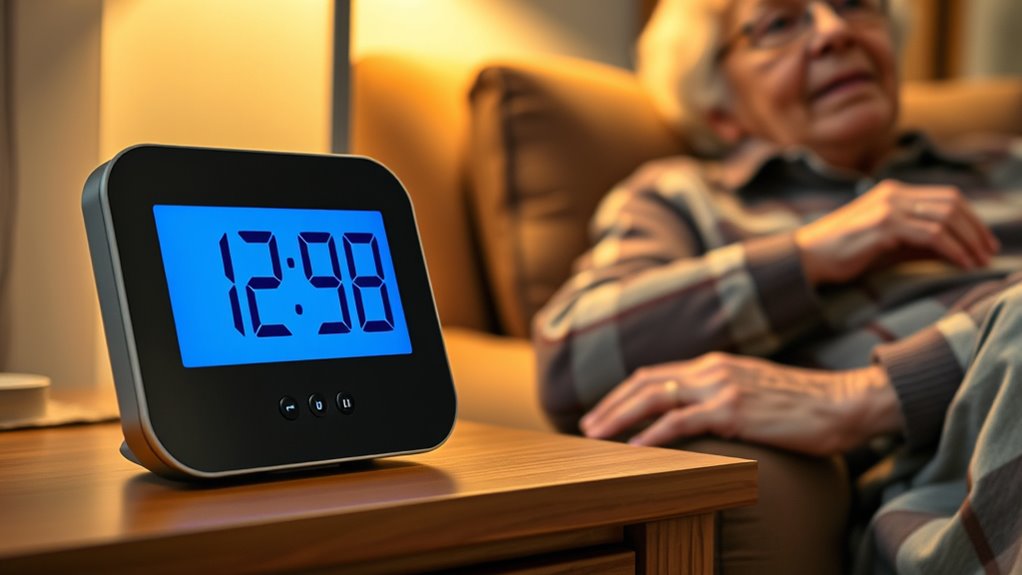

For seniors with low vision, a talking clock can make checking the time easier without relying on small print or a phone screen. I’d choose the Top Life Talking Clock with Large Display as the best overall starting point for shoppers who want both spoken time and a readable display; the ORKA Talking Clock stands out for customizable medication reminders, while the GOLOZA 7-Inch Digital Dementia Clock offers a larger display and multiple volume levels. The main tradeoffs are simple operation versus extra features, and spoken clarity versus display size and alarm flexibility. A clock that suits one person may frustrate another if its buttons, volume, or reminder setup do not match their needs. Read on for the full comparison and guidance on choosing the right fit.

Turn the school run and nap time into listening time
- Thousands of audiobooks, podcasts and originals
- Listen on your phone, tablet or Echo — also offline
- Cancel anytime
Complete the kit


Key Takeaways
- The lineup splits between simple, button-activated time announcements and feature-rich clocks with alarms, dates, or medication reminders; buyers should match complexity to the person who will operate it.
- The Top Life Talking Clock with Large Display is the best overall pick for shoppers seeking both spoken time and a visible display, while the ORKA is more specifically suited to customizable medication reminders.
- The GOLOZA’s 7-inch display and 10 volume levels make it a distinctive choice for shoppers prioritizing screen size and adjustable sound, though its dementia-clock format may be more than someone seeking a basic talking clock needs.
- Several products emphasize large buttons or high-contrast displays, but those features address different barriers: button size helps with control, while contrast helps with reading.
- Reminder-rich models can support routines, but added setup and alarm functions may be unnecessary for someone who only wants to hear the time on demand.
| Talking Button Clock for People with Low Vision (Blue and Silver) |  | Best for Simple, Button-Activated Use | Color: Blue and silver | Voice: English male voice with North American accent | Voice volume settings: Four | VIEW ON AMAZON | See Our Full Breakdown |
| Cirbic Extra Large Talking Button Clock |  | Best for a Large, Easy-to-Find Button | Display type: Analog | Dimensions: 4.5 in W × 2.5 in H | Mounting type: Tabletop | VIEW ON AMAZON | See Our Full Breakdown |
| Top Life Talking Clock with Large Display |  | Best for Spoken Calendar Detail and a Readable Screen | Model: TL-686 | Display: Large high-contrast digital, 12/24-hour | Voice announcements: Time, day, date, and year | VIEW ON AMAZON | See Our Full Breakdown |
| ORKA Talking Clock – Voice-Recordable Extra-Large Medication Pill Reminder – Digital Day Clock with Multiple Customizable Alarms (White) |  | Best for Personalized Medication Reminders | Display type: Digital, large display with extra-large digits | Screen size: 11.17 inches | Dimensions: 9.63 in W × 5.69 in H | VIEW ON AMAZON | See Our Full Breakdown |
| Large High-Contrast Talking Clock for Visually Impaired People, Red |  | Best for a High-Contrast Red Design | Display type: Analog | Color: Red | Mounting type: Tabletop | VIEW ON AMAZON | See Our Full Breakdown |
| 11.5-Inch Digital Clock with Voice-Talking Date and Time, Alarms, and Reminders |  | Best for a Large, Feature-Rich Display | Display: Digital, 11.5 inches | Resolution: 1280 × 800 | Alarms: 27 customizable alarms | VIEW ON AMAZON | See Our Full Breakdown |
| Cirbic Talking Alarm Clock for Low Vision and Blind Users |  | Best for Audio-Guided Setup | Display type: Analog | Functions: Alarm; spoken time, day, and date | Power: Two AAA batteries, not included | VIEW ON AMAZON | See Our Full Breakdown |
| Large Talking Clock for Visually Impaired with Time Memory Function |  | Best for Simple, One-Press Time Checks | Dimensions: Listed as 4.5 × 4.5 × 2.5 inches; another section gives 4.5 × 2.5 inches | Weight: 5.6 ounces | Power: Three AAA batteries included | VIEW ON AMAZON | See Our Full Breakdown |
| Talking Alarm Clock for Seniors with Time, Date, and Medication Reminders |  | Best for Medication and Routine Alerts | Display: 4.3-inch high-contrast LED with extra-large bold digits | Voice volume: Eight levels | Medication reminders: Eight | VIEW ON AMAZON | See Our Full Breakdown |
| Large-Button Talking Clock for Visually Impaired, Blind, and Elderly Users – Blue |  | Best for a Simple Battery-Powered Button Clock | Display type: Digital | Functions: Talking time and date; alarm with audio instructions | Power: Three AAA batteries, not included | VIEW ON AMAZON | See Our Full Breakdown |
| Talking Clock for Seniors and People with Hearing or Visual Impairments |  | Best for Simple Spoken Date Details | Announcements: Time, day, date, and year | Voice: Male voice with a neutral American accent | Activation: Press to hear announcements | VIEW ON AMAZON | See Our Full Breakdown |
| GOLOZA 7-Inch Digital Dementia Clock with Talking Time and 10 Volume Levels |  | Best for Reminders and Adjustable Display | Display: 7-inch LCD | Dimensions: 7.7 in W × 5 in H | Power: Corded electric with USB connection | VIEW ON AMAZON | See Our Full Breakdown |
| HearEsy Talking Digital Alarm Clock for Visually Impaired and Seniors |  | Best for Portable Battery-Powered Use | Brand and model: HearEsy 1714 | Display: Digital, large-number display with backlight | Functions: Spoken time, alarm, snooze, and optional hourly chimes | VIEW ON AMAZON | See Our Full Breakdown |
| Memo24 Talking Button Alarm Clock for the Visually Impaired |  | Best for Easy-to-Find Controls | Display type: Analog | Announcements: Time, day, and date | Voice: English male voice | VIEW ON AMAZON | See Our Full Breakdown |
| talking clocks for visually impaired senior | Power | Dimensions | Voice |
|---|---|---|---|
| Talking Button Clock for Peopl | Two AAA batteries, not included | — | English male voice with North American accent |
| Cirbic Extra Large Talking But | Three AAA batteries, not included | 4.5 in W × 2.5 in H | English male voice with North American accent |
| Top Life Talking Clock with La | AC power or three AA batteries, not included | 6.7 in W × 3.8 in H | — |
| ORKA Talking Clock | AC power with one CR2 battery included for backup | 9.63 in W × 5.69 in H | — |
| Large High-Contrast Talking Cl | Three AAA batteries, not included | — | Male voice with North American accent |
| 11.5-Inch Digital Clock with V | Corded electric | — | — |
| Cirbic Talking Alarm Clock for | Two AAA batteries, not included | 3.5 × 3.5 × 1.5 inches | — |
| Large Talking Clock for Visual | Three AAA batteries included | Listed as 4.5 × 4.5 × 2.5 inches; another section gives 4.5 × 2.5 inches | Male English voice with North American accent |
| Talking Alarm Clock for Senior | AC-powered with memory backup | — | — |
| Large-Button Talking Clock for | Three AAA batteries, not included | — | Male, North American accent |
| Talking Clock for Seniors and | 2 AAA batteries, not included | — | Male voice with a neutral American accent |
| GOLOZA 7-Inch Digital Dementia | Corded electric with USB connection | 7.7 in W × 5 in H | — |
| HearEsy Talking Digital Alarm | 2 AA 1.5V batteries, not included | 4.1 × 1.5 × 2.4 inches, as stated in the description | — |
| Memo24 Talking Button Alarm Cl | 2 AAA batteries, included | 3.5 W × 1.4 H in | English male voice |
More Details on Our Top Picks
Talking Button Clock for People with Low Vision (Blue and Silver)
For a senior who mainly needs to hear the time without reading a screen, this clock keeps the interaction straightforward: press once for the time, then press again for the date. Its four voice volume settings offer more adjustment than the Cirbic Extra Large Talking Button Clock, which has only high and low settings. Audio setup instructions also help someone who cannot comfortably read small controls. The included alarm adds basic bedside utility, though this is still a button-first clock rather than a feature-rich reminder system like the ORKA Talking Clock. Its main tradeoff is that it depends on two AAA batteries, sold separately, and the supplied details do not specify a large display or a particularly loud maximum volume. I’d choose it for uncomplicated spoken access, not for medication scheduling or frequent calendar details.
Pros:- Announces the time and date through separate button presses
- Four voice volume settings give more adjustment than the Cirbic Extra Large Talking Button Clock
- Audio setup instructions support independent setup without relying on visual directions
- Includes an alarm for basic daily wake-up use
Cons:- Two AAA batteries are required and not included
- The supplied details do not specify a large display for users who also want to read the time
- Provides basic spoken time and date rather than multiple customizable reminders
Best for: Seniors who want spoken time and date on demand, need several voice-volume choices, and prefer a simple tabletop clock.
Not ideal for: People who need personalized medication reminders, a large readable display, or a clock that arrives ready to use without separately sourced batteries.
- Color:Blue and silver
- Voice:English male voice with North American accent
- Voice volume settings:Four
- Time and date announcements:Time on first press; date on second press
- Alarm:Yes
- Setup assistance:Audio setup instructions
- Power:Two AAA batteries, not included
Our verdict“Choose this clock for straightforward spoken time and date access with more volume choices than the Cirbic, but skip it if you need a large display or reminder scheduling.”
Cirbic Extra Large Talking Button Clock
The Cirbic’s clearest advantage is physical accessibility: its large, high-contrast button gives a low-vision user a distinct target for hearing the time, with a second press announcing the date. Spoken setup instructions and an alarm make it more useful than a bare talking time device. Compared with the blue-and-silver Talking Button Clock in this roundup, the Cirbic specifies a compact 4.5-by-2.5-inch tabletop body and an analog display, but offers only two voice levels rather than four. Its high/low choice is easy to understand, although it gives less fine control. The voice is English-only, and the clock needs three AAA batteries that are not included. I’d favor it when a tactile, easy-to-locate control matters more than extensive volume adjustment or multilingual announcements.
Pros:- Large, high-contrast button is easier to locate by touch and sight
- Announces the time and date with separate presses
- Spoken setup instructions and an alarm support everyday use
- High and low voice settings provide a simple choice of volume
Cons:- Requires three AAA batteries, which are not included
- English male voice with North American accent is the only specified voice option
- Two volume levels offer less adjustment than the four settings on the blue-and-silver Talking Button Clock
Best for: Low-vision seniors who want a tactile, easy-to-find button, spoken time and date, and simple alarm controls on a small tabletop clock.
Not ideal for: Buyers who need multiple volume increments, a non-English voice, or a clock that includes its batteries.
- Display type:Analog
- Dimensions:4.5 in W × 2.5 in H
- Mounting type:Tabletop
- Voice:English male voice with North American accent
- Voice volume settings:High and low
- Announcements:Time on first press; date on second press
- Alarm:Yes
- Power:Three AAA batteries, not included
Our verdict“Pick the Cirbic when an easy-to-find physical button is the priority; choose the blue-and-silver Talking Button Clock for finer voice-volume adjustment.”
Top Life Talking Clock with Large Display
The Top Life TL-686 suits someone who benefits from both hearing and reading the time. Its large, high-contrast digital display can show 12- or 24-hour time, while a button press announces the time and a second press gives the day, date, and year—more calendar detail than either the Cirbic Extra Large Talking Button Clock or the blue-and-silver Talking Button Clock provides. The screen-off mode can help keep a bedroom dark, and the alarm adds chime and snooze. An adjustable voice reaching 85 dB offers more volume headroom than the basic button clocks, though the product data does not establish that this is the loudest option in the wider roundup. It can run from AC or three AA batteries, but portable use means supplying those batteries separately. This is a stronger fit for a bedside surface than for travel.
Pros:- Announces time, day, date, and year, providing more calendar detail than the Cirbic or blue-and-silver button clocks
- Large high-contrast display supports users who can read some large text
- Adjustable volume reaches a specified maximum of 85 dB
- Screen-off mode, chime, and snooze add useful bedside controls
Cons:- Three AA batteries for use away from AC power are not included
- Larger tabletop design is less suited to carrying or limited bedside space
- Does not offer the personalized recorded reminders available on the ORKA Talking Clock
Best for: Seniors who want spoken time and full date details alongside a large digital display, with an alarm and snooze for bedside use.
Not ideal for: People seeking a compact, battery-ready travel clock or a device with voice-recorded medication reminders.
- Model:TL-686
- Display:Large high-contrast digital, 12/24-hour
- Voice announcements:Time, day, date, and year
- Maximum volume:85 dB
- Power:AC power or three AA batteries, not included
- Dimensions:6.7 in W × 3.8 in H
- Alarm:Chime and snooze
- Screen mode:Screen can be turned off
Our verdict“Choose the Top Life TL-686 for a dual audio-and-display bedside clock with detailed date announcements, but look to the ORKA for personalized reminders.”
ORKA Talking Clock – Voice-Recordable Extra-Large Medication Pill Reminder – Digital Day Clock with Multiple Customizable Alarms (White)
The ORKA is the most reminder-focused choice in this group. Rather than relying only on an alarm sound or a generic spoken time announcement, it allows up to eight recorded voice reminders, so a family member can create prompts for medication or daily routines. Its clock announces time, date, and day in six listed languages, while the 90 dB adjustable alarm may help households where quieter clocks are hard to hear. Compared with the Top Life TL-686, the ORKA adds custom recordings and more scheduled alarms, but its AC-powered design is less flexible away from an outlet. The included CR2 battery is for backup, not portable operation. Its large display and extra-large digits also make it bulkier than the Cirbic button clock. I’d choose it when reminders matter as much as knowing the time, rather than for a simple, portable bedside clock.
Pros:- Up to eight customizable voice-recorded alarms can deliver personal medication and routine prompts
- Announces time, date, and day in six listed languages
- Adjustable alarm reaches a specified maximum of 90 dB
- Large display with extra-large digits provides a visual time reference
Cons:- Requires AC power for normal operation and is not designed for portable use
- Included CR2 battery provides backup rather than a battery-powered alternative
- Larger and heavier than simple options such as the Cirbic Extra Large Talking Button Clock
Best for: Seniors who need several scheduled medication or routine prompts, especially when a familiar recorded voice is more useful than a generic alarm.
Not ideal for: People who need a portable or battery-operated clock, have little room for a large tabletop display, or only want spoken time on demand.
- Display type:Digital, large display with extra-large digits
- Screen size:11.17 inches
- Dimensions:9.63 in W × 5.69 in H
- Weight:2 lb
- Voice reminders:Up to 8 customizable recorded alarms
- Languages:English (US/UK), Spanish, German, French, and Italian
- Alarm volume:Adjustable, up to 90 dB
- Power:AC power with one CR2 battery included for backup
Our verdict“Choose the ORKA when customizable spoken medication and activity reminders are the priority, but skip it if you need portability or a simple button clock.”
Large High-Contrast Talking Clock for Visually Impaired People, Red
This red tabletop clock keeps spoken access uncomplicated: press the large button for the time and press again for the date. Its high-contrast red design gives it a more visually distinctive look than the blue Cirbic Extra Large Talking Button Clock, while the male North American-accented voice and alarm-setting audio instructions support users who may struggle with small printed controls. The tradeoff is a fairly basic feature set. Unlike the Top Life TL-686, it does not specify a large digital display, 12/24-hour choice, screen-off mode, or spoken day and year. It also offers no stated volume adjustment, so buyers who need more control over loudness may prefer the four-level blue-and-silver Talking Button Clock. Three AAA batteries are required and not included. I’d pick this version for its bold color and simple spoken time-and-date routine, not for advanced reminders.
Pros:- Large button announces the time and date through separate presses
- High-contrast red design is visually distinct from the blue Cirbic clock
- Audio instructions support alarm setup without relying on printed directions
- Includes an alarm and calendar display
Cons:- Three AAA batteries are required and not included
- No voice-volume adjustment is specified, unlike the four-level blue-and-silver Talking Button Clock
- Does not provide the detailed spoken day, date, and year announcements offered by the Top Life TL-686
Best for: Low-vision seniors who prefer a visually distinctive red tabletop clock with a large button, spoken time and date, and an alarm.
Not ideal for: Buyers who need adjustable voice volume, a large digital time display, extra calendar detail, or included batteries.
- Display type:Analog
- Color:Red
- Mounting type:Tabletop
- Voice:Male voice with North American accent
- Announcements:Time on first press; date on second press
- Additional features:Alarm and calendar display
- Materials:Polycarbonate body and ABS frame
- Power:Three AAA batteries, not included
Our verdict“Choose this red model for simple spoken time and date access with a distinctive high-contrast appearance, but pick another option if adjustable volume or a large digital screen matters.”
11.5-Inch Digital Clock with Voice-Talking Date and Time, Alarms, and Reminders
This is the strongest fit here for someone who wants a large screen alongside spoken time and date, rather than a small button-activated talking clock. Its 27 customizable alarms and reminders can support a detailed daily routine, while the included remote offers another way to operate it. Adjustable brightness and automatic dimming help tailor the display to different rooms, and automatic daylight saving time adjustment reduces seasonal upkeep. Compared with the medication-focused clock in this lineup, its standout advantage is the 11.5-inch display and USB picture support; its reminders are less specifically described. The tradeoff is that it needs a power outlet, so it is less flexible than the battery-powered Cirbic clocks. The stated dimensions also appear smaller than the screen size, so I would verify the actual footprint before choosing a mounting spot.
Pros:- Announces the time, day, and date while showing them on an 11.5-inch display.
- Offers 27 customizable alarms and reminders for varied daily routines.
- Brightness adjustment and automatic dimming let users tailor the screen to the room.
- Includes a remote and supports wall or tabletop placement.
Cons:- Requires a power outlet, limiting placement and portability.
- Listed dimensions may not correspond to the 11.5-inch screen, making space planning uncertain.
Best for: Seniors who want spoken time plus a large, readable display and several scheduled reminders in a fixed spot near an outlet.
Not ideal for: Anyone who needs a portable clock, wants battery-powered operation, or has limited space and cannot confirm the clock’s actual footprint.
- Display:Digital, 11.5 inches
- Resolution:1280 × 800
- Alarms:27 customizable alarms
- Brightness:Adjustable from 10% to 100%; automatic dimming
- Time features:Voice announcement, automatic DST adjustment, backup timekeeping
- Power:Corded electric
- Mounting:Wall or table
- Dimensions and weight:9.9 × 6.5 inches; 0.61 kg
- Included accessories:Power adapter and remote control
Our verdict“Choose this for a stationary setup where a large display and numerous reminders matter more than cordless use.”
Cirbic Talking Alarm Clock for Low Vision and Blind Users
The Cirbic is a straightforward choice for someone who benefits from spoken setup instructions as well as spoken time, day, and date. Its compact, battery-powered tabletop design avoids a cord and is easier to move than the large plug-in clock in this group. The white-and-blue high-contrast finish adds some visual help, though it is not a substitute for the spoken announcement. Compared with the other Cirbic button clock listed here, this model uses two AAA batteries rather than three, but the product information does not specify the same audio-guided alarm setup. Its main compromise is the bottom-mounted setup button, which can be awkward to reach, and batteries are not included. I would choose it for a simple portable clock, not for prominent display visibility or a complex schedule.
Pros:- Speaks the time, day, and date when activated.
- Audio instructions guide setup for the time, date, and alarm.
- Runs on two AAA batteries, so it does not need a nearby outlet.
- Compact tabletop form is easier to relocate than a large plug-in display.
Cons:- The setup button is on the bottom, making it harder to reach.
- Two AAA batteries are required but not included.
- The product details do not describe a large display or multiple reminder options.
Best for: A low-vision or blind senior who wants a compact, cordless clock with spoken instructions to help set its basic functions.
Not ideal for: Someone who needs an easy-to-reach setup control, a large visible display, or multiple customizable reminders.
- Display type:Analog
- Functions:Alarm; spoken time, day, and date
- Power:Two AAA batteries, not included
- Mounting:Tabletop
- Dimensions:3.5 × 3.5 × 1.5 inches
- Weight:9.07 g
- Material and color:Plastic; white and blue
- Model:TC0005
Our verdict“Pick this compact Cirbic model if spoken setup help and cordless placement matter more than a large screen or extensive scheduling.”
Large Talking Clock for Visually Impaired with Time Memory Function
This clock keeps the main interaction simple: press its large, high-contrast button once for the time and again for the date and weekday. That makes it a better match for people who prefer direct spoken answers over reading a screen or managing a menu. An adjustable voice volume offers some control, and the time-memory function retains the clock setting while batteries are replaced. Compared with the Cirbic clock with audio setup instructions, this model has the clearer stated battery-replacement safeguard; it also includes its three AAA batteries. It is not as feature-rich as the 11.5-inch clock, which adds a large display and many reminders. The tradeoff is battery dependence and inconsistent listed dimensions, so buyers should check its size before relying on a particular bedside footprint.
Pros:- Large, high-contrast button makes the primary control easier to locate.
- Announces the time, date, and weekday through separate button presses.
- Adjustable volume helps tailor announcements to the room and listener.
- Includes three AAA batteries and retains time during battery replacement.
Cons:- Requires three AAA batteries, so continued use depends on battery replacement.
- Product information gives inconsistent dimensions, complicating space planning.
Best for: Seniors who want a simple button press for spoken time and date, with adjustable volume and retained settings during battery changes.
Not ideal for: Buyers who need a wall-sized display, outlet-powered operation, or a clearly verified compact footprint.
- Dimensions:Listed as 4.5 × 4.5 × 2.5 inches; another section gives 4.5 × 2.5 inches
- Weight:5.6 ounces
- Power:Three AAA batteries included
- Voice:Male English voice with North American accent
- Functions:Spoken time, date, and weekday; alarm; adjustable volume; time memory
- Material:ABS plastic
- Battery voltage:1.5 V per battery
- Certifications:CE, RoHS
Our verdict“Choose this for uncomplicated spoken time checks and battery-change memory, but not when a large screen is the priority.”
Talking Alarm Clock for Seniors with Time, Date, and Medication Reminders
For seniors whose biggest need is remembering scheduled tasks, this clock offers more targeted help than the basic button-activated models: it combines eight medication reminders, five snooze alarms, and 12 custom alerts with spoken time and date. The 4.3-inch bold-digit display and eight voice-volume levels support both visual and audio access, while automatic night dimming can reduce bedroom light after 8 PM. Compared with the 11.5-inch digital clock, this model has fewer alarms and a smaller screen, but its medication reminders are specifically identified rather than left as general reminders. It is also less portable than either battery-powered Cirbic option because it requires AC power. Physical-button setup may take preparation, so this is a better fit when someone can help configure the schedule than for buyers seeking a simple one-button clock.
Pros:- Provides eight medication reminders plus 12 custom alerts.
- Offers five alarms with snooze and spoken time and date.
- Large bold digits and eight voice-volume levels support different access needs.
- Automatically dims the display at night and restores brightness in the morning.
Cons:- Requires AC power, limiting placement compared with battery-powered clocks.
- Physical-button setup may be difficult for someone who needs help with configuration.
Best for: Seniors who need recurring medication prompts and custom daily alerts, especially when a caregiver can help with initial setup.
Not ideal for: People who need a portable battery-powered clock, a very large display, or setup without assistance.
- Display:4.3-inch high-contrast LED with extra-large bold digits
- Voice volume:Eight levels
- Medication reminders:Eight
- Alarms:Five with snooze
- Custom alerts:12
- Night mode:Dims at 8 PM and returns to full brightness at 7 AM
- Time format:12- or 24-hour
- Power:AC-powered with memory backup
- Additional features:Calendar, eight wallpaper themes, automatic DST adjustment
Our verdict“Choose this over a basic talking clock when medication prompts and repeatable daily alerts are the main need.”
Large-Button Talking Clock for Visually Impaired, Blind, and Elderly Users – Blue
This Cirbic model is a practical pick for someone who wants a large, high-contrast button to trigger spoken time, followed by the date on a second press. Audio instructions for setting the alarm give it an advantage over a basic talking clock with no stated setup guidance. It runs on three AAA batteries, making it easier to place away from an outlet than the 11.5-inch plug-in clock or the medication-reminder model. Compared with the other Cirbic clock in this group, it needs one additional AAA battery, but its alarm setup instructions are clearly described. Its approach stays focused on essentials: there is no stated medication schedule, large screen, or array of custom alerts. The batteries are not included, so buyers should have replacements ready before use.
Pros:- Large, high-contrast button makes it easier to find the main control.
- Announces time and date through separate button presses.
- Alarm setup includes audio instructions.
- Battery-powered design allows placement without a nearby outlet.
Cons:- Requires three AAA batteries, which are not included.
- Does not list medication reminders or multiple custom alerts.
- Product details do not specify a large visual display.
Best for: A senior who wants a cordless tabletop clock with a large button, spoken time and date, and guided alarm setup.
Not ideal for: Anyone who needs medication reminders, a readable large-format display, or batteries supplied with the clock.
- Display type:Digital
- Functions:Talking time and date; alarm with audio instructions
- Power:Three AAA batteries, not included
- Voice:Male, North American accent
- Mounting:Tabletop
- Weight:0.1 kg
- Material and color:ABS; blue
- Brand and model:Cirbic, model 26
Our verdict“Choose this for basic spoken time and alarm use without a power cord, but select the medication-reminder model for scheduled care prompts.”
Talking Clock for Seniors and People with Hearing or Visual Impairments
This clock suits someone who wants spoken calendar information without the extra menus and reminders of the GOLOZA 7-Inch Digital Dementia Clock. Pressing it once announces the time; pressing again gives the day, date, and year, which can help a user confirm more than just the hour. Audio setup prompts offer guidance when configuring it, while the red-and-white design provides a visible contrast for people with some usable vision. The alarm adds a basic wake-up option, but this is a press-to-hear clock, not one that speaks automatically. That makes it less suitable than a clock with hourly chimes for someone who needs frequent spoken cues. It runs on two AAA batteries, which are not included.
Pros:- Announces time, day, date, and year through button presses
- Audio setup prompts can help users follow configuration steps
- Red-and-white design offers visible contrast
- Includes an alarm function
Cons:- Requires a button press to hear the time
- Two AAA batteries are not included
Best for: Seniors who want spoken time and full date details on demand, plus a straightforward alarm and audio-guided setup.
Not ideal for: People who need automatic hourly time announcements or cannot reliably find and press the clock’s button.
- Announcements:Time, day, date, and year
- Voice:Male voice with a neutral American accent
- Activation:Press to hear announcements
- Alarm:Yes
- Design:Red and white
- Setup:Audio prompts or included manual
- Power:2 AAA batteries, not included
Our verdict“Choose this model if spoken date details and guided setup matter more than automatic announcements or built-in reminders.”
GOLOZA 7-Inch Digital Dementia Clock with Talking Time and 10 Volume Levels
The GOLOZA is the most configurable choice in this group for a senior who benefits from both spoken cues and scheduled reminders. It speaks the time on button press and can chime hourly, while three medicine reminders and birthday and holiday reminders extend its role beyond basic timekeeping. Ten volume and brightness levels allow a caregiver to tailor sound and screen visibility; the supplied remote may also help when reaching the clock itself is difficult. Compared with the simpler HearEsy Talking Digital Alarm Clock, this model offers more reminder and display options, but also asks users to manage more settings. Its corded power requirement limits placement, and the small buttons may frustrate people with reduced dexterity. A memory battery retains settings during outages.
Pros:- Offers spoken time on demand and optional hourly chimes
- Includes three medicine reminders plus birthday and holiday reminders
- Ten brightness and volume levels allow substantial adjustment
- Memory battery retains settings during power outages
Cons:- Needs a corded power connection for normal operation
- Small buttons may be difficult for users with limited dexterity
- More settings may take longer to configure than simpler talking clocks
Best for: Seniors and caregivers who want a bedside clock with adjustable visibility, hourly chimes, and medication reminders.
Not ideal for: People who need a fully portable battery-powered clock or find small controls difficult to operate.
- Display:7-inch LCD
- Dimensions:7.7 in W × 5 in H
- Power:Corded electric with USB connection
- Brightness:10 levels
- Volume:10 levels
- Reminders:Unlimited alarms; 3 medicine reminders; birthday and holiday reminders
- Languages:English, German, French, Italian, and Spanish
- Included accessories:Adapter, 1.5 m USB cable, remote control, and instruction manual
- Backup battery:1 CR2032 battery required for memory
Our verdict“Pick the GOLOZA when reminders and adjustable display and sound matter more than portability and simple controls.”
HearEsy Talking Digital Alarm Clock for Visually Impaired and Seniors
For a senior who may want to move a clock between rooms or keep it away from an outlet, the HearEsy’s battery-powered tabletop design is a practical alternative to the corded GOLOZA. Its large-number display, backlight, and spoken time announcement cover the basics, while the alarm, snooze, and optional hourly chimes add familiar wake-up functions. The 12- or 24-hour format is useful for matching a user’s established routine. Compared with the Memo24, HearEsy pairs its spoken announcement with a digital display rather than relying on a prominent press button as its main draw. Its tradeoff is that the time still requires a button press, and the two AA batteries are not included. The compact size aids placement but offers less screen area than the GOLOZA.
Pros:- Battery-powered design supports flexible tabletop placement
- Large-number display includes a backlight
- Provides alarm, snooze, and optional hourly chimes
- Offers both 12-hour and 24-hour time formats
Cons:- Two AA batteries are not included
- Spoken time requires pressing the top button
- Compact display is smaller than the GOLOZA’s 7-inch screen
Best for: Seniors who need a small clock that can sit on a bedside table without a cord and want both spoken time and a backlit display.
Not ideal for: Users who need a large screen, included batteries, or time announcements without pressing a button.
- Brand and model:HearEsy 1714
- Display:Digital, large-number display with backlight
- Functions:Spoken time, alarm, snooze, and optional hourly chimes
- Time format:12-hour or 24-hour
- Power:2 AA 1.5V batteries, not included
- Mounting:Tabletop
- Dimensions:4.1 × 1.5 × 2.4 inches, as stated in the description
- Weight:2.24 ounces
- Material:Plastic
Our verdict“Choose HearEsy for portable, battery-powered bedside use with a backlit display and basic spoken-time features.”
Memo24 Talking Button Alarm Clock for the Visually Impaired
The Memo24 centers its design on a large, high-contrast red button, making it a strong fit for someone who can press a control but struggles to locate small buttons. A press announces the time, day, and date in English, and the included AAA batteries let the clock run without a separate battery purchase. Compared with the HearEsy, Memo24 prioritizes an easy-to-find control and includes batteries, while HearEsy adds a backlit digital display and snooze. The Memo24’s analog display type and compact tabletop body keep its feature set straightforward, but the supplied details do not specify a backlight or display size. Two volume settings offer a basic choice, not the fine adjustment available on the GOLOZA. Its spoken announcements are still user-activated, so it will not provide automatic hourly cues.
Pros:- Large 2.8-inch red button is easy to locate and press
- Announces time, day, and date in an English male voice
- Includes two AAA batteries and English instructions
- Offers an alarm and high or low volume settings
Cons:- Requires a button press for spoken announcements
- Only two volume settings are available
- Product details do not specify a backlight or large digital display
Best for: Seniors who prefer a large, easy-to-locate press button and want spoken time and date details from a compact tabletop clock.
Not ideal for: People who need automatic hourly announcements, a backlit digital display, or more than two volume choices.
- Display type:Analog
- Announcements:Time, day, and date
- Voice:English male voice
- Button diameter:2.8 in
- Volume settings:High and low
- Alarm:Yes
- Dimensions:3.5 W × 1.4 H in
- Power:2 AAA batteries, included
- Mounting and weight:Tabletop; 2.88 oz
Our verdict“Choose Memo24 if a prominent press button and included batteries matter more than a backlit screen or finely adjustable volume.”

How We Picked
I compared the 14 clocks through the needs most likely to shape daily use for a visually impaired senior: whether the time is spoken on demand, whether controls are easy to locate, whether the display is designed for visibility, and whether alarms or reminders support a specific routine. I also considered how much setup each feature set may imply, whether adjustable volume or a large screen is called out, and how clearly each model’s described purpose matches a particular buyer.
The ranking favors useful accessibility features and a clear fit over a long feature list. Models that combine spoken time with a readable display earn broader appeal; clocks with medication prompts, multiple alarms, or extra-large displays rank higher for those particular needs rather than as universal choices. I treat product claims as stated features, not proof of performance, and flag added complexity as a tradeoff where it may affect day-to-day use.
| talking clocks for visually impaired senior | Voice |
|---|---|
| Talking Button Clock for Peopl | English male voice with North American accent |
| Cirbic Extra Large Talking But | English male voice with North American accent |
| Top Life Talking Clock with La | — |
| ORKA Talking Clock | — |
| Large High-Contrast Talking Cl | Male voice with North American accent |
| 11.5-Inch Digital Clock with V | — |
| Cirbic Talking Alarm Clock for | — |
| Large Talking Clock for Visual | Male English voice with North American accent |
| Talking Alarm Clock for Senior | — |
| Large-Button Talking Clock for | Male, North American accent |
| Talking Clock for Seniors and | Male voice with a neutral American accent |
| GOLOZA 7-Inch Digital Dementia | — |
| HearEsy Talking Digital Alarm | — |
| Memo24 Talking Button Alarm Cl | English male voice |
Factors to Consider When Choosing Talking Clocks For Visually Impaired Seniors
Before choosing a model, I’d focus on how the senior will check the time and who will handle setup. A talking clock is only helpful if its announcement, controls, and reminders fit the person’s hearing, vision, routine, and comfort with technology.
Choose Between On-Demand Speech and Scheduled Announcements
Some people want to press a button whenever they need the time; others benefit from scheduled announcements or alarms that reinforce a daily routine. These are different jobs, so a clock with many alarms is not automatically a better choice for someone who only needs an occasional spoken time check. Ask whether the user can reliably find and press the control, and whether automatic sound could disturb sleep or others nearby. A caregiver may be able to set reminders, but confirm who will manage changes when routines shift. Avoid choosing a reminder-heavy model just because the extra functions sound useful; unused alarms can create confusion.
Match Volume and Speech to the Listening Environment
Hearing ability varies, and a clock that speaks clearly in a quiet bedroom may be hard to hear in a busy room. Adjustable volume can help accommodate different environments, but high volume may disturb a roommate or household member. Consider where the clock will sit, how far away the listener will be, and whether announcements happen at night. If the person has hearing loss as well as low vision, check the product’s stated sound controls and do not assume a talking function alone will solve both needs. A visible display or tactilely distinct control can provide a useful alternative when speech is not practical.
Treat Screen Size, Contrast, and Button Size as Separate Needs
A large screen can make the time easier to read, while strong contrast can help distinguish digits from the background; these are related but not interchangeable benefits. Large buttons matter most when the user must trigger an announcement or operate alarms, and they do not guarantee that every control is easy to identify by touch. Consider the person’s specific vision limits and how they interact with objects before choosing based on a single accessibility label. If possible, check the listed display dimensions, color scheme, and control layout rather than relying only on words such as “large” or “high contrast.” A model with fewer, more distinct controls may be easier than one with a bigger feature set.
Decide Whether Medication Reminders Belong in the Clock
A clock with medication alarms may help anchor a routine, but it should not be treated as a substitute for a medication plan or caregiver oversight. Think through how many reminders are needed, whether schedules change, and who will set or update them. More customizable alarms can add flexibility while also increasing the chance of setup mistakes. If medication timing is the main reason for buying, confirm that the reminder function matches the intended schedule and that the user can recognize the alert. If the goal is simply to hear the time, a basic talking model may involve less setup and fewer distractions.
Plan for Setup, Power, and Changes in Routine
Buying decisions often focus on daily use and overlook the person who will configure the clock. A senior who lives alone may need controls that are straightforward to set, while a family member may be available to handle initial setup and later adjustments. Check the product details for its power requirements and any backup or memory features; do not assume settings will survive a power interruption. A time-memory feature may matter for a clock that must retain settings, but it does not replace checking how the device behaves after power loss. Choose a model whose maintenance and setup demands fit the household, not just its feature list.
Pay for Features That Solve a Real Daily Problem
Extra alarms, voice-recorded prompts, a very large screen, and multiple sound levels can be worthwhile when they address a known need. They add less value when the user wants only a quick spoken time check or finds menus difficult. Before paying for added functions, name the problem they should solve and who will operate them. For a shared bedroom or quiet home, sound behavior may matter more than a large display; for someone who relies on visual orientation, screen size and contrast may take priority. The best fit is the clock that makes one or two essential tasks easier without adding controls the user will not use.
Frequently Asked Questions
Should I choose a talking clock with a display or a voice-only model?
A display adds another way to check the time when speech is inconvenient, but its usefulness depends on the user’s remaining vision, contrast needs, and viewing distance. A voice-only or button-activated model may suit someone who does not rely on a screen and prefers fewer visual elements. Consider whether the clock will be used in a shared room, where spoken announcements might disturb others. If the senior has both low vision and hearing loss, relying on only one output may leave a gap. Match the clock’s output to the person’s actual habits rather than assuming more formats are always better.
Are medication reminders on a talking clock enough to manage a senior’s medicines?
A clock reminder can cue a person that it is time for a planned task, but it does not confirm that the correct medicine was taken or that the schedule is medically appropriate. The person or caregiver still needs a reliable method to organize doses and update the clock when instructions change. Before relying on reminders, check how many alarms can be set and whether the alerts are easy for the user to recognize. Consider whether someone will review the schedule after a prescription change or missed dose. Treat the clock as a prompt within a broader medication routine, not as a medication-management system.
What should I prioritize if the senior has both low vision and hearing loss?
Look for a combination of accessible controls and more than one way to receive the time, such as spoken output alongside a display the person can still read. Adjustable volume may help, but it cannot guarantee speech will be clear for every listener or room. Test the intended placement and listening distance when possible, and check whether the display’s size and contrast suit the user’s vision. Large, easy-to-locate buttons can also help if the person needs to request an announcement. When neither speech nor screen reading works reliably, a talking clock may need to be part of a wider accessibility plan.
Will a talking clock keep its settings after a power interruption?
That depends on the particular model, so check its product information for a stated time-memory or backup feature rather than assuming it has one. A clock may retain some settings but still need the time reset, or it may lose alarms after power is interrupted. If the device supports medication or other scheduled reminders, lost settings can matter more than a brief display outage. Ask who can verify the time and alarms after an interruption, especially if the senior lives alone. A memory feature is useful only when its limits are clear and fit the household’s needs.
Is a large display more useful than large buttons for a visually impaired senior?
Neither feature is universally more useful because they address different tasks. A large display helps when the person can still read digits but needs them to be easier to see; large buttons help when the user must find and press a control to hear the time or set an alarm. High contrast may matter as much as display size for someone who struggles to distinguish digits from the background. Consider whether the senior checks time visually, by voice, or in both ways. Choose around the task that causes the most difficulty, rather than treating one accessibility feature as a stand-in for all the others.
Conclusion
I’d choose the Top Life Talking Clock with Large Display as the best overall option for someone who wants spoken time and a visible display in one device. The ORKA Talking Clock is my pick for a specific need—customizable medication reminders—while the GOLOZA stands out for shoppers prioritizing a 7-inch screen and multiple volume levels. For a beginner, I’d start with a simpler button-activated model, such as the Talking Button Clock for People with Low Vision, if the user mainly needs to hear the time on demand. For value, compare the straightforward models against the features the person will actually use; the simplest suitable clock may be the better buy than one with unused reminders. Before deciding, match the controls, sound, and display to the senior’s abilities and identify who will manage setup.