
Using shared digital calendars and to-do lists helps your family care team stay organized, communicate clearly, and coordinate daily responsibilities. You can see everyone’s appointments, deadlines, and chores in one place, reducing confusion and conflicts. Reminders keep everyone on track, and real-time updates make adjustments easy. By integrating these tools across devices, your family runs smoother and less stressful. Keep exploring how these solutions can transform your family management even further.
Key Takeaways
- Digital calendars provide a centralized platform for family members to view and manage appointments, events, and deadlines collaboratively.
- Shared to-do lists help assign tasks, set priorities, and track progress, reducing mental load and enhancing accountability.
- Synchronization across devices ensures real-time updates and seamless communication within the family care team.
- Automated reminders and alerts keep everyone informed about upcoming commitments and important deadlines.
- Integration with other tools, like messaging and meal planners, streamlines family coordination and enhances overall organization.

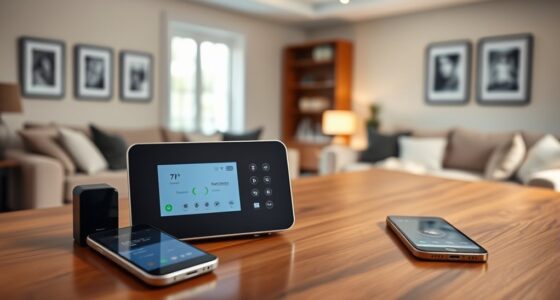
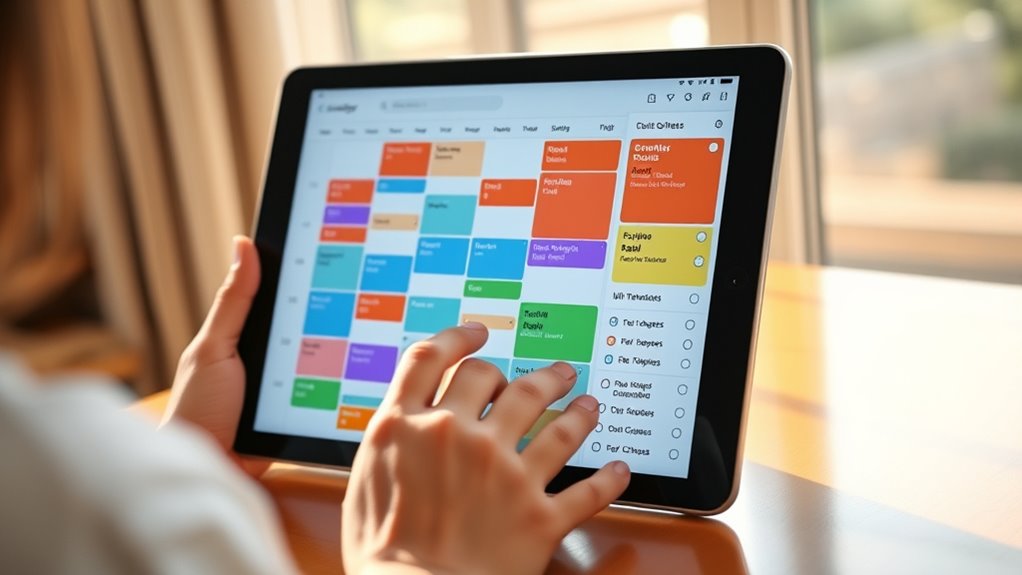
Managing a busy family schedule can be challenging, but shared digital calendars and to-do lists make it much easier. When everyone stays on the same page, you spend less time coordinating and more time enjoying your family. Digital calendars allow you to see all appointments, school events, extracurricular activities, and important deadlines in one centralized place. Instead of juggling multiple paper calendars or relying on memory, you can access the calendar from your phone, tablet, or computer anytime you need. This instant access means you’re always aware of upcoming commitments, reducing the chances of double-booking or forgetting important dates.
Shared digital calendars keep your family organized and on schedule, accessible anytime from any device.
Sharing a digital calendar creates transparency among family members. Everyone can add their own appointments, which helps prevent scheduling conflicts. For example, if your child has a doctor’s appointment or your partner has a work meeting, they can input it directly into the shared calendar. You can then see the full picture and plan accordingly. This collaborative approach minimizes misunderstandings and ensures that all family members are aware of each other’s plans. Plus, many digital calendar apps send automatic reminders, so no one misses an important event. These notifications help you prepare ahead of time, whether it’s packing for a school trip or setting up transportation.
Alongside calendars, shared to-do lists keep daily tasks organized and manageable. You can assign responsibilities to different family members, from household chores to grocery shopping. When everyone contributes, chores get divided more fairly, and no one feels overwhelmed. Digital to-do lists also allow you to set deadlines and priorities, helping your family stay productive. For instance, you might assign laundry to your teenager, meal planning to your partner, and homework checks to yourself. As tasks are completed, they’re marked off, providing a visual sense of progress that motivates everyone to stay on track. These lists also eliminate the need for constant verbal reminders, freeing up mental space and reducing stress.
Most digital tools for calendars and to-do lists sync seamlessly across devices, so whether you’re on your phone during a commute or on a laptop at home, everyone stays updated. Some apps even integrate with other family management tools, like messaging platforms or meal planners, creating a holistic family organization system. Additionally, understanding the importance of contrast ratio in projectors can help you select the right setup for family movie nights. By using shared digital calendars and to-do lists, you foster better communication, reduce misunderstandings, and streamline your daily routines. It’s a simple change that can transform chaos into clarity, making your family’s busy life more manageable and less stressful.
Frequently Asked Questions
How Secure Are Shared Family Calendars Online?
Shared family calendars online are generally secure if you use reputable platforms with strong encryption and two-factor authentication. You should regularly update your passwords and control who has access to your calendar. Be cautious about sharing sensitive information and review permissions periodically. While no system is completely foolproof, taking these precautions markedly reduces the risk of unauthorized access, helping you keep your family’s schedule safe.
Can Digital Calendars Integrate With Existing Healthcare Apps?
Yes, digital calendars can integrate with existing healthcare apps. You can connect your calendar to appointment schedulers, medication trackers, and health monitoring tools, making management easier. Many healthcare apps offer integration options or APIs, allowing seamless data sharing. Just confirm the apps support compatibility and follow security protocols. By doing this, you streamline your health management, reducing manual input and improving coordination with your care team.
What Are the Best Practices for Managing Privacy in Shared To-Do Lists?
You should set clear permissions for each shared to-do list, ensuring only authorized family members can view or edit sensitive information. Use secure, encrypted platforms to protect privacy and regularly update passwords. Communicate openly about what info is shared and respect everyone’s boundaries. Enable notifications for suspicious activity and review access rights periodically. By following these practices, you keep everyone’s information safe while managing shared responsibilities effectively.
How Do Digital Calendars Accommodate Different Time Zones for Family Members?
Imagine your family’s schedules as a dance, each step perfectly timed. Digital calendars automatically adjust for different time zones, so when you set an appointment, it appears correctly for everyone, no matter where they are. You simply input the event in your local time, and the system converts it for others. This seamless synchronization keeps everyone in sync, ensuring your family’s dance stays in perfect rhythm across the world.
Are There Customizable Notification Options for Shared Family Schedules?
Yes, you can customize notification options for shared family schedules. You can set reminders for specific events, choose how far in advance you want to be notified, and select the delivery method, like email or push notifications. This way, everyone stays informed without feeling overwhelmed. You simply access your calendar settings, find the notification preferences, and tailor them to suit your family’s needs for better coordination.
Conclusion
By blending basic boundaries with bold, shared calendars and to-do lists, you build a balanced, bustling backbone for family care. Stay synchronized, simplify schedules, and strengthen your support system. Remember, consistent communication creates cohesion and confidence. When you commit to clear collaboration and collective coordination, you cultivate care, connection, and calm. Embrace this digital duet, and watch your family flourish, feeling fostered, fulfilled, and fiercely connected.