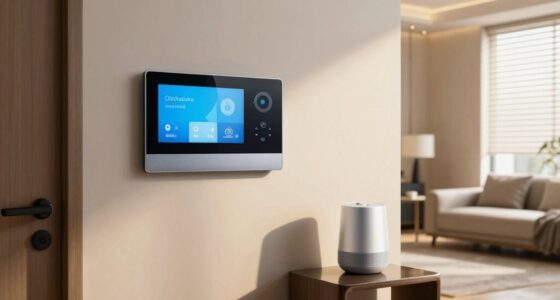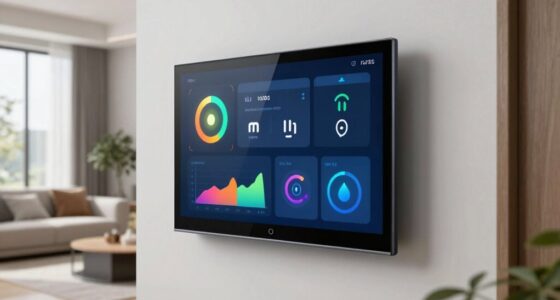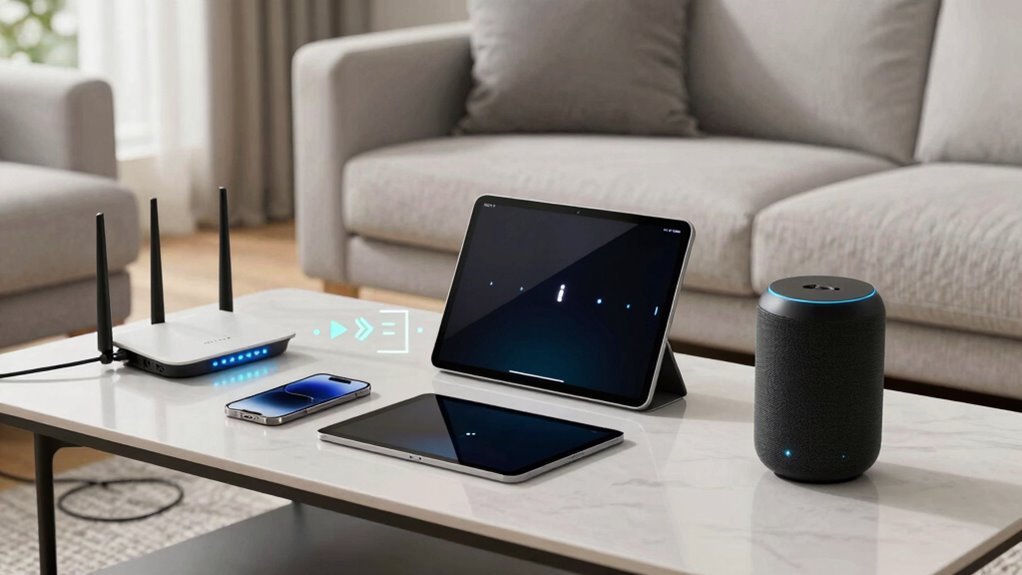

If your smart devices keep dropping offline, it’s often due to Wi-Fi interference, outdated firmware, or poor placement. Overlapping channels and network congestion can weaken your signals, especially during busy times. Also, security settings or too many connected devices may cause stability issues. Regularly updating your device firmware, optimizing your Wi-Fi placement, and managing network traffic can help. Keep exploring to discover more ways to keep your devices reliably connected.

Get baby and family essentials delivered free — and shop member deals
- Fast, free delivery on millions of items
- Access to Prime Big Deal Days deals on October 6–7
- Prime Video, Amazon Music and more included
Key Takeaways
- Wi-Fi interference from overlapping channels can weaken signals, causing devices to drop offline.
- Outdated firmware may lead to instability; regular updates improve device connection reliability.
- Poor router placement or physical obstructions can reduce signal strength and cause disconnections.
- High network congestion or too many connected devices overload bandwidth, resulting in drops.
- Strict security settings or irregular router resets can disrupt device connectivity.

If your smart devices keep dropping offline, it can be frustrating and disruptive to your daily routine. One common reason behind this issue is Wi Fi interference. Wireless networks operate on specific channels, and when multiple devices or nearby networks use the same or overlapping channels, signals can become congested. This interference weakens the connection, causing your smart gadgets to disconnect unexpectedly. You might notice that your devices drop offline more often during peak hours when many networks in your neighborhood are active. To fix this, you can change your Wi Fi channel through your router settings, often to a less crowded one. Using a Wi Fi analyzer app helps identify the best channel, reducing interference and improving stability.
Wi-Fi interference from overlapping channels can cause smart devices to disconnect; changing your router’s channel can improve stability.
Another key factor is firmware updates. Manufacturers regularly release firmware updates to fix bugs, enhance security, and improve performance. If your devices aren’t running the latest firmware, they might struggle to maintain a stable connection or experience compatibility issues with your network. Many devices automatically check for updates, but sometimes these updates don’t install properly or are delayed. It’s important to manually verify that your smart devices are up to date, especially after a disconnection. Updating firmware can resolve known issues that cause devices to drop offline unexpectedly. Additionally, network congestion can also impact your device stability, especially during high-traffic periods. Ensuring your network is optimized with proper router placement can significantly reduce these issues. Proper placement not only minimizes physical obstructions but also helps reduce Wi Fi interference, leading to a more reliable connection. Regularly monitoring your network’s bandwidth usage can also help prevent overloads that cause disconnections. Moreover, upgrading your router to a model with better processing capabilities can handle multiple devices more efficiently and reduce disconnection problems.
Apart from Wi Fi interference and firmware updates, other factors can contribute to your problem. For example, if your router is outdated or not powerful enough to handle multiple connected devices, your smart gadgets may frequently lose connection. Positioning your router in a central, open location reduces signal obstructions and improves coverage. Additionally, too many devices sharing your network bandwidth can cause lag and disconnections. Prioritize bandwidth for your smart home devices or consider upgrading to a faster plan.
Lastly, keep an eye on your network security settings. Sometimes, overly strict firewalls or security protocols can block your devices from maintaining a steady connection. Adjusting these settings or creating a dedicated network for your smart devices can help. Regularly restarting your router can also clear temporary glitches that cause disconnections.
WiFi analyzer app for channel optimization
As an affiliate, we earn on qualifying purchases.
As an affiliate, we earn on qualifying purchases.
Frequently Asked Questions
Can Interference From Other Wireless Devices Affect My Smart Device Connection?
Yes, interference from other wireless devices can affect your smart device connection. Wireless congestion occurs when too many devices operate on the same frequency, causing signal interference. This congestion can weaken your device’s signal, leading to drops or slow responses. To improve connectivity, try reducing the number of devices on the same network, changing your Wi-Fi channel, or relocating your router away from other electronics that could cause signal interference.
How Does Firmware Update Impact Device Connectivity Stability?
Firmware updates directly impact your device’s connectivity stability. When you update, guarantee firmware compatibility with your device and network, as incompatible firmware can cause drops. Regular update frequency is essential because it patches bugs and improves performance, including connection reliability. Skipping updates might leave security vulnerabilities and connectivity issues unaddressed. Keep your devices current with compatible firmware to maintain a stable, reliable connection and avoid offline drops.
Is There a Way to Prioritize Certain Devices on My Network?
Yes, you can prioritize certain devices on your network through device prioritization settings, often found in your router’s Quality of Service (QoS) options. This guarantees your essential smart devices get bandwidth first. Additionally, implementing network segmentation divides your network into separate sections, which helps manage traffic effectively and keeps your critical devices connected smoothly, reducing drops and lag during high usage.
Do Smart Devices Lose Connection During Power Outages?
Think of your smart devices as sailors on a ship—they lose their way when the harbor’s power goes out. During power restoration, they often reboot, causing temporary disconnection. Power outages can interrupt Wi-Fi, forcing devices to disconnect. Once power returns, your devices may need a moment to reconnect and stabilize. To minimize this, make certain your router and smart devices are on reliable power sources, helping them stay connected through outages.
How Can I Improve Wi-Fi Signal Strength Specifically for Smart Devices?
To improve your Wi-Fi signal strength for smart devices, start by optimizing device placement—place your devices closer to your router and avoid obstructions. Use signal boosters or extenders to amplify your Wi-Fi coverage, especially in areas with weak signals. Regularly update your router’s firmware and switch to a less congested channel. These steps help guarantee a stronger, more reliable connection for all your smart devices.
Conclusion
In the grand dance of your smart devices, occasional missteps are simply part of the rhythm. With a little patience and some gentle adjustments, you’ll find them back in sync, humming along smoothly. Remember, even the best performers need a moment to reset. So, next time your gadgets take a little unexpected break, just smile—soon they’ll be right back to making your life easier and more connected, like they’re meant to do.
Cold & flu season Picks
humidifiers
As an affiliate, we earn on qualifying purchases.