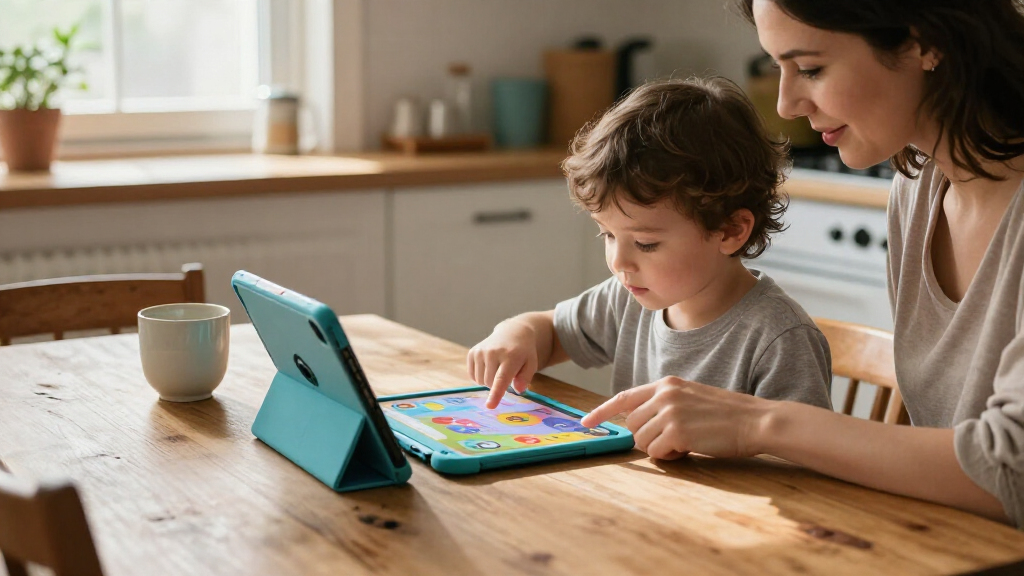
For most families, I’d start with the Amazon Kids Tablet 11 for its child-focused ecosystem, while the LeapFrog LeapPad Academy stands out for a more learning-centered experience and the Evermyth 10-Inch Kids Tablet for stylus activities. These kids educational tablets vary widely: some offer a familiar Android setup and larger screens, while others put more emphasis on guided content or compact handling. A bigger display can suit videos, drawing, and shared activities, but a smaller tablet may be easier for a young child to hold. I also weigh parental controls, storage, protective design, and how much setup a family may need to manage. Continue reading for the full comparison and help choosing the right fit.

Turn the school run and nap time into listening time
- Thousands of audiobooks, podcasts and originals
- Listen on your phone, tablet or Echo — also offline
- Cancel anytime
Complete the kit


Key Takeaways
- The lineup splits between open Android tablets and a more purpose-built learning option: the Android models offer familiar apps and flexibility, while the LeapFrog LeapPad Academy is the clearest pick for families prioritizing structured child-focused learning.
- Screen size creates a practical tradeoff: the 7-inch PEICHENG, TOPELOTEK, and YINOCHE models are easier for small hands to carry, while the 10- and 10.1-inch options give more room for reading, drawing, and video lessons.
- Parental controls are not interchangeable with educational content: several Android models list parental controls, but families should check what controls are available and whether the apps they want are included or need separate setup.
- Protective accessories affect day-to-day suitability: the Amazon Kids Tablet 11, Evermyth, and EDDBNi list protective cases, while a listed case alone does not establish drop resistance or long-term durability.
- Memory figures need careful interpretation: advertised RAM and storage vary across the Android choices, but buyers should verify how much storage is usable and whether any claimed memory includes virtual expansion before comparing models.
| Gleeso 10.1-Inch Android 16 Kids Tablet, 24GB RAM, 64GB Storage, 6000mAh Battery, Parental Controls, Green |  | Best for Built-In Parental Controls | Operating system: Android 16 | Display: 10.1-inch HD LCD, 800 × 1280 | RAM: 24GB | VIEW LATEST PRICE | See Our Full Breakdown |
| PEICHENG 7-Inch Kids Tablet, Android 12, 4GB RAM, 32GB Storage, Blue |  | Best for a Compact Starter Tablet | Operating system: Android 12 | Processor: Quad-core | Display: 7-inch IPS, 1024 × 600 | VIEW LATEST PRICE | See Our Full Breakdown |
| Amazon Kids Tablet 11 with Aquatic Slim Hard Case, 64GB |  | Best Premium Screen for Learning and Creativity | Display: 11-inch 2.5K | RAM: 8GB | Storage: 64GB | VIEW LATEST PRICE | See Our Full Breakdown |
| TOPELOTEK 7-Inch Kids Tablet, 2GB RAM, 32GB Storage |  | Best for Offline Educational Activities | Model: ZIDS7001, 3rd Generation | Display: 7-inch HD IPS | RAM: 2GB | VIEW LATEST PRICE | See Our Full Breakdown |
| COLORROOM 10.1-Inch Kids Tablet, Android 15, 10GB RAM, 64GB Storage, Pink |  | Best Value for a Large-Screen Family Tablet | Operating system: Android 15 | Display: 10.1 inches, 1280 × 800 | Processor: Octa-core CPU | VIEW LATEST PRICE | See Our Full Breakdown |
| EDUAITABLET K10D-002 10-Inch Kids Tablet, Android 16, Teal |  | Best for Google Kids Space | Operating system: Android 16 | Display: 10.1-inch IPS, 1280 × 800 | Processor: UNISOC T7200 octa-core, up to 1.8 GHz | VIEW LATEST PRICE | See Our Full Breakdown |
| Evermyth 10-Inch Kids Tablet with Stylus and Protective Case |  | Best for Drawing and Handwriting | Operating system: Android 16 | Display: 10 inches | Processor: A333, up to 1.8GHz | VIEW LATEST PRICE | See Our Full Breakdown |
| TABWEE K10 10-Inch Kids Tablet, Android 16, Pink |  | Best for Built-In Storage | Operating system: Android 16 | Display: 10-inch IPS touchscreen, 1280 × 800 | Processor: AMD E2 | VIEW LATEST PRICE | See Our Full Breakdown |
| YINOCHE Y8 7-Inch Kids Tablet, Android 11, 32GB, Parental Controls, Pink |  | Best Compact Pick | Display: 7 inches | Operating system: Android 11 | Processor: Quad-core | VIEW LATEST PRICE | See Our Full Breakdown |
| EDDBNi K10 Kids Tablet, 10.1-Inch Android 15, 64GB Storage, Parental Controls, EVA Case |  | Best for Longer Warranty Coverage | Operating system: Android 15 | Display: 10.1-inch HD IPS, 1280 × 800 | Processor: Quad-core | VIEW LATEST PRICE | See Our Full Breakdown |
| LeapFrog LeapPad Academy Kids’ Learning Tablet, Green |  | Best for Structured Learning | Brand: LeapFrog | Model: LeapPad Academy | Operating system: Android 10 | VIEW LATEST PRICE | See Our Full Breakdown |
| kids educational tablet | Display | Storage | Operating system | RAM |
|---|---|---|---|---|
| Gleeso 10.1-Inch Android 16 Ki | 10.1-inch HD LCD, 800 × 1280 | 64GB; expandable up to 1TB via TF card, not included | Android 16 | 24GB |
| PEICHENG 7-Inch Kids Tablet | 7-inch IPS, 1024 × 600 | 32GB; expandable up to 512GB via Micro SD | Android 12 | — |
| Amazon Kids Tablet 11 with Aqu | 11-inch 2.5K | 64GB | — | 8GB |
| TOPELOTEK 7-Inch Kids Tablet | 7-inch HD IPS | 32GB; expandable up to 512GB | — | 2GB |
| COLORROOM 10.1-Inch Kids Table | 10.1 inches, 1280 × 800 | 64GB; expandable up to 1TB via microSD card, sold separately | Android 15 | 10GB (4GB + 6GB) |
| EDUAITABLET K10D-002 10-Inch K | 10.1-inch IPS, 1280 × 800 | 32GB, expandable up to 1TB | Android 16 | 16GB as listed |
| Evermyth 10-Inch Kids Tablet w | 10 inches | 64GB, expandable up to 1TB via TF card | Android 16 | 24GB as listed |
| TABWEE K10 10-Inch Kids Tablet | 10-inch IPS touchscreen, 1280 × 800 | 128GB as listed; expandable up to 2TB via TF card | Android 16 | — |
| YINOCHE Y8 7-Inch Kids Tablet | 7 inches | 32GB, expandable up to 512GB | Android 11 | 2GB |
| EDDBNi K10 Kids Tablet | 10.1-inch HD IPS, 1280 × 800 | 64GB, expandable up to 1TB via microSD | Android 15 | 6GB |
| LeapFrog LeapPad Academy Kids’ | — | — | Android 10 | — |
More Details on Our Top Picks
Gleeso 10.1-Inch Android 16 Kids Tablet, 24GB RAM, 64GB Storage, 6000mAh Battery, Parental Controls, Green
The Gleeso makes a strong case for families who want a large screen and adjustable content limits in one kids-focused tablet. Its preinstalled kids’ space offers educational games and storybooks, while controls cover screen time, app use, and content blocking. Compared with the TOPELOTEK 7-Inch Kids Tablet, the Gleeso gives lessons and videos more room on its 10.1-inch display, but it does not list the same specific preloaded Montessori and STEM activities. The 64GB storage can grow with a TF card, useful if a child downloads more content, though that card is sold separately. A 6000mAh battery and front and rear cameras round out the package; the listing does not state runtime, so I would not choose it based on an assumed all-day charge. Its HD resolution is also less detailed than the premium Amazon Kids Tablet 11’s 2.5K screen.
Pros:- Kids’ space includes educational games, storybooks, and learning content.
- Parental controls cover screen time, app use, and content blocking.
- 64GB of storage can be expanded by up to 1TB with a TF card.
- 10.1-inch screen and front and rear cameras support varied activities.
Cons:- The TF card needed for expanded storage is not included.
- Battery runtime is not specified.
- Its 800 × 1280 HD resolution is less detailed than the Amazon Kids Tablet 11’s 2.5K display.
Best for: Families who want a roomy screen, built-in learning content, and controls for screen time, apps, and blocked content.
Not ideal for: Parents who need a stated battery-runtime estimate or a high-resolution display for detailed creative work.
- Operating system:Android 16
- Display:10.1-inch HD LCD, 800 × 1280
- RAM:24GB
- Storage:64GB; expandable up to 1TB via TF card, not included
- Battery:6000mAh
- Cameras:5MP front, 8MP rear
- Parental controls:Screen-time limits, app-use limits, and content blocking
- Connectivity:Wi-Fi; listing also specifies 5G cellular technology
- Warranty:1 year
Our verdict“Choose the Gleeso if you want a large-screen kids’ tablet with learning content and detailed parental controls, and can live without a stated battery runtime.”
PEICHENG 7-Inch Kids Tablet, Android 12, 4GB RAM, 32GB Storage, Blue
For a child’s first tablet, the PEICHENG keeps the setup compact and adds more useful guardrails than a bare-bones device: parents can manage profiles, apps, web access, and screen time. Its 7-inch IPS screen and adjustable-stand case make it easier to prop up for a video or short learning session, while Google Play and Widevine L1 provide access to familiar apps and Netflix. Compared with the larger COLORROOM 10.1-Inch Kids Tablet, this is easier for small hands to carry but offers less screen space for reading and school activities. The 32GB storage is expandable to 512GB, though a Micro SD card is needed. The tradeoff is a modest 1024 × 600 resolution, which gives text and graphics less detail than larger, sharper options. Wi-Fi-only connectivity also rules out independent mobile access away from a network.
Pros:- Parental controls include profiles, screen-time limits, app controls, and web filtering.
- Protective case has an adjustable stand for hands-free viewing.
- Google Play access and Widevine L1 support a broad app and streaming selection.
- Storage can be expanded up to 512GB with a Micro SD card.
Cons:- The 1024 × 600 display is relatively low-resolution for reading and detailed activities.
- No cellular connectivity is listed.
- A Micro SD card is required to expand beyond the included 32GB.
Best for: Parents seeking a manageable first tablet for a younger child, with child profiles, web filtering, and a stand-equipped case.
Not ideal for: Families who want a larger, sharper screen for extended reading or need cellular connectivity away from Wi-Fi.
- Operating system:Android 12
- Processor:Quad-core
- Display:7-inch IPS, 1024 × 600
- Memory:4GB RAM (2GB + 2GB expansion)
- Storage:32GB; expandable up to 512GB via Micro SD
- Cameras:2MP front, 5MP rear
- Connectivity:Wi-Fi 802.11n and Bluetooth
- Ports:USB Type-C and 3.5mm headphone jack
- Battery:Lithium-ion, 11Wh
Our verdict“Pick the PEICHENG as a compact starter device when parental controls and a stand matter more than a large, high-resolution screen.”
Amazon Kids Tablet 11 with Aquatic Slim Hard Case, 64GB
The Amazon Kids Tablet 11 is the standout for older children who use a tablet for more than short games and videos. Its 11-inch 2.5K display gives reading, drawing, and school apps more space and detail than the 10.1-inch HD Gleeso, while 8GB RAM and stylus support suit more demanding creative activities. The kickstand case works in portrait or landscape, and the stated video runtime of up to 15 hours is helpful for travel or long stretches away from an outlet. It also combines parental controls, Alexa, Google Play access, and a year of Kids+ content. That package is broader than the offline-learning focus of the TOPELOTEK, but the Kids+ subscription auto-renews after its first year. A stylus is supported, not listed as included, so creative use may require a separate purchase.
Pros:- 11-inch 2.5K display offers more detail and workspace than the HD-screen options.
- Up to 15 hours of video playback suits travel and offline viewing.
- Kickstand case supports portrait and landscape use.
- Includes parental controls, Google Play access, Alexa, and a one-year Kids+ subscription.
Cons:- Kids+ auto-renews after the included first year.
- A stylus is supported but is not listed among the included accessories.
- Its larger screen may be less convenient for small hands than the PEICHENG’s 7-inch design.
Best for: Families with children aged 6–12 who need a high-detail screen for school apps, reading, creative work, and travel viewing.
Not ideal for: Buyers looking for a simple, small starter tablet or a ready-to-use stylus setup without buying an accessory separately.
- Display:11-inch 2.5K
- RAM:8GB
- Storage:64GB
- Battery life:Up to 15 hours of video playback
- Included subscription:One-year Kids+ subscription
- Case:Slim hard case with built-in kickstand for portrait and landscape viewing
- Apps and connectivity:Google Play Store access
- Voice assistant:Alexa built in
- Intended age range:6–12 years
Our verdict“Choose the Amazon Kids Tablet 11 for a child ready for school and creative apps who will benefit from its sharper, larger display and travel-friendly runtime.”
TOPELOTEK 7-Inch Kids Tablet, 2GB RAM, 32GB Storage
The TOPELOTEK has a more lesson-led pitch than the other small tablet here: it comes with offline Montessori lessons, games, and STEM activities, so a child can use learning content without relying on a live connection. Its parental controls include learning goals as well as screen-time limits and content filters, giving caregivers more ways to shape sessions than the PEICHENG’s listed controls. A drop-resistant body and rotatable kickstand also suit younger users who carry the tablet around or need it propped up. The compromises are clear: 2GB RAM is less generous than the PEICHENG’s 4GB, and the 7-inch display provides less room for reading than the COLORROOM’s 10.1-inch screen. Battery life is listed as eight hours, but the stated one-month free-return warranty is brief compared with a longer-term support offer.
Pros:- Preloaded offline content includes Montessori lessons, games, and STEM activities.
- Parental controls include learning goals, time limits, privacy locks, and content filters.
- Drop-resistant body and rotatable kickstand support everyday portable use.
- Storage can be expanded up to 512GB.
Cons:- The 7-inch display may feel cramped for reading and longer learning sessions.
- 2GB RAM is lower than the PEICHENG’s listed 4GB.
- Warranty information describes a one-month free-return period.
Best for: Caregivers who want a small, durable tablet with learning activities that can be used offline and controls that include learning goals.
Not ideal for: Children who need a larger screen for reading or multitasking, or families who prioritize a longer stated warranty.
- Model:ZIDS7001, 3rd Generation
- Display:7-inch HD IPS
- RAM:2GB
- Storage:32GB; expandable up to 512GB
- Battery:3500mAh lithium-ion
- Battery life:Up to 8 hours
- Processor brand:Allwinner
- Parental controls:Screen-time limits, learning goals, privacy locks, and content filters
- Included components:Tablet, USB-C cable, charger head, and manual
Our verdict“Choose the TOPELOTEK when offline lessons and a more rugged, hands-free design matter more than screen size or memory headroom.”
COLORROOM 10.1-Inch Kids Tablet, Android 15, 10GB RAM, 64GB Storage, Pink
The COLORROOM is a practical middle ground for families who want a 10.1-inch screen without stepping up to the Amazon Kids Tablet 11. Google Kids Space and parental controls support age-appropriate activities and time limits, while its 1280 × 800 display gives lessons and videos more room than the PEICHENG’s compact 7-inch screen. The listing states 8–12 hours of battery use, a useful planning range for school-day activities, though actual runtime depends on use. It also includes an EVA case, dual stereo speakers, and brightness and anti-blue-light features. Compared with the Gleeso, the COLORROOM specifies its processor and battery-life range, but its listed 10GB RAM uses a 4GB + 6GB configuration. Storage starts at 64GB and can expand to 1TB, but the microSD card is sold separately.
Pros:- Google Kids Space and parental controls support age-appropriate activities and time limits.
- 10.1-inch, 1280 × 800 display provides more workspace than compact 7-inch models.
- Includes an EVA case and dual stereo speakers.
- Stated battery life is 8–12 hours, depending on use.
Cons:- MicroSD card for storage expansion is sold separately.
- Battery runtime varies with use rather than providing a fixed figure.
- The HD display is less detailed than the Amazon Kids Tablet 11’s 2.5K screen.
Best for: Families seeking a large-screen Android tablet with Google Kids Space, a protective case, and a stated battery-life range for everyday learning and entertainment.
Not ideal for: Buyers who want a bundled memory card, a premium high-resolution display, or a precisely guaranteed battery runtime.
- Operating system:Android 15
- Display:10.1 inches, 1280 × 800
- Processor:Octa-core CPU
- RAM:10GB (4GB + 6GB)
- Storage:64GB; expandable up to 1TB via microSD card, sold separately
- Battery:6000mAh
- Claimed battery life:8–12 hours, depending on use
- Connectivity and ports:Wi-Fi, Bluetooth, USB-C, and 3.5mm audio
- Included components:EVA case, USB cable, and manual
Our verdict“Pick the COLORROOM for a family-friendly large screen, included case, and stated battery range, provided you are comfortable adding a microSD card separately if needed.”
EDUAITABLET K10D-002 10-Inch Kids Tablet, Android 16, Teal
I’d shortlist the EDUAITABLET K10D-002 for families who want Google Kids Space and straightforward parental controls on a roomy screen. Profiles, content filtering, and screen-time limits give caregivers more control over how learning apps and entertainment are used. Its included EVA case with foldable stand also means the tablet can sit up for reading or video lessons without needing a separate accessory.
Compared with the Evermyth KB1009, this model offers less listed internal storage, but its Google Kids Space setup may be a more familiar fit for households already using Google services. The 32GB capacity could fill quickly with downloaded apps and media, though microSD expansion helps. Its 1280 × 800 display is suitable for everyday lessons, but not as sharp as a Full HD screen, and the listed RAM figure is unusually high without further explanation.
Pros:- Google Kids Space offers profiles, screen-time limits, and content filtering.
- Included teal EVA case has a foldable stand for hands-free reading and lessons.
- Storage can be expanded up to 1TB with a microSD card.
- Blue-light reduction mode and adjustable brightness support viewing comfort.
Cons:- The 32GB internal storage may be restrictive for offline apps and media.
- The 1280 × 800 resolution is less detailed than a Full HD display.
- The listed 16GB RAM configuration is not explained further.
Best for: Families who want Google Kids Space controls, a stand-equipped protective case, and expandable storage for a child’s learning apps.
Not ideal for: Parents who expect to keep many apps and videos stored internally or want a sharper-than-HD display.
- Operating system:Android 16
- Display:10.1-inch IPS, 1280 × 800
- Processor:UNISOC T7200 octa-core, up to 1.8 GHz
- RAM:16GB as listed
- Storage:32GB, expandable up to 1TB
- Battery:6000mAh
- Connectivity:Dual-band Wi-Fi; Bluetooth 5.4
- Included accessories:Teal EVA case with foldable stand; USB-C cable
- Warranty:1-year limited warranty
Our verdict“Choose the EDUAITABLET if Google Kids Space and an included stand case matter more than generous built-in storage or a high-resolution screen.”
Evermyth 10-Inch Kids Tablet with Stylus and Protective Case
The Evermyth KB1009 makes the most sense for children who will do more than tap through lessons: its included stylus supports drawing and handwriting practice, while the adjustable case stand can position the tablet for desk-based activities. UKIDOZ Kids Space adds parental controls for screen time, app permissions, and content filtering, giving caregivers a way to manage the device as creative use grows.
Compared with the TABWEE K10, Evermyth includes a stylus in the bundle but has half the stated built-in storage: 64GB rather than 128GB. Both allow expansion, although the TF card for this model is sold separately. Wi-Fi 6 and a 6000mAh battery suit connected learning and longer sessions, but the A333 processor and unexplained 24GB RAM listing make it harder to judge performance from the specs alone. I’d choose it for the pen and case, not for certainty about speed.
Pros:- Included stylus supports drawing and handwriting activities.
- Case has a 180-degree adjustable stand and protective design.
- UKIDOZ Kids Space provides app, content, and screen-time controls.
- Wi-Fi 6, Bluetooth 5.4, and a 6000mAh battery support connected use.
Cons:- The TF card needed for storage expansion is not included.
- The listed 24GB RAM configuration is not explained, making performance harder to evaluate.
- Its 64GB built-in storage is lower than the TABWEE K10’s stated 128GB.
Best for: Families whose children want to draw, practice handwriting, or use a tablet at a table with an adjustable stand.
Not ideal for: Buyers who want a clearly documented memory configuration or need substantial expanded storage without buying a TF card separately.
- Operating system:Android 16
- Display:10 inches
- Processor:A333, up to 1.8GHz
- RAM:24GB as listed
- Storage:64GB, expandable up to 1TB via TF card
- Battery:6000mAh
- Cameras:5MP front; 8MP autofocus rear
- Connectivity:Wi-Fi 6; Bluetooth 5.4
- Included accessories:Stylus, protective case with adjustable stand, charger, USB-A to USB-C cable
Our verdict“Pick the Evermyth for its included stylus and adjustable case, while treating the memory claim and optional expansion card as points to verify.”
TABWEE K10 10-Inch Kids Tablet, Android 16, Pink
The TABWEE K10 stands out for its 128GB of stated storage, more room out of the box than the EDUAITABLET K10D-002 or Evermyth KB1009. That can reduce the need to manage downloads when a child keeps learning apps, books, and videos on the device. Google Kids Space and parental controls cover app, content, and screen-time management, while the included case and pen support both protected viewing and basic creative activities.
Its 10-inch, 1280 × 800 IPS screen is well suited to reading and lessons, though it is not a high-resolution panel. The listed RAM combines 4GB with 12GB of virtual memory, and the product data also contains conflicting memory and storage details, so I would not choose it based on headline capacity claims alone. Expansion up to 2TB is a useful option, but requires a separate TF card. The two-year warranty is longer than the one-year coverage listed for Evermyth and EDUAITABLET.
Pros:- 128GB of stated internal storage exceeds the listed capacity of the EDUAITABLET and Evermyth.
- Google Kids Space and parental controls support supervised use.
- Includes a protective case and tablet pen.
- Two-year manufacturer warranty and stated four years of after-sales service.
Cons:- Product information gives conflicting memory and storage details.
- The 1280 × 800 display is HD rather than a higher-resolution panel.
- The TF card needed for expansion is not included.
Best for: Families who want substantial stated internal storage, Google Kids Space, and a bundled pen for everyday learning and drawing.
Not ideal for: Buyers who need unambiguous memory specifications or expect a display sharper than 1280 × 800.
- Operating system:Android 16
- Display:10-inch IPS touchscreen, 1280 × 800
- Processor:AMD E2
- Memory:4GB RAM plus 12GB virtual memory
- Storage:128GB as listed; expandable up to 2TB via TF card
- Front camera:5MP
- Included accessories:Protective case, tablet pen, USB-C cable
- Warranty:2-year manufacturer warranty
- After-sales service:4 years as listed
Our verdict“Choose the TABWEE K10 for its larger stated built-in capacity and longer warranty, but verify the memory and storage configuration before buying.”
YINOCHE Y8 7-Inch Kids Tablet, Android 11, 32GB, Parental Controls, Pink
The YINOCHE Y8 is the compact choice in this group: its 7-inch size is easier for smaller hands to carry than the 10-inch EDUAITABLET, Evermyth, and TABWEE models. It also comes with preloaded IWAWA educational apps and controls for screen time, websites, apps, and video channels, making it a simple starting point for supervised activities. Storage expands to 512GB, which can help if a child uses offline learning content.
The smaller form is also the main compromise. A 7-inch screen gives lessons and reading less room than the larger tablets, and the Android 11 system is older than the Android 15 and 16 options elsewhere in this roundup. Its 2GB RAM and modest cameras are better suited to basic learning and video calls than heavier multitasking or clear photos. The listed battery life is up to 10 hours, but its 3500mAh capacity is below the 6000mAh figures on several larger rivals.
Pros:- Compact 7-inch size is easier for children to carry than the 10-inch models.
- Preloaded IWAWA apps include educational activities such as STEM and Montessori content.
- Parental controls cover screen time, websites, apps, and video channels.
- Storage can be expanded up to 512GB.
Cons:- Android 11 is older than the software on the Android 15 and 16 tablets in this roundup.
- The 0.3MP front and 2MP rear cameras are low-resolution.
- The 7-inch screen offers less room for reading and lessons than the 10-inch alternatives.
Best for: Younger children who need a portable first tablet for preloaded learning apps, basic reading, and supervised use.
Not ideal for: Families wanting a roomy screen for extended lessons, newer Android software, or sharper video-call images.
- Display:7 inches
- Operating system:Android 11
- Processor:Quad-core
- RAM:2GB
- Storage:32GB, expandable up to 512GB
- Battery:3500mAh; listed battery life up to 10 hours
- Cameras:0.3MP front; 2MP rear
- Preloaded apps:IWAWA Kids Apps and offline educational apps
- Warranty and support:30-day exchange; lifetime technical support
Our verdict“Pick the YINOCHE Y8 when portability and preloaded learning apps matter more than a large screen or newer software.”
EDDBNi K10 Kids Tablet, 10.1-Inch Android 15, 64GB Storage, Parental Controls, EVA Case
The EDDBNi K10 pairs Google Kids Space with parental controls and a protective EVA case, making it a practical option for families who want a supervised learning tablet ready to use with a stand. Its 64GB storage gives it more built-in room than the EDUAITABLET K10D-002, and microSD expansion up to 1TB offers a path for keeping extra learning materials and media offline. The stated two-year warranty also exceeds the one-year coverage listed for Evermyth.
There are notable compromises beside those conveniences. Its 10.1-inch screen has the same 1280 × 800 resolution as several newer models, while the quad-core processor and Android 15 are less current on paper than the Android 16 options. The connectivity listing is particularly limited: it specifies 802.11g Wi-Fi, and the product data also lists 2G cellular technology. I’d favor this over the YINOCHE Y8 for screen size, but not for the most modern wireless specifications.
Pros:- Google Kids Space and parental controls support managed apps, content, and screen time.
- 64GB storage can be expanded up to 1TB via microSD.
- EVA case with stand helps protect the tablet and prop it up for lessons.
- Two-year warranty is longer than the one-year coverage listed for several alternatives.
Cons:- Listed Wi-Fi compatibility is 802.11g, which is limited compared with the dual-band Wi-Fi on the EDUAITABLET.
- The 1280 × 800 display is HD rather than higher resolution.
- Android 15 and a quad-core processor are less current on paper than the Android 16 options in this batch.
Best for: Parents who want a 10.1-inch supervised tablet with an included stand case, expandable storage, and a two-year warranty.
Not ideal for: Buyers who need modern Wi-Fi connectivity or want the latest listed Android version and a higher-resolution screen.
- Operating system:Android 15
- Display:10.1-inch HD IPS, 1280 × 800
- Processor:Quad-core
- RAM:6GB
- Storage:64GB, expandable up to 1TB via microSD
- Wireless connectivity:Wi-Fi 802.11g
- Audio interface:3.5mm
- Included features:Google Kids Space, parental controls, dual cameras
- Warranty:2 years
Our verdict“Choose the EDDBNi K10 for its stand case, expandable storage, and two-year warranty, but skip it if modern Wi-Fi is a priority.”
LeapFrog LeapPad Academy Kids’ Learning Tablet, Green
The LeapPad Academy stands apart from general-purpose kids’ tablets such as the PEICHENG 7-Inch Kids Tablet by centering its appeal on a curated set of more than 20 educator-approved apps for reading, math, writing, coding, and creative play. That makes it a strong fit for families who want learning activities ready to use, rather than a larger screen or a more conventional tablet experience. Its shatter-safe 7-inch screen, removable bumper, and kickstand suit younger children, while parental controls let adults manage app access and screen time. The included stylus adds a hands-on option for writing and drawing. The tradeoff is a smaller display than models such as the Gleeso 10.1-Inch Android 16 Kids Tablet, and extra App Center content costs more; LeapFrog Academy also requires a subscription after the included three-month trial.
Pros:- More than 20 educator-approved apps cover several learning and creative subjects.
- Shatter-safe screen and removable bumper help suit use by younger children.
- Parental controls offer screen-time limits and app management.
- Stylus, kickstand, and rechargeable battery are included.
Cons:- The 7-inch screen is smaller than the 10.1-inch display on options such as the Gleeso tablet.
- Additional App Center games, videos, music, and eBooks are sold separately.
- LeapFrog Academy requires a subscription after the included three-month trial.
Best for: Parents of children ages 3–8 who want a child-focused tablet with built-in learning apps, screen-time controls, and a stylus for early writing practice.
Not ideal for: Families who want a large screen, broad general-purpose app selection, or ongoing access to LeapFrog Academy without a subscription.
- Brand:LeapFrog
- Model:LeapPad Academy
- Operating system:Android 10
- Screen size:7 inches
- Age range:3–8 years
- Included apps:More than 20 educator-approved learning apps
- Connectivity:Wi-Fi 802.11n, USB Type-C
- Cameras:Rear 2 MP, front 0.3 MP
- Included accessories:Stylus, removable silicone bumper with kickstand, USB Type-C cable, wall adapter
Our verdict“Choose the LeapPad Academy for a younger child who benefits from curated learning activities and parental controls, but skip it if a larger screen or subscription-free content matters more.”
How We Picked
I ranked these kids educational tablets by how well their stated features support a real child’s learning routine: access to age-appropriate content, parental oversight, ease of handling, screen size, storage, and protective design. I gave extra weight to products with a clear child-focused learning proposition, rather than treating a large advertised memory figure as proof of better educational value. Because the listings provide different levels of detail, I avoid assuming that a feature name guarantees a particular app library, control system, or durability standard.
The order reflects the balance of learning focus, family usability, and practical tradeoffs—not a claim that every tablet suits every age or household. The Amazon Kids Tablet 11 leads for its child-oriented positioning; LeapFrog earns a distinct place for families seeking a learning-first device. Android options follow according to their stated size, controls, storage, and included accessories, with compact models suited to portability and larger models offering more working space. Buyers should confirm current software support, included content, and exact parental-control functions before choosing.
| kids educational tablet | Operating system | Processor |
|---|---|---|
| Gleeso 10.1-Inch Android 16 Ki | Android 16 | — |
| PEICHENG 7-Inch Kids Tablet | Android 12 | Quad-core |
| Amazon Kids Tablet 11 with Aqu | — | — |
| TOPELOTEK 7-Inch Kids Tablet | — | — |
| COLORROOM 10.1-Inch Kids Table | Android 15 | Octa-core CPU |
| EDUAITABLET K10D-002 10-Inch K | Android 16 | UNISOC T7200 octa-core, up to 1.8 GHz |
| Evermyth 10-Inch Kids Tablet w | Android 16 | A333, up to 1.8GHz |
| TABWEE K10 10-Inch Kids Tablet | Android 16 | AMD E2 |
| YINOCHE Y8 7-Inch Kids Tablet | Android 11 | Quad-core |
| EDDBNi K10 Kids Tablet | Android 15 | Quad-core |
| LeapFrog LeapPad Academy Kids’ | Android 10 | — |
Factors to Consider When Choosing Kids Educational Tablets
My best advice is to choose around the way your child will use the tablet, not the longest feature list. A learning device needs to fit your child’s age, your household’s rules, and the apps or activities you actually want. These broader checks can prevent common mismatches that product specifications alone do not reveal.
Decide Whether You Want a Closed Learning System or Android Flexibility
A learning-focused platform can reduce setup and make it easier to keep a child within a curated set of activities. A more open Android tablet may let families choose from a wider range of apps, but parents may need to configure accounts, permissions, content limits, and downloads themselves. Do not assume that a tablet labeled for kids comes with a complete educational library; check which apps are preloaded, which require a subscription, and which can be installed. If your child already uses specific school or reading apps, confirm compatibility before buying. Families who want fewer configuration decisions may prefer a dedicated learning platform, while confident Android users may value flexibility more.
Match Screen Size to the Activity and the Child
A 7-inch screen is easier to carry and hold during travel, but small text and drawing areas can feel cramped during longer lessons. A 10-inch-class screen gives more room for reading, visual puzzles, and stylus work, though it can be heavier for a young child to handle independently. Think about where the tablet will be used: a shared table supports a larger device, while car trips and small hands favor portability. Screen size does not determine learning quality, so avoid paying for a larger display if the tablet will mostly be used for short audio activities. Check the device’s weight and case dimensions as well as the screen measurement.
Treat Parental Controls as a Feature to Verify
Parental-control labels can describe very different tools, from app limits to web filtering, purchase approvals, and usage schedules. Before choosing, identify the controls your household actually needs and confirm that the tablet supports them in the way you expect. Also check whether controls work across installed apps or only within a particular child profile. A common mistake is assuming that a protective case or kids branding also limits access to unsuitable content. If several caregivers will manage the device, look for a setup that is clear enough for everyone to use consistently.
Check Usable Storage and Software Support
Storage matters when lessons, videos, and games need to work offline, but the listed capacity may not equal space available after the operating system and preinstalled apps. Ask whether storage can be expanded and whether downloaded content can be placed there. Advertised RAM figures also need context: some listings may combine physical memory with virtual memory, which is not the same as having that amount of physical RAM. For a tablet meant to last, check the Android version, update policy, and whether the apps your child needs still support it. A smaller, clearly documented setup can be a safer choice than selecting by the largest headline number.
Choose Protection for Your Child’s Habits
A case can make a tablet easier to grip and help shield it from everyday bumps, but included protection does not guarantee resistance to serious drops or spills. Look for raised edges, a handle or stand if useful, and a fit that does not block buttons or ports. Consider whether the case is removable for cleaning and whether replacement cases are available. Very young children may benefit more from a secure grip and supervised use than from a ruggedness claim with no clear testing details. A stylus can add drawing and tracing options, but it also introduces a small accessory that can be misplaced.
Set a Realistic Learning Routine Before You Buy
A tablet works best as one part of a child’s learning routine, not as a substitute for reading together, hands-on play, or schoolwork. Decide whether you want short practice sessions, creative projects, or a device for travel before choosing a screen and content system. Check whether the educational activities suit your child’s age and current skills; a large app catalog can still be a poor match if its content is too easy or too advanced. Consider setting time limits and keeping a few offline activities available for trips. Paying more makes sense when it solves a recurring need, such as a better learning environment or a useful creative tool, rather than simply adding features your child will not use.
Frequently Asked Questions
Is a dedicated learning tablet better than an Android kids tablet?
It depends on whether you value a guided learning environment or broader app choice. A dedicated learning tablet such as the LeapFrog LeapPad Academy may suit families who want a more focused educational experience. Android models can offer greater flexibility, but parents may need to choose apps and set up controls themselves. Check the available content, age range, and account requirements before deciding. The better fit is the one your family can manage and your child will use for the activities you have in mind.
Should I choose a 7-inch tablet or a 10-inch model for a young child?
A 7-inch tablet is generally more portable and may be easier for small hands to hold, which can help during travel or short sessions. A 10-inch model provides more room for reading, drawing, and visual lessons, but may be less comfortable to carry around. Consider your child’s grip, where the tablet will be used, and whether it will rest on a table or in their hands. A larger screen is not automatically better for learning. If possible, compare the full device dimensions with the case attached.
Do kids educational tablets include enough learning apps to get started?
Not necessarily; a kids label does not tell you how many educational apps are included or whether they are free to use. Some devices may arrive with selected content, while others rely on parents to install apps or create accounts. Check the product details for included software, subscription terms, age suitability, and offline access. Also confirm that the app types your child needs—such as early reading, math practice, or drawing—are supported. Treat the included app library as a separate buying criterion from hardware specifications.
How should I compare advertised RAM and storage on these tablets?
Start with usable storage, since lessons and downloaded media can fill the space available for apps and offline use. Ask whether the listed capacity includes space reserved for the operating system and whether a memory card can expand storage. For RAM, verify whether the figure refers to physical memory or includes virtual expansion, which does not provide the same performance as physical RAM. Avoid choosing solely by the largest advertised number. Software support and the apps your child will run are also part of how responsive a tablet feels over time.
Is an included protective case enough for a child’s tablet?
A case can improve grip and help with ordinary bumps, but its presence does not confirm drop-proof or water-resistant performance. Check the case design for raised screen edges, a secure fit, and a stand or handle if those features matter to your child. Consider whether the case can be cleaned and whether the tablet remains easy to charge and operate while it is on. A young child may still need supervision, especially around liquids and hard surfaces. If protection is a priority, verify the maker’s specific durability claims rather than relying on the word “kids” in the product name.
Conclusion
For the best overall balance of child-focused positioning, I’d begin with the Amazon Kids Tablet 11. My best value choice is the PEICHENG 7-Inch Kids Tablet for shoppers who want a compact Android option with listed parental controls and storage, while recognizing that app setup and exact control features need checking. For a best premium-style learning experience, I’d choose the LeapFrog LeapPad Academy when guided, child-centered learning matters more than broad Android flexibility. The best beginner pick is also LeapFrog for families who prefer a more learning-first starting point; confirm the content and age fit before purchase. For creative activities, the Evermyth’s included stylus gives it a distinct use, while families who need a compact travel tablet can compare the PEICHENG, TOPELOTEK, and YINOCHE 7-inch models. Choose based on the child’s activities, your comfort with setup, and the controls you need—not on screen size or memory claims alone.