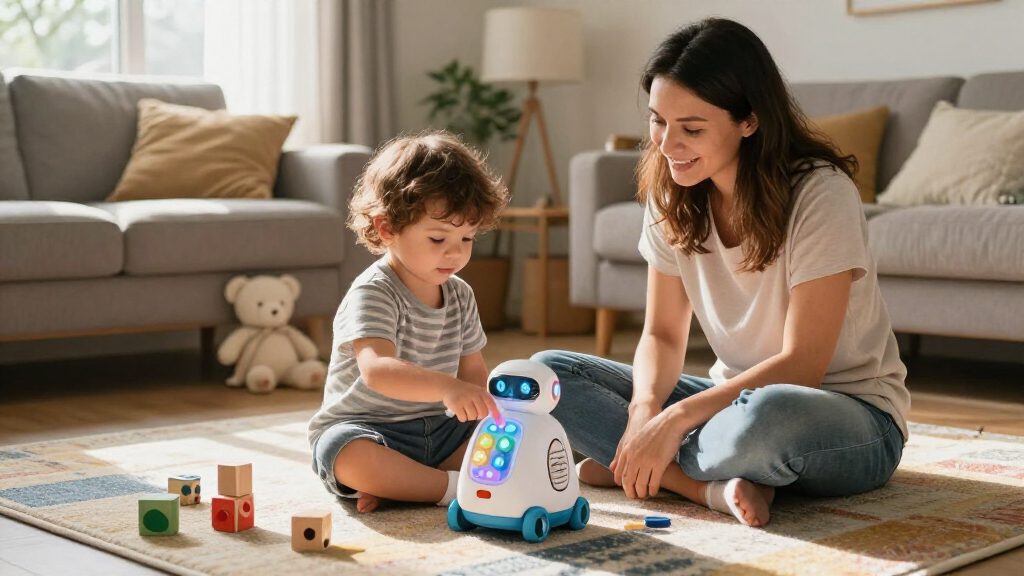

The best smart toys for kids pair interactive play with a clear purpose, whether that means practicing early skills, exploring science, or programming a robot. My best overall pick is the PlayShifu Orboot Earth Interactive AR Globe for its hands-on approach to exploring geography; the LeapFrog LeapMove stands out for active learning, while the RIVGOT Drawing Robot makes drawing-guided play appealing to budding artists. The main tradeoffs are screen time versus hands-on activity, open-ended play versus structured lessons, and how much setup or adult help a toy may need. Age fit and the child’s interests matter more than the number of included games or features. Read on for the full comparison and guidance on choosing the right kind of smart play.

Turn the school run and nap time into listening time
- Thousands of audiobooks, podcasts and originals
- Listen on your phone, tablet or Echo — also offline
- Cancel anytime
Complete the kit


Key Takeaways
- Interactive learning does not have to mean a handheld screen: the Orboot globe, GeoSafari Jr. microscope, and RIVGOT drawing robot put physical objects at the center of play.
- The lineup splits into distinct play styles: LeapMove adds body movement, Orboot and the LeapFrog Magic Adventures globe focus on exploration, and the robot toys invite coding-style commands or interaction.
- Structured practice suits early learners: Mr. Pencil, LeapTop Touch, and Alilo’s math games focus on specific skills, while the robots allow more playful experimentation.
- Adult involvement varies by format: toys with apps, AR, or programmable controls may need setup and occasional help; simpler learning devices can be easier to start using independently.
- More features do not automatically mean a better fit: a child who loves drawing may get more from the RIVGOT robot than a more versatile toy, while a curious explorer may prefer a globe or microscope.
| KingsDragon Remote-Control Programmable Robot Toy |  | Best for Programmable Robot Play | Brand: KingsDragon | Model: KD003-3BU | Controls: Infrared remote and hand gestures | VIEW LATEST PRICE | See Our Full Breakdown |
| LeapFrog Mr. Pencil’s Scribble, Write and Read |  | Best for Early Writing Practice | Brand: LeapFrog | Age range: 3+ years | Battery requirement: 3 AA batteries | VIEW LATEST PRICE | See Our Full Breakdown |
| Ruko 1088 Programmable Interactive Robot Toy for Kids |  | Best Premium Robot Pick | Brand: Ruko | Model: 1088 (Ru4413) | Height: 15.8 inches | VIEW LATEST PRICE | See Our Full Breakdown |
| RIVGOT Drawing Robot for Kids with 150 Drawing Cards |  | Best for Guided Creative Play | Brand: RIVGOT | Model number: Q01 | Age range: 3–8 years | VIEW LATEST PRICE | See Our Full Breakdown |
| LeapFrog LeapMove Active Learning Video Game System |  | Best for Active Family Learning | Brand: LeapFrog | Recommended age: 4–7 years | Number of players: Up to 3 | VIEW LATEST PRICE | See Our Full Breakdown |
| PlayShifu Orboot Earth Interactive AR Globe for Kids |  | Best for Geography Exploration | Brand: PlayShifu | Model: Shifu014 | Globe diameter: 10 inches | VIEW LATEST PRICE | See Our Full Breakdown |
| Ruko 18011 Interactive Robot Dog with LED Expressions |  | Best for Programmable Pretend Pet Play | Brand and model: Ruko 18011 | Recommended age: 3 years and up | Animated expressions: More than 30 | VIEW LATEST PRICE | See Our Full Breakdown |
| Alilo Portable Math Games for Kids |  | Best for Portable Math Practice | Brand and model: alilo KS-1 | Age range: 36 months–10 years | Number of games: 19 | VIEW LATEST PRICE | See Our Full Breakdown |
| Educational Insights GeoSafari Jr. Talking Microscope for Kids |  | Best for Preschool Science Discovery | Brand: Educational Insights | Recommended age: Ages 3 and up | Prepared slides: 20 | VIEW LATEST PRICE | See Our Full Breakdown |
| KOKODI Kids Smart Phone Toy with Camera and Educational Games, Blue |  | Best for Screen-Free-From-Wi-Fi Pretend Tech | Brand: KOKODI | Recommended age: 3 years and up | Screen: 2.8-inch touchscreen | VIEW LATEST PRICE | See Our Full Breakdown |
| LeapFrog Magic Adventures Interactive Globe |  | Best for Geography Exploration | Brand: LeapFrog | Globe size: 10 inches | Screen size: 2.8 inches | VIEW LATEST PRICE | See Our Full Breakdown |
| LeapFrog 2-in-1 LeapTop Touch Learning Laptop |  | Best for Preschool Beginners | Brand: LeapFrog | Model number: 80-600900 | Age range: 2–5 years | VIEW LATEST PRICE | See Our Full Breakdown |
| smart toys for kid | Brand | Recommended age | Included components |
|---|---|---|---|
| KingsDragon Remote-Control Pro | KingsDragon | 36 months–8 years | — |
| LeapFrog Mr. Pencil’s Scribble | LeapFrog | — | Mr. Pencil’s Scribble, Write and Read; Quick Start Guide |
| Ruko 1088 Programmable Interac | Ruko | 4–9 years | — |
| RIVGOT Drawing Robot for Kids | RIVGOT | — | Drawing robot, reusable drawing board, and Type-C charging cable |
| LeapFrog LeapMove Active Learn | LeapFrog | 4–7 years | — |
| PlayShifu Orboot Earth Interac | PlayShifu | 4–10 years | Globe, how-it-works booklet, flag sticker booklet with boarding passes, Orboot app access, passport, and visa stamp |
| Ruko 18011 Interactive Robot D | — | 3 years and up | — |
| Alilo Portable Math Games for | — | — | Math game device, battery-cover auxiliary tool, belt, and manual |
| Educational Insights GeoSafari | Educational Insights | Ages 3 and up | — |
| KOKODI Kids Smart Phone Toy wi | KOKODI | 3 years and up | Kids smart phone toy, silicone case, and user manual |
| LeapFrog Magic Adventures Inte | LeapFrog | — | Globe, USB cord, parent’s guide |
| LeapFrog 2-in-1 LeapTop Touch | LeapFrog | — | — |
More Details on Our Top Picks
KingsDragon Remote-Control Programmable Robot Toy
The KingsDragon makes the most sense for children who want to direct a robot, not just watch it perform. Its infrared remote and hand-gesture controls offer two ways to trigger walking, skating, dancing, and other actions, while recording up to 50 programmed actions gives kids room to build and replay their own sequences. Compared with the larger Ruko 1088, it offers fewer control modes and a shorter stated playtime, but its programming feature is a clear draw for children who like arranging routines. Obstacle avoidance and speech add variety between programming sessions. The tradeoff is a roughly 60-minute play session after about two hours of USB charging, so it may need a recharge during a long day of play.
Pros:- Combines infrared remote and hand-gesture controls.
- Can record and replay up to 50 programmed actions.
- Offers varied activities including dancing, speech, and obstacle avoidance.
- USB rechargeable, so disposable batteries are not needed.
Cons:- Provides approximately 60 minutes of play per charge.
- Takes about two hours to recharge.
Best for: Children ages 3–8 who enjoy creating action sequences and switching between remote and gesture controls.
Not ideal for: Families seeking longer play between charges or app and voice control; the Ruko 1088 offers more control options and up to 100 minutes of stated playtime.
- Brand:KingsDragon
- Model:KD003-3BU
- Controls:Infrared remote and hand gestures
- Programmable actions:Up to 50
- Charging:USB rechargeable
- Charging time:About 2 hours
- Playtime:About 60 minutes
- Dimensions:6.3 × 3.3 × 10.4 inches
- Recommended age:36 months–8 years
Our verdict“Choose the KingsDragon for a younger child who wants to program robot routines, but pick the Ruko 1088 for longer play and more control methods.”
LeapFrog Mr. Pencil’s Scribble, Write and Read
For a preschooler working on pen control and first letters, Mr. Pencil offers more structure than an open-ended drawing toy. A stylus guides children through uppercase and lowercase letters, numbers, and pictures, then extends practice into spelling, counting, and writing a personalized name. That guided progression gives it a different job from the RIVGOT Drawing Robot: RIVGOT focuses on copying pictures from activity cards, while this LeapFrog toy centers on early literacy and number skills. Free drawing provides a less directed option when a child wants a break from tracing. The main compromise is power: it requires three AA batteries, and the included demo batteries are not intended for ongoing use. It is also a focused learning toy rather than a broad play system.
Pros:- Guides practice with uppercase and lowercase letters, numbers, and pictures.
- Adds spelling, sound-it-out, and counting activities.
- Personalized name-writing practice gives children a familiar goal.
- Includes free drawing alongside structured lessons.
Cons:- Requires three AA batteries, and the included batteries are for demonstration.
- Its learning activities are more focused on early writing and counting than broad play.
Best for: Preschool families looking for guided letter, number, spelling, and name-writing practice in a tabletop toy.
Not ideal for: Children who mainly want open-ended art prompts or movement-based play; the RIVGOT Drawing Robot is more art-focused, while LeapMove encourages active movement.
- Brand:LeapFrog
- Age range:3+ years
- Battery requirement:3 AA batteries
- Included components:Mr. Pencil’s Scribble, Write and Read; Quick Start Guide
- Manufacturer:VTech
- Model number:80-617000
- Material:Plastic
- Warranty:90 days against manufacturer defects
Our verdict“Pick Mr. Pencil for structured preschool writing practice; choose the RIVGOT robot instead when drawing prompts matter more than letter learning.”
Ruko 1088 Programmable Interactive Robot Toy for Kids
The Ruko 1088 is the most feature-rich robot in this group for children ready to explore several ways of interacting with one toy. Its 15.8-inch body, nine flexible joints, and ten expressions support dance, gymnastics, music, storytelling, and recording, while control can come from a remote, voice commands, or a Bluetooth app. Compared with the KingsDragon, it adds app and voice options and lists up to 100 minutes of play, though the KingsDragon specifically supports recording up to 50 programmed actions. The Ruko’s range suits kids who want to change activities often, but the number of modes may be more than a younger child needs. There is also a charging caveat: USB-C to USB-C cables are not supported, so use the included cable.
Pros:- Combines remote, Bluetooth app, voice, and phone gravity-sensor control.
- Includes dance, music, storytelling, gymnastics, and recording modes.
- Offers up to 100 minutes of play per full charge.
- Large format and flexible joints support varied movement.
Cons:- Does not charge with USB-C to USB-C cables.
- May offer more modes and controls than a younger or less tech-focused child needs.
Best for: Children ages 4–9 who want a larger robot with varied activities and remote, app, voice, and motion-based controls.
Not ideal for: Younger children who want simple, focused programming or families who need straightforward charging with any USB-C cable.
- Brand:Ruko
- Model:1088 (Ru4413)
- Height:15.8 inches
- Recommended age:4–9 years
- Expressions:10
- Flexible joints:9
- Playtime:Up to 100 minutes per full charge
- Control options:2.4 GHz remote, Bluetooth app, voice commands, and phone gravity-sensor mode
- Charging note:USB-C to USB-C cables are not supported; use the included cable
Our verdict“Choose the Ruko 1088 for a child who wants a large, multi-mode robot with several control options, rather than the KingsDragon’s more programming-centered play.”
RIVGOT Drawing Robot for Kids with 150 Drawing Cards
The RIVGOT Drawing Robot turns drawing into a guided activity, making it a stronger fit for children who benefit from a visual step-by-step prompt than for kids seeking a general-purpose smart toy. Its 150 drawing cards, reusable board, markers, and pens provide many starting points, while the robot’s instruction-led format can help a child work through a picture instead of facing a blank page. Compared with LeapFrog Mr. Pencil, RIVGOT puts art and hand-eye coordination ahead of letters, spelling, and counting; Mr. Pencil is the better match when school-readiness practice is the priority. This set includes a broad assortment of supplies, but it is designed for one player, and charging requires a separate 5V/2A power adapter. That missing adapter can complicate setup if the household does not already have one.
Pros:- Includes 150 cards for guided drawing activities.
- Reusable drawing board comes with 12 colorful markers and 5 drawing pens.
- Built-in music accompanies drawing sessions.
- Art activities are intended to support fine motor skills and hand-eye coordination.
Cons:- A separate 5V/2A power adapter is required for charging.
- Designed for one player, limiting shared play.
Best for: Children ages 3–8 who enjoy drawing but benefit from step-by-step prompts and a reusable activity surface.
Not ideal for: Families looking for literacy instruction, multiplayer play, or a ready-to-charge kit without sourcing a compatible adapter.
- Brand:RIVGOT
- Model number:Q01
- Age range:3–8 years
- Drawing cards:150
- Included drawing supplies:12 colorful markers and 5 drawing pens
- Included components:Drawing robot, reusable drawing board, and Type-C charging cable
- Power source:Battery powered
- Charging adapter requirement:5V/2A power adapter
- Number of players:1
Our verdict“Choose RIVGOT for prompted art sessions with plenty of drawing supplies, and choose Mr. Pencil if early writing and counting are the bigger goal.”
LeapFrog LeapMove Active Learning Video Game System
LeapMove stands apart from the handheld and tabletop toys here by making the child’s body part of the lesson. Its motion-based games cover math, spelling, phonics, reading, problem-solving, and coordination, with 25 preloaded games and three learning levels. Saved progress for up to three players makes it more practical for siblings than the one-player RIVGOT drawing set, and it offers a wider mix of school subjects than Mr. Pencil’s early writing focus. The tradeoff is a TV-based setup: children need a screen, and the system connects by HDMI while drawing USB power. More content and two-player options require downloads, so the preloaded selection may not be the whole experience families expect. It is a better fit for active play than quiet, independent practice.
Pros:- Combines movement with learning games across several school subjects.
- Includes 25 preloaded games and adventures with three learning levels.
- Can save progress for up to three players.
- Includes HDMI and USB cables and does not require batteries.
Cons:- Requires a TV for display and a corded USB power connection.
- Additional games and two-player options require downloads.
Best for: Families with a TV and children ages 4–7 who want movement-based learning that can accommodate multiple players.
Not ideal for: Households seeking a screen-free toy or children who need quiet, self-guided practice; Mr. Pencil is a more contained option for early writing.
- Brand:LeapFrog
- Recommended age:4–7 years
- Number of players:Up to 3
- Preloaded games:25 games and adventures
- Learning levels:3
- Controller type:Motion
- Connectivity:HDMI and USB Type-C
- Memory storage capacity:4 GB
- Dimensions:2.6 × 2.6 × 2.8 inches
Our verdict“Choose LeapMove for active, TV-based learning with room for siblings, but skip it if you want a screen-free or quiet tabletop toy.”
PlayShifu Orboot Earth Interactive AR Globe for Kids
The Orboot Earth globe makes geography an activity rather than a map to memorize: children scan places with the app to explore animals, landmarks, cultures, and more than 1,000 facts through games and quizzes. Its included passport and sticker booklets give younger kids something tactile to pair with the screen-based exploration. Compared with the LeapFrog Magic Adventures Interactive Globe, this pick is a strong fit for families drawn to augmented-reality discovery and travel-themed play. The tradeoff is that the interactive layer depends on the Orboot app, so it is less appealing if you want a fully self-contained toy. Its 4–10 age range also means older children may outgrow the guided activities sooner than they would a more open-ended science toy.
Pros:- Uses augmented-reality games and quizzes to make geography hands-on.
- Covers animals, places, monuments, and cultures with more than 1,000 facts.
- Includes a passport and flag sticker booklet to extend the travel-play theme.
- A physical globe gives children a clear geographic reference while they explore.
Cons:- Interactive features require access to the Orboot app.
- The recommended age range may limit its appeal as children get older.
- At 10 inches and 1,200 g, it takes up more space than a handheld learning toy.
Best for: Families with children ages 4–10 who enjoy maps, animals, and exploring places through guided app activities.
Not ideal for: Buyers seeking a screen-free globe or a toy that will hold strong appeal for older school-age children.
- Brand:PlayShifu
- Model:Shifu014
- Globe diameter:10 inches
- Recommended age:4–10 years
- Material:Plastic
- Map type:Physical world map
- Included components:Globe, how-it-works booklet, flag sticker booklet with boarding passes, Orboot app access, passport, and visa stamp
- Warranty:1 year against manufacturer defects
Our verdict“Choose Orboot for app-supported world exploration with tactile travel accessories, but skip it if you want screen-free play.”
Ruko 18011 Interactive Robot Dog with LED Expressions
The Ruko 18011 robot dog is the most pet-like option in this group: children can trigger movement with touch and gestures, use the remote, or program up to 50 custom moves. More than 30 animated LED expressions add character, while obstacle-avoidance sensors can help the dog move around common household barriers. Compared with the Ruko 1088 Programmable Interactive Robot Toy, this model leans into animal-style interaction and expressive play rather than a general robot character. That makes it a better match for kids who want a robotic companion, though families after a focused learning activity may get more from the GeoSafari Jr. Talking Microscope. The main practical compromise is playtime: charging takes about three hours for up to 45 minutes of use, and the remote needs separate AAA batteries.
Pros:- Offers touch, gesture, and remote control for varied interaction.
- Programmable mode supports up to 50 custom moves.
- More than 30 LED expressions help distinguish its pet-like character.
- Obstacle-avoidance sensors support movement around walls and furniture.
Cons:- A full charge takes about three hours for up to 45 minutes of play.
- The remote requires two AAA batteries, which are not included.
- USB-C to USB-C charging is not compatible.
Best for: Children ages 3 and up who enjoy pretend pets, movement-based interaction, and programming simple sequences.
Not ideal for: Families wanting long uninterrupted sessions, a science-focused toy, or a robot that is ready to use without buying remote batteries.
- Brand and model:Ruko 18011
- Recommended age:3 years and up
- Animated expressions:More than 30
- Programmable moves:Up to 50
- Remote frequency and range:2.4 GHz; up to 98 feet
- Charging and playtime:About 3 hours to charge; up to 45 minutes of play
- Dimensions:8.86 × 8.86 × 9.84 inches
- Power details:USB-A to USB-C cable included; remote uses 2 AAA batteries, not included
Our verdict“Pick this robot dog for expressive, programmable pet play, but choose a different toy if charging breaks would frustrate your child.”
Alilo Portable Math Games for Kids
The Alilo KS-1 turns short stretches of free time into solo practice, with 19 games covering arithmetic, number patterns, memory, and logic. Voice feedback and answer correction help a child see when a response is wrong, while the mistake-review mode gives them a way to try again instead of simply moving on. Unlike the KOKODI Kids Smart Phone Toy, which mixes learning with photos, stories, and general play, Alilo keeps its purpose narrow: math and number skills. That focus suits families looking for a compact practice device, but it is not a shared-play choice because it supports one player. Timed challenges also impose five- or ten-second limits, which may put pressure on children who need more time to work through an answer.
Pros:- Includes 19 games spanning arithmetic, logic, patterns, and number memory.
- Voice feedback, answer correction, and mistake review support repeated practice.
- Portable, drop-resistant design includes a carrying lanyard.
- Adjustable volume, silent mode, and a lockable battery compartment suit travel use.
Cons:- Designed for one player, so it does not support shared play.
- Timed challenges use five- or ten-second limits that may feel rushed.
- Its math-centered content is less varied than the stories, music, and games on the KOKODI phone toy.
Best for: Caregivers seeking a compact, one-child practice toy for ages 3–10 that covers several math skills.
Not ideal for: Children who prefer collaborative games or need untimed activities and more time to solve problems.
- Brand and model:alilo KS-1
- Age range:36 months–10 years
- Number of games:19
- Math operations:Addition, subtraction, multiplication, and division
- Number of players:1
- Modes:5
- Size:2.9 inches
- Included components:Math game device, battery-cover auxiliary tool, belt, and manual
Our verdict“Choose Alilo for portable solo math practice, but skip it if your child needs collaborative or untimed play.”
Educational Insights GeoSafari Jr. Talking Microscope for Kids
The GeoSafari Jr. Talking Microscope gives preschoolers a structured first step into science without asking them to find or prepare samples. Its 20 prepared slides display 60 full-color images, and Fact and Quiz modes pair looking with listening and answering. More than 100 facts and questions are available in English, Spanish, French, and German, making it more language-flexible than the number-focused Alilo Portable Math Games. The tradeoff is that children explore the included images rather than bringing their own specimens to examine, so it is less open-ended than a traditional microscope. It also needs three AAA batteries, which are not included. For young children who benefit from guided prompts and ready-to-view material, that structure is a useful feature; older kids may want more independent experimentation.
Pros:- Prepared slides provide 60 full-color images without requiring sample setup.
- Fact and Quiz modes combine observation with active recall.
- Includes more than 100 facts and questions voiced by Bindi Irwin.
- Audio is available in English, Spanish, French, and German.
Cons:- Requires three AAA batteries, which are not included.
- Prepared slides limit exploration to the supplied images.
- Its preschool-oriented guided format may offer less challenge to older children than the Alilo math games.
Best for: Families introducing science to preschoolers who benefit from ready-made images, spoken facts, and simple quizzes.
Not ideal for: Older children seeking independent specimen exploration or buyers who want a toy that works without adding batteries.
- Brand:Educational Insights
- Recommended age:Ages 3 and up
- Prepared slides:20
- Full-color images:60
- Play modes:Fact Mode and Quiz Mode
- Audio content:More than 100 facts and quiz questions
- Audio languages:English, Spanish, French, and German
- Batteries:3 AAA batteries, not included
Our verdict“Choose GeoSafari Jr. for guided, multilingual science play with prepared images, not for open-ended microscope experiments.”
KOKODI Kids Smart Phone Toy with Camera and Educational Games, Blue
The KOKODI Kids Smart Phone Toy gives young children familiar phone-style activities without requiring Wi-Fi: they can take photos and videos, play games, hear stories and music, and try ABC and painting activities. Its 31 preinstalled puzzle games offer three difficulty modes, while the silicone case helps protect the device from everyday drops. Compared with the Alilo Portable Math Games, KOKODI is the broader play option; Alilo is more focused if a family’s main goal is math practice. This variety comes with a small touchscreen that may not suit every child, and one listed drawback is that the protective screen film can delay Home button response. It is best treated as a pretend-tech toy with learning activities, not as a dedicated science or curriculum tool like the GeoSafari Jr. microscope.
Pros:- Works without Wi-Fi, so its activities do not depend on a network connection.
- Includes 31 educational puzzle games with three difficulty modes.
- Photo and video features, stories, music, ABC activities, and painting broaden play options.
- Full-coverage silicone case helps protect against drops.
Cons:- The protective screen film may delay the Home button response.
- A 2.8-inch touchscreen offers less viewing space than a larger device.
- Its wide mix of activities is less targeted for math practice than the Alilo KS-1.
Best for: Families seeking an offline phone-style toy for children ages 3 and up, with camera play and a mix of games and media.
Not ideal for: Buyers seeking a focused learning device, a larger display, or a toy with no touchscreen interaction.
- Brand:KOKODI
- Recommended age:3 years and up
- Screen:2.8-inch touchscreen
- Preinstalled games:31 educational puzzle games with three difficulty modes
- Features:Photo and video camera, stories, music, ABC activities, painting, and habit tools
- Case:Premium silicone case
- Connectivity:No Wi-Fi required
- Included components:Kids smart phone toy, silicone case, and user manual
Our verdict“Choose KOKODI for offline pretend-phone variety, but pick Alilo instead if focused math practice matters more than mixed activities.”
LeapFrog Magic Adventures Interactive Globe
The Magic Adventures Interactive Globe makes geography feel active rather than like a map-reading assignment. Children use the stylus to explore places, animals, habitats, languages, and landmarks, with BBC videos, animations, and facts adding context to the globe. Its three games give kids a reason to revisit what they learn, making it a stronger fit for curious school-age children than a toy focused on one subject or skill. Compared with the PlayShifu Orboot Earth Interactive AR Globe, this model pairs a physical globe with a built-in screen instead of relying on an AR setup. The tradeoff is that its screen is just 2.8 inches, and regular play requires four AA batteries. I’d choose it for geography-minded kids who enjoy guided discovery, not for families seeking a screen-free toy.
Pros:- Connects geography with animals, habitats, languages, and landmarks
- BBC videos and animations add visual context to facts
- Three games encourage quizzes and mystery-solving
- Stylus interaction gives children a clear way to explore the globe
Cons:- The 2.8-inch screen limits the viewing area for videos and animations
- Requires four AA batteries for regular use
Best for: Families with children ages 5–12 who enjoy geography, animals, and learning about cultures through guided activities.
Not ideal for: Families looking for screen-free play or a globe with a large display; its 2.8-inch screen is small, and regular use requires four AA batteries.
- Brand:LeapFrog
- Globe size:10 inches
- Screen size:2.8 inches
- Age range:5–12 years
- Power:4 AA batteries
- Included components:Globe, USB cord, parent’s guide
- Item weight:2.9 pounds
- Dimensions:11 × 10 × 14 inches
Our verdict“Choose this globe for school-age children who want interactive geography lessons, but pick a screen-free learning toy if display size or battery use is a concern.”
LeapFrog 2-in-1 LeapTop Touch Learning Laptop
For younger children learning their first letters and numbers, the 2-in-1 LeapTop Touch offers a familiar laptop-style layout without the complexity of a real device. Its A–Z keyboard, number buttons, and touch screen let preschoolers practice in different ways, while five modes cover letters, numbers, games, music, and messages. Parents can customize an activity around a child’s name, giving early spelling practice a personal hook. Compared with the LeapFrog Magic Adventures Interactive Globe, this is aimed at foundational skills rather than broad subject exploration; the globe is a better match for older kids ready for geography and facts. The LeapTop’s laptop-to-tablet switch and carry handle make it easy to move around, but its activities are designed for ages 2–5 and may feel basic as children grow. The included batteries are for demo use, so plan on supplying three AA batteries for regular play.
Pros:- Switches between laptop and tablet modes for varied pretend play
- Combines physical keyboard buttons with a touch screen
- Five modes cover letters, numbers, games, music, and messages
- Custom name-spelling activity and carry handle support personalized, portable play
Cons:- Designed for ages 2–5, so its learning activities may not hold older children’s interest
- Requires three AA batteries for regular use; included batteries are for demonstration
Best for: Parents of children ages 2–5 who want a portable first learning toy for letter, number, and name-spelling practice.
Not ideal for: Families shopping for older children or deeper subject learning; its preschool activities may be outgrown, and regular play needs three AA batteries beyond the demo batteries.
- Brand:LeapFrog
- Model number:80-600900
- Age range:2–5 years
- Modes:ABCs, numbers, games, music, messages
- Keyboard:Letters A–Z and numbers 1–10
- Battery requirement:3 AA batteries
- Dimensions:2.05 × 10.08 × 6 inches
- Weight:1.3 pounds
Our verdict“Pick the LeapTop Touch for a preschooler’s first interactive letter-and-number practice, but choose a more advanced toy for older children or broader learning topics.”
How We Picked
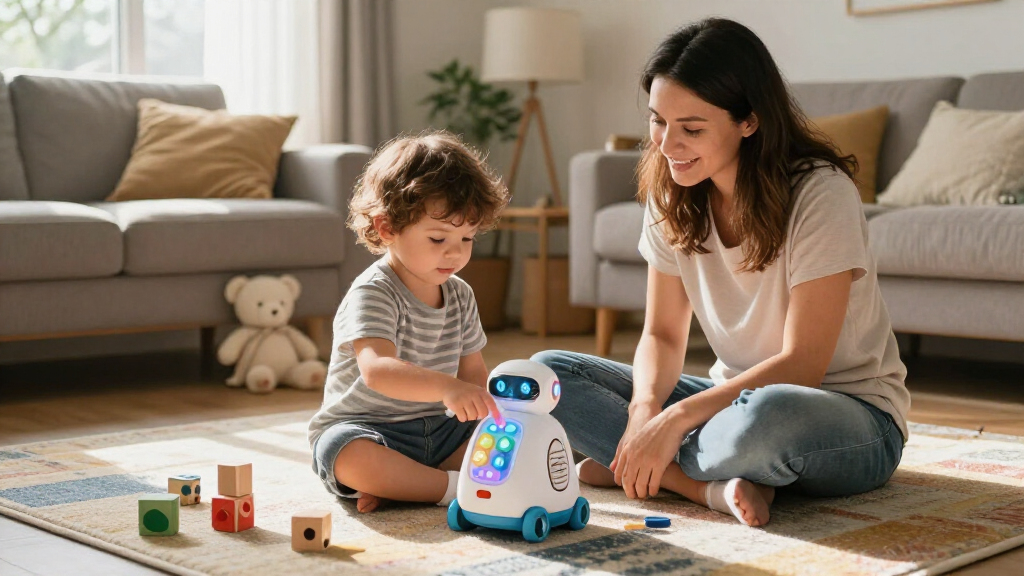
I compared these 12 smart toys by asking what kind of play each one enables and whether its interactive features support a clear activity. My criteria included age and skill fit, ease of getting started, the balance of screen-based and hands-on play, variety over repeated use, and how much adult setup or guidance the format may call for. I also looked at whether the toy encourages participation—such as movement, drawing, exploration, or problem-solving—rather than relying only on lights, sounds, or novelty.
The ranking reflects usefulness across a range of children and play situations, not a claim that one toy is best for every family. The Orboot globe ranks highest for blending a physical object with discovery, while LeapMove earns a distinct place for active play. More specialized choices, such as the drawing robot, microscope, and early-literacy tools, rank according to how well they serve their particular interest. Robot toys and electronic learning devices remain worthwhile for children drawn to them, but their value depends more strongly on a child’s play style and tolerance for structured interaction.
| smart toys for kid | Included components |
|---|---|
| KingsDragon Remote-Control Pro | — |
| LeapFrog Mr. Pencil’s Scribble | Mr. Pencil’s Scribble, Write and Read; Quick Start Guide |
| Ruko 1088 Programmable Interac | — |
| RIVGOT Drawing Robot for Kids | Drawing robot, reusable drawing board, and Type-C charging cable |
| LeapFrog LeapMove Active Learn | — |
| PlayShifu Orboot Earth Interac | Globe, how-it-works booklet, flag sticker booklet with boarding passes, Orboot app access, passport, and visa stamp |
| Ruko 18011 Interactive Robot D | — |
| Alilo Portable Math Games for | Math game device, battery-cover auxiliary tool, belt, and manual |
| Educational Insights GeoSafari | — |
| KOKODI Kids Smart Phone Toy wi | Kids smart phone toy, silicone case, and user manual |
| LeapFrog Magic Adventures Inte | Globe, USB cord, parent’s guide |
| LeapFrog 2-in-1 LeapTop Touch | — |
Factors to Consider When Choosing Smart Toys For Kids
Smart toys vary widely: some use a companion app or camera, while others add feedback to familiar activities like drawing, reading, or moving. I’d choose by matching the toy’s interaction style to the child and household, then check practical details that can affect whether it gets used regularly.
Match the Interaction to the Child
Start with what the child already chooses during free play: building, drawing, asking questions, moving around, or pretending. A programmable robot can appeal to a child who likes giving instructions, but it may frustrate someone who prefers immediate, imaginative play. For a child who enjoys physical discovery, a microscope or globe makes the object itself part of the activity. Avoid choosing by the word “smart” alone; interactive features are useful only when they connect to a child’s interests. If you are unsure, favor a toy with a familiar activity at its center, such as drawing or exploring the world.
Check the Learning Goal and Room to Grow
Some toys focus on a narrow skill, such as letter practice or math, while others invite broader exploration. A focused toy can make sense when a child is keen to practice that skill, but it may lose appeal once the activity feels repetitive. Open-ended exploration can last longer, though it may offer less direct practice in a particular subject. Look at the range of activities and whether the child can make choices, solve problems, or revisit content in different ways. Do not assume that a toy with more modes will be more engaging; a clear, well-matched purpose can matter more.
Factor In Screens, Apps, and Setup
Smart toys do not all use technology in the same way: some rely on a handheld device or AR, while others have built-in controls and feedback. Before buying, check whether a phone or tablet is needed, whether an app must be installed, and what setup the household is comfortable managing. A companion app can add interactive content, but it can also mean more screen exposure and dependence on another device. Consider whether the child can begin play independently or will need an adult to connect, explain, or troubleshoot. A simpler toy may be the better daily choice if quick, low-fuss play is a priority.
Think About Adult Participation
Age guidance is only part of the fit; a child’s reading ability, patience, and comfort with instructions also affect how smoothly a toy works. Some activities encourage independent play, while others are more rewarding when an adult helps set a challenge or talks through what the child discovers. That shared time can be a benefit, but it may not suit families looking for a toy the child can use alone. Consider when the toy will be used and who will be available to help. If independence matters, favor intuitive controls and activities that do not depend on frequent adult explanations.
Weigh Variety Against Repetition
A toy can offer many activities yet still feel repetitive if each one follows the same pattern. Conversely, a single strong activity may keep a child engaged when it supports experimentation or personal choices. Look for ways the play can change: new commands, different questions, varied drawing prompts, or chances to explore another topic. This matters especially for toys built around structured games or lessons, where a child may master the basic routine quickly. Choose variety that matches the child’s attention and interests, not just a long feature list.
Account for Space, Sharing, and Durability
Physical size and play style can affect how easily a toy fits into a home. Active games need room for movement, while a globe or microscope may need a stable spot and somewhere to store accessories. If siblings will share, check whether the activities support turn-taking or work better as solo play; a toy that requires a personal device can add another sharing complication. Also think about small accessories, charging or battery needs, and how often the toy will travel between rooms. A compact or self-contained option may see more use than a feature-rich toy that is awkward to set up or put away.
Frequently Asked Questions
Which smart toy is a good first choice for a child who has not used interactive toys before?
I would start with an activity the child already understands, such as drawing, exploring, or practicing simple learning games, rather than a toy that depends on several controls or setup steps. The LeapFrog Mr. Pencil and LeapTop Touch offer familiar learning formats, while the Orboot globe makes discovery the main activity. A beginner may need a short introduction even with an easy-to-use toy. Check the age guidance and whether the child can follow its instructions independently. If they lose interest when play feels like a lesson, choose an exploratory format over repeated drills.
Do smart toys for kids need a phone or tablet?
No; the products in this roundup use different approaches, and some rely more on built-in interaction than a separate device. AR-based play can depend on a compatible phone or tablet, so check the specific setup requirements before choosing it. A companion device may bring extra content, but it can also add screen time, setup, and household-device sharing. If you want play that starts without handing over a phone, prioritize toys whose core activities work on the toy itself. Confirm app availability and device compatibility before purchase rather than assuming they are universal.
Are interactive robots better for learning than globes or microscopes?
They serve different learning styles rather than forming a simple better-or-worse choice. Robot toys can invite experimentation with commands and cause-and-effect, while globes and microscopes center on observing places or objects. A child who likes instructions and machine-like play may return to a robot more often; a curious observer may prefer a science or geography activity. The learning value depends on whether the child participates and keeps exploring, not on how technical the toy sounds. Choose the format that fits the child’s interests and the kind of play you want to encourage.
How can I choose between the Orboot Earth globe and the LeapFrog Magic Adventures globe?
Compare the content and interaction style rather than treating them as interchangeable globe toys. The Orboot is a strong fit for children drawn to exploring the world through an interactive, physical globe, while the Magic Adventures globe offers a different LeapFrog-led learning experience. Check what device or app each requires and review the available topics to see which better matches the child’s curiosity. Also consider whether the child likes open exploration or benefits from more guided activities. The best choice is the one whose content and setup make the globe likely to be used regularly.
What should I prioritize if I want a smart toy that gets kids moving?
Look for an activity that makes movement part of play rather than an optional feature. In this lineup, LeapFrog LeapMove is the clearest fit for active learning, while robot toys generally focus more on controls and interaction. Before choosing a movement-based system, consider available floor space, noise, and whether its play style works for the child and household. A toy that requires a large open area may be harder to use in a crowded room. If movement is the main goal, favor easy-to-start activities that can fit naturally into the family’s routine.
Conclusion
For a broadly appealing starting point, my best overall pick is the PlayShifu Orboot Earth Interactive AR Globe, which combines a physical globe with interactive exploration. The best value for focused learning is the LeapFrog 2-in-1 LeapTop Touch, especially for families seeking a familiar early-learning format rather than a large exploration toy. For a best premium-style pick—a more feature-led choice with a clear subject focus—I’d look to the LeapFrog Magic Adventures Interactive Globe; check its device and content requirements before buying. The best for beginners is LeapFrog Mr. Pencil’s Scribble, Write and Read, which builds on familiar writing and reading activities. For specific interests, choose LeapMove for active play, RIVGOT for drawing, the GeoSafari Jr. microscope for science-minded kids, or a Ruko robot for children drawn to interactive machines. Match the toy to the child’s preferred way to play, and the right choice should be clearer than any feature list.