For a powerful all-around setup, I’d start with the CalDigit TS4: its broad port selection and 98W charging suit users who want a full desk dock. The OWC Thunderbolt Hub is a better fit when you mainly need more Thunderbolt ports, while Cable Matters’ Intel-certified 3.3-foot cable is a straightforward pick for a short, certified connection. The main tradeoffs are port variety versus compact size, and cable length versus charging and data needs. I compare all 13 options by how well they serve distinct setups, so read on for the full breakdown.

Turn the school run and nap time into listening time
- Thousands of audiobooks, podcasts and originals
- Listen on your phone, tablet or Echo — also offline
- Cancel anytime
Complete the kit


Key Takeaways
- The CalDigit TS4 is the most complete dock in this group: it combines extensive USB connectivity, 2.5GbE, and 98W host charging, but its many ports may be unnecessary for a simple desk.
- Thunderbolt hubs and docks solve different problems: the OWC hub adds Thunderbolt 4 connections, while the Plugable and CalDigit docks offer broader mixes of ports for peripherals.
- Charging varies among the compact hubs: the Satechi Slim Hub Pro and SABRENT hub list different power delivery, so match host charging to your laptop instead of assuming every hub replaces its charger.
- Cable certification and length should be treated separately: several listed cables offer 40Gbps and Intel certification, while active and longer options may make more sense when a short passive cable does not fit the setup.
- Some entries are close alternatives rather than wholly different categories: the two Cable Matters 3.3-foot certified cable listings are similar on paper, so buyers should compare exact model details and included specifications before choosing.
| Plugable Thunderbolt 4 Dock with 100W Charging, Dual Monitor |  | Best for Mixed-Device Workstations | Host connection: Thunderbolt 4 | Data bandwidth: Up to 40Gbps | Host charging: 96W certified; product description lists 100W charging | VIEW ON AMAZON | See Our Full Breakdown |
| Cable Matters Intel-Certified Thunderbolt 4 Cable, 40Gbps, 3.3 ft (1 m) | 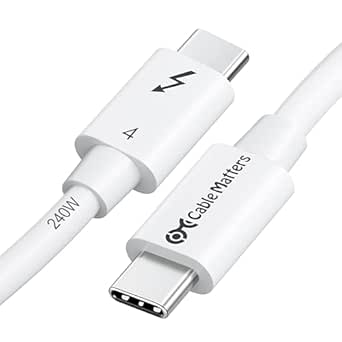 | Best Certified Cable for High-Power Charging | Certification: Intel Certified and USB-IF | Connector: Thunderbolt 4, male-to-male | Length: 3.3 ft (1 m) | VIEW ON AMAZON | See Our Full Breakdown |
| Cable Matters Active Thunderbolt 4 Cable, 6.6 ft |  | Best for Longer Thunderbolt Runs | Cable type: Active Thunderbolt 4 | Length: 6.6 ft (2 m) | Connectors: Thunderbolt 4 / USB Type-C, male-to-male | VIEW ON AMAZON | See Our Full Breakdown |
| OWC Thunderbolt Hub with 4 Thunderbolt 4 Ports and USB-A |  | Best Compact Thunderbolt Expansion | Thunderbolt ports: 4 total: 1 host port and 3 device ports | USB-A ports: 1 | Maximum data rate: Up to 40Gbps | VIEW ON AMAZON | See Our Full Breakdown |
| CalDigit TS4 18 Port Thunderbolt 4 Dock, 98W Charging, 3X TBT4 (40Gb/s), 3X USB-C + 5X USB-A (10Gb/s), 2.5GbE LAN, 8K@30Hz or 2X 6K@60Hz Displays, Mac/Windows/Chrome, Space Gray, 0.8m Certified Cable | 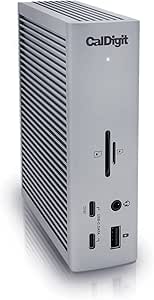 | Best Premium Full-Desk Dock | Total ports: 18 | Host charging: Up to 98W | Thunderbolt ports: 3 Thunderbolt 4 ports at up to 40Gbps | VIEW ON AMAZON | See Our Full Breakdown |
| Satechi Thunderbolt 4 Slim Hub Pro Docking Station |  | Best for a Slim, Feature-Rich Desk Hub | Ports: 3 Thunderbolt 4 ports, USB-A ports, UHS-II SD card reader, Gigabit Ethernet | Data transfer: Up to 40Gbps | Display support: Dual 4K at 60Hz or single 8K at 30Hz | VIEW ON AMAZON | See Our Full Breakdown |
| SABRENT Thunderbolt 4 Hub with 60W Charging |  | Best for High-Refresh Display Setups | Model: HB-TBT4 | Ports: 5 total; 4 USB ports | Data transfer: Up to 40Gbps | VIEW ON AMAZON | See Our Full Breakdown |
| Cable Matters [Intel Certified] 40Gbps Thunderbolt 4 Cable, 3.3ft / 1m | 40Gbps Thunderbolt 4 Cable, 3.3ft / 1m” image=”https://m.media-amazon.com/images/I/41lpiJCsNCL._SX342_SY445_QL70_ML2_.jpg” link=”0″] | Best Certified Cable for Broad Compatibility | Certification: Intel Certified Thunderbolt 4 | Length: 3.3 ft / 1 m | Data transfer: Up to 40Gbps | VIEW ON AMAZON | See Our Full Breakdown |
| OWC Thunderbolt 4 USB-C Cable, 40 Gb/s, 240 W, 0.7 m | 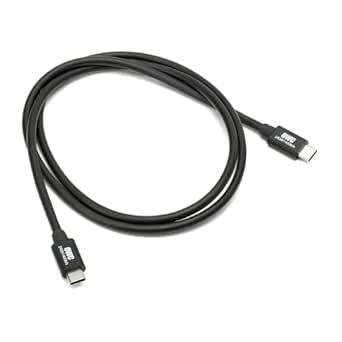 | Best Short Cable for a Tidy Desk | Cable type: Thunderbolt 4 (USB-C) | Length: 0.72 m / 2.36 ft | Data transfer: Up to 40Gbps | VIEW ON AMAZON | See Our Full Breakdown |
| Anker Prime Thunderbolt 4 Cable (3.3ft, 240W, 40Gbps) |  | Best Certified Cable for Everyday Versatility | Model: A84N0 | Certification: Thunderbolt 4, USB4 | Connector: USB-C to USB-C | VIEW ON AMAZON | See Our Full Breakdown |
| Plugable Thunderbolt 4 Cable, 240W, 1 m (3.3 ft) |  | Best Certified Cable for High-Power Charging | Length: 1 m (3.3 ft) | Certification and connector types: Thunderbolt 4; Thunderbolt 4 and USB4 | Data transfer rate: 40Gbps | VIEW ON AMAZON | See Our Full Breakdown |
| Plugable Thunderbolt 4 Dock for M4/M5 MacBook Air & Pro, 100W Charging |  | Best Mac-Focused Dual-Monitor Dock | Interface: Thunderbolt 4 | Total ports: 13 | Display outputs: 2 HDMI; up to two 4K displays at 60Hz on supported systems | VIEW ON AMAZON | See Our Full Breakdown |
| Silkland USB4 Thunderbolt 4 Cable, 4 ft, 40 Gbps, 240 W | 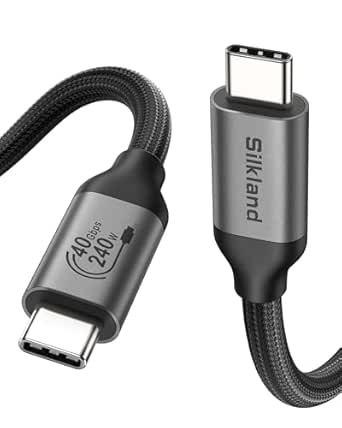 | Best Longer Certified Cable | Cable length: 4 ft | Connector: USB Type-C | Certification: USB-IF certified | VIEW ON AMAZON | See Our Full Breakdown |
| thunderbolt 4 hubs and certified cable | Compatibility |
|---|---|
| Plugable Thunderbolt 4 Dock wi | — |
| Cable Matters Intel-Certified | Thunderbolt 3, USB4, USB-C 3.2, 3.1, and 2.0 |
| Cable Matters Active Thunderbo | Thunderbolt 4, USB4, Thunderbolt 3, and USB-C |
| OWC Thunderbolt Hub with 4 Thu | — |
| CalDigit TS4 18 Port Thunderbo | Thunderbolt 4, Thunderbolt 3, USB4, USB-C, Mac, Windows, and ChromeOS |
| Satechi Thunderbolt 4 Slim Hub | — |
| SABRENT Thunderbolt 4 Hub with | macOS and Windows laptops with USB-C or Thunderbolt 3/4 |
| Cable Matters [Intel Certified | Thunderbolt 4, Thunderbolt 3, USB4, USB-C 3.2, 3.1, and 2.0 |
| OWC Thunderbolt 4 USB-C Cable | Thunderbolt 4, Thunderbolt 3, USB4, USB-C |
| Anker Prime Thunderbolt 4 Cabl | — |
| Plugable Thunderbolt 4 Cable | USB-C, USB4, Thunderbolt 3 |
| Plugable Thunderbolt 4 Dock fo | — |
| Silkland USB4 Thunderbolt 4 Ca | Thunderbolt 4/3, USB4, USB 3.2, USB 2.0 |
More Details on Our Top Picks
Plugable Thunderbolt 4 Dock with 100W Charging, Dual Monitor
I’d pick the Plugable Thunderbolt 4 Dock for a desk shared by compatible Windows and Mac laptops: its 13-port layout, 96W certified host charging, and two HDMI outputs reduce the need for adapters. It supports dual 4K at 60Hz on compatible Thunderbolt 4, Thunderbolt 5, and USB4 systems, while its downstream Thunderbolt port adds a fast connection for storage or another device. Compared with the CalDigit TS4, Plugable gives you built-in HDMI connections and a more direct route to two screens, while CalDigit offers more ports, 2.5Gb Ethernet, and higher host charging. The key limitation is host compatibility: older Thunderbolt 3 and non-Thunderbolt USB-C systems support only one external display, and some Mac models have their own display limits. I’d skip it if your setup needs maximum expansion or depends on dual displays from an incompatible laptop.
Pros:- Two HDMI ports support dual 4K at 60Hz on compatible hosts.
- 96W certified host charging helps power many laptops through one connection.
- 13 ports include Ethernet, SD and microSD readers, audio, and downstream Thunderbolt 4.
- Supports a single 8K display on compatible systems.
Cons:- Dual-display support depends on the laptop; Thunderbolt 3 and non-Thunderbolt USB-C hosts are limited to one external screen.
- Some Mac configurations, including base M1 and M2 models, cannot use dual external displays with this dock.
- Offers fewer ports and slower Ethernet than the 18-port CalDigit TS4.
Best for: Home-office teams with compatible Thunderbolt 4 or USB4 Windows laptops and Macs who want built-in dual HDMI and a shared dock setup.
Not ideal for: Owners of Thunderbolt 3 or non-Thunderbolt USB-C laptops who need two external screens, and users who want more than 13 ports or 2.5Gb Ethernet.
- Host connection:Thunderbolt 4
- Data bandwidth:Up to 40Gbps
- Host charging:96W certified; product description lists 100W charging
- Total ports:13
- Display outputs:2 HDMI; dual 4K at 60Hz or one 8K on compatible hosts
- Downstream Thunderbolt:1 Thunderbolt 4 port, up to 40Gbps and 15W charging
- USB ports:4 USB ports at 10Gbps or 5Gbps, plus 1 USB-C port at 10Gbps
- Other connections:Gigabit Ethernet, SD and microSD, audio combo jack, K-lock slot
- Dimensions:8.9 x 3.3 x 0.9 in
Our verdict“Choose the Plugable if you need built-in dual HDMI and broad port selection for compatible mixed-device desks, but check your laptop’s display limits first.”
Cable Matters Intel-Certified Thunderbolt 4 Cable, 40Gbps, 3.3 ft (1 m)
For a short, flexible connection between a Thunderbolt dock and laptop, I’d favor this Intel-certified Cable Matters cable. It combines 40Gbps data, support for one 8K or two 4K displays, and charging up to 240W, giving it more power headroom than the 100W-rated 6.6-foot Cable Matters Active Thunderbolt 4 Cable. That makes this 1-meter model a better fit for newer high-power laptops, provided the host and charger support the required power. Its compatibility also reaches beyond Thunderbolt 4 to Thunderbolt 3, USB4, and several USB-C standards, which helps when one cable serves different devices. The tradeoff is reach: at 3.3 feet, it suits a tidy desk more than a setup where the computer sits far from the dock. It’s a cable, not a hub, so it adds no ports.
Pros:- Intel-certified Thunderbolt 4 connection supports data rates up to 40Gbps.
- Supports charging up to 240W, exceeding the 100W limit of the longer active Cable Matters cable.
- Carries one 8K or two 4K display signals on compatible devices.
- Compatible with Thunderbolt 3, USB4, and multiple USB-C standards.
Cons:- The 3.3-foot length limits placement flexibility compared with the 6.6-foot Cable Matters Active cable.
- 240W charging depends on the connected host and power source supporting that level.
- Provides no hub ports or built-in power supply.
Best for: Laptop owners who need a short, certified Thunderbolt cable for a dock or display and want up to 240W charging capability alongside full-speed data.
Not ideal for: Buyers who need extra cable length, or anyone expecting a cable itself to add ports or guarantee 240W charging with an underpowered host or charger.
- Certification:Intel Certified and USB-IF
- Connector:Thunderbolt 4, male-to-male
- Length:3.3 ft (1 m)
- Data transfer rate:Up to 40Gbps
- Power delivery:Up to 240W
- Video support:One 8K display or two 4K displays
- Compatibility:Thunderbolt 3, USB4, USB-C 3.2, 3.1, and 2.0
- Color:White
Our verdict“Choose this Cable Matters model for a short, certified 40Gbps link with substantial charging headroom, not for a long run or extra connectivity.”
Cable Matters Active Thunderbolt 4 Cable, 6.6 ft
The 6.6-foot Cable Matters Active Thunderbolt 4 Cable is the more practical pick when a short cable cannot reach comfortably from laptop to dock. It retains 40Gbps data, one 8K or two 4K display support, and up to 100W charging, so the extra reach doesn’t mean giving up the core Thunderbolt 4 capabilities listed for the cable. Compared with the 3.3-foot Cable Matters Intel-certified cable, this model prioritizes placement flexibility but offers less charging headroom: its maximum is 100W rather than 240W. That distinction matters if you’re choosing a cable for a higher-power laptop. The product is described as active, but the supplied details do not specify restrictions for using it with every USB-C device. I’d check host compatibility before buying, particularly if you expect the cable to handle a broad mix of non-Thunderbolt gear.
Pros:- 6.6-foot length gives more placement flexibility than the 3.3-foot Cable Matters cable.
- Supports Thunderbolt 4 data transfer up to 40Gbps.
- Supports one 8K or two 4K displays on compatible devices.
- Provides up to 100W charging and 5A current.
Cons:- Charging is capped at 100W, below the 240W capability of the shorter Cable Matters cable.
- The product details do not identify specific smartphone compatibility.
- The longer cable may be unnecessary bulk for compact desk setups.
Best for: Desk setups where a laptop or dock is positioned farther away and the connection needs Thunderbolt 4 data, display support, and up to 100W charging.
Not ideal for: Users who need 240W charging capability, want the shorter 1-meter cable, or require clearly documented compatibility details for a specific USB-C device.
- Cable type:Active Thunderbolt 4
- Length:6.6 ft (2 m)
- Connectors:Thunderbolt 4 / USB Type-C, male-to-male
- Data transfer rate:Up to 40Gbps
- Charging power:Up to 100W
- Video support:One 8K display or two 4K displays
- Compatibility:Thunderbolt 4, USB4, Thunderbolt 3, and USB-C
- Outer material:Plastic
Our verdict“Choose this active Cable Matters cable when extra reach matters more than 240W charging capacity.”
OWC Thunderbolt Hub with 4 Thunderbolt 4 Ports and USB-A
The OWC Thunderbolt Hub is for buyers who want to multiply Thunderbolt connections rather than collect a wide range of conventional ports. It provides three downstream Thunderbolt 4 ports alongside a USB-A connection, making it a focused way to attach compatible storage, displays, or other Thunderbolt devices. Its aluminum enclosure gives it a more substantial build than a basic cable, while 40Gbps bandwidth supports high-speed peripherals. Compared with the Plugable Thunderbolt 4 Dock, OWC offers more downstream Thunderbolt ports but far fewer useful everyday connections: there’s only one USB-A port, with no listed Ethernet, SD reader, or HDMI output. Its 60W power delivery is also lower than the Plugable’s laptop charging figure and CalDigit TS4’s 98W. I’d choose it for a Thunderbolt-heavy setup, not as a full desk dock.
Pros:- Three downstream Thunderbolt 4 ports support multiple compatible devices.
- Up to 40Gbps data transfer suits high-speed Thunderbolt peripherals.
- Supports one 8K or two 4K displays on compatible systems.
- Aluminum enclosure provides a solid housing.
Cons:- Only one USB-A port, compared with the broader USB selection on the Plugable dock.
- Up to 60W power delivery is below the Plugable dock and CalDigit TS4 figures.
- No listed HDMI, Ethernet, or SD card-reader ports.
Best for: Users connecting several Thunderbolt peripherals or displays who already have separate solutions for Ethernet, card readers, and additional USB accessories.
Not ideal for: Laptop users seeking a one-box workstation dock with plentiful USB-A, Ethernet, card readers, direct HDMI, or high host-charging capacity.
- Thunderbolt ports:4 total: 1 host port and 3 device ports
- USB-A ports:1
- Maximum data rate:Up to 40Gbps
- Power delivery:Up to 60W
- Display support:Up to one 8K or two 4K displays
- Enclosure:Aluminum
- Dimensions:2.95 x 9.25 x 5.71 in
- Weight:0.96 kg
Our verdict“Pick the OWC hub if your main need is more Thunderbolt connections; choose a fuller dock if you want everyday ports and stronger laptop charging.”
CalDigit TS4 18 Port Thunderbolt 4 Dock, 98W Charging, 3X TBT4 (40Gb/s), 3X USB-C + 5X USB-A (10Gb/s), 2.5GbE LAN, 8K@30Hz or 2X 6K@60Hz Displays, Mac/Windows/Chrome, Space Gray, 0.8m Certified Cable
For a workstation with many accessories, the CalDigit TS4 is the most expansive dock in this group. Its 18 ports include eight USB connections, three downstream Thunderbolt 4 ports, 2.5Gb Ethernet, card readers, audio connections, and DisplayPort 1.4; 98W host charging also suits many larger laptops. That makes it a different proposition from the OWC Thunderbolt Hub, which gives up broad port variety to focus on Thunderbolt expansion, and the Plugable dock, which builds in two HDMI outputs. The TS4’s display support depends on the host: Windows can run two 4K 60Hz screens, while compatible Mac Pro, Max, and Ultra systems can support two 6K 60Hz displays; base M1–M3 Macs are limited to one external display. It also requires a compatible host and the supplied certified cable for maximum performance, so its extensive connectivity is wasted on a simple setup.
Pros:- 18-port layout includes eight USB ports and three downstream Thunderbolt 4 ports.
- 98W host charging supports many high-power laptops through one cable.
- 2.5Gb Ethernet is faster than the Gigabit Ethernet on the Plugable dock.
- Supports up to dual 6K 60Hz displays on specified Mac Pro, Max, and Ultra systems.
Cons:- Display capabilities vary by operating system and host; base M1–M3 Macs support only one external display.
- Maximum performance depends on a Thunderbolt 4 or fully featured USB4 host and the supplied certified cable.
- The broad port selection may be unnecessary for buyers with a simple desk setup.
Best for: Power users with a compatible Mac, Windows, or ChromeOS computer who need many peripherals, fast wired networking, high charging capacity, and extensive display support.
Not ideal for: Buyers with a few accessories, base M1–M3 Macs needing two external displays, or hosts that cannot take advantage of Thunderbolt 4 and USB4 performance.
- Total ports:18
- Host charging:Up to 98W
- Thunderbolt ports:3 Thunderbolt 4 ports at up to 40Gbps
- USB ports:8 total, including 3 USB-C and 5 USB-A; USB ports support up to 10Gbps
- Networking:2.5Gb Ethernet
- Display outputs:DisplayPort 1.4; up to one 8K display or two 6K 60Hz displays on supported Macs
- Card readers:SD and microSD UHS-II
- Compatibility:Thunderbolt 4, Thunderbolt 3, USB4, USB-C, Mac, Windows, and ChromeOS
- Included cable:0.8 m certified cable
Our verdict“Choose the TS4 for a demanding workstation that can use its 18 ports and 2.5Gb Ethernet, but check display limits against your exact computer.”
Satechi Thunderbolt 4 Slim Hub Pro Docking Station
The Satechi Thunderbolt 4 Slim Hub Pro suits a desk setup that needs more than extra Thunderbolt ports: its UHS-II SD reader and Gigabit Ethernet add useful connections for camera workflows and wired networking. It supports up to 40Gbps, dual 4K at 60Hz or one 8K at 30Hz, and up to 100W host charging, so one connection can handle displays, peripherals, and laptop power. Compared with the SABRENT Thunderbolt 4 Hub, Satechi brings more built-in variety, including the card reader and Ethernet, while SABRENT specifies a higher single-display refresh rate in supported setups. The slim aluminum body and included 150W GaN supply keep the desktop footprint modest, but host-device display limits still apply, and the supplied details flag limitations with some Intel and M1–M3 MacBook configurations.
Pros:- Three Thunderbolt 4 ports support up to 40Gbps connections.
- Built-in UHS-II SD reader and Gigabit Ethernet reduce the need for separate adapters.
- Supports dual 4K at 60Hz or a single 8K at 30Hz, subject to host support.
- Includes a 150W GaN power supply and a 0.8 m Thunderbolt 4 cable.
Cons:- Some Intel and M1–M3 MacBook configurations have display limitations.
- Maximum display resolution and refresh rate depend on the host device.
- Provides up to 100W host charging, not the higher output some power-hungry laptop setups may seek.
Best for: Mac or Windows laptop owners who regularly use SD cards, wired Ethernet, and external displays at a fixed desk.
Not ideal for: Buyers whose laptop has display-output restrictions or who need a hub with a clearly documented high-refresh single-display mode.
- Ports:3 Thunderbolt 4 ports, USB-A ports, UHS-II SD card reader, Gigabit Ethernet
- Data transfer:Up to 40Gbps
- Display support:Dual 4K at 60Hz or single 8K at 30Hz
- Host charging:Up to 100W
- SD reader speed:Up to 312MB/s
- Dimensions:5.31 × 0.67 × 2.91 inches
- Included:0.8 m Thunderbolt 4 cable, 150W GaN power supply, C5 power cable
- Warranty:2-year limited warranty
Our verdict“Choose the Satechi if you want a slim Thunderbolt hub with card reading and wired networking built in, and your laptop supports the display setup you need.”
SABRENT Thunderbolt 4 Hub with 60W Charging
The SABRENT Thunderbolt 4 Hub is a display-focused choice for people who want Thunderbolt expansion without moving up to a larger dock. Its stated configurations include dual 4K at 60Hz or a single 4K at 144Hz; 5K, 6K, and 8K at 60Hz are listed with DSC, so the host and display must support the required video features. Compared with the Satechi Thunderbolt 4 Slim Hub Pro, SABRENT highlights a faster single-4K mode, while Satechi adds an SD reader and Gigabit Ethernet. SABRENT also includes a certified Thunderbolt 4 cable and power supply, making it a practical option when those essentials are needed together. Its 60W charging is less than Satechi’s 100W, and it is not a KVM switch for sharing peripherals between computers.
Pros:- Thunderbolt 4 connectivity supports data transfer up to 40Gbps.
- Lists a single 4K display mode up to 144Hz and high-resolution modes with DSC.
- Includes a certified 15.7-inch Thunderbolt 4 cable and 20V/6A power supply.
- Compatible with macOS and Windows laptops using USB-C or Thunderbolt 3/4.
Cons:- Up to 60W charging may be insufficient for some laptops under heavy workloads.
- High-resolution display modes depend on host support for DisplayPort Alt Mode and DSC.
- It is not a KVM switch and does not provide the Satechi’s listed SD reader and Gigabit Ethernet.
Best for: Laptop users with a compatible high-refresh monitor who want a compact Thunderbolt 4 hub and an included certified cable.
Not ideal for: Owners of laptops that need more than 60W charging, or anyone seeking a KVM switch or built-in Ethernet and SD card reading.
- Model:HB-TBT4
- Ports:5 total; 4 USB ports
- Data transfer:Up to 40Gbps
- Power delivery:Up to 60W
- Display support:Dual 4K at 60Hz or single 4K at 144Hz; 5K/6K/8K at 60Hz with DSC
- Included cable:15.7-inch certified Thunderbolt 4 cable
- Compatibility:macOS and Windows laptops with USB-C or Thunderbolt 3/4
- Warranty:1-year limited; 2 years with manufacturer registration
Our verdict“Pick SABRENT for a compatible high-refresh display setup and an included certified cable, but choose Satechi if charging headroom and built-in card reading matter more.”
Cable Matters [Intel Certified] 40Gbps Thunderbolt 4 Cable, 3.3ft / 1m
40Gbps Thunderbolt 4 Cable, 3.3ft / 1m” image=”https://m.media-amazon.com/images/I/41lpiJCsNCL._SX342_SY445_QL70_ML2_.jpg” link=”0″]Best Certified Cable for Broad Compatibility
View on AmazonThe Cable Matters Intel Certified Thunderbolt 4 Cable is a flexible replacement or upgrade cable for setups that mix Thunderbolt 4, Thunderbolt 3, USB4, and older USB-C devices. Its 40Gbps bandwidth supports high-speed peripherals and the listed dual-4K or single-8K display use, while 240W Power Delivery gives compatible equipment room to draw more power than many cables support. Compared with the OWC Thunderbolt 4 USB-C Cable, it is longer at 1 m rather than 0.72 m, which can make routing around a monitor or laptop stand easier. The tradeoff is that its benefits depend on the connected devices: a certified cable cannot add Thunderbolt features to a host that lacks them. Buyers should also match charging and display expectations to their device capabilities.
Pros:- Intel-certified Thunderbolt 4 cable with data transfer up to 40Gbps.
- Supports up to 240W Power Delivery on compatible equipment.
- Works across Thunderbolt 4, Thunderbolt 3, USB4, and USB-C standards.
- At 1 m, it offers more reach than the 0.72 m OWC cable.
Cons:- The 1 m length may still be restrictive for some desk layouts.
- Maximum charging and display capabilities depend on the connected host and devices.
- Its added bandwidth and power support provide little benefit for basic USB-C peripherals.
Best for: People replacing a short or lower-spec USB-C cable who connect certified Thunderbolt gear, high-bandwidth displays, or devices needing up to 240W charging.
Not ideal for: Buyers who need a cable longer than 1 m or expect Thunderbolt performance from a USB-C device that does not support the relevant features.
- Certification:Intel Certified Thunderbolt 4
- Length:3.3 ft / 1 m
- Data transfer:Up to 40Gbps
- Power delivery:Up to 240W
- Video support:Up to one 8K display or two 4K displays
- Compatibility:Thunderbolt 4, Thunderbolt 3, USB4, USB-C 3.2, 3.1, and 2.0
- Connector:USB-C male-to-male
- Item weight:0.05 kg
Our verdict“Choose this Cable Matters model if you want Intel certification, broad backward compatibility, and a little more reach than the short OWC cable.”
OWC Thunderbolt 4 USB-C Cable, 40 Gb/s, 240 W, 0.7 m
At 0.72 m, the OWC Thunderbolt 4 cable is aimed at close connections: a laptop beside a dock, or a hub positioned directly next to a computer. It carries up to 40Gbps, supports up to 240W power delivery, and is listed for displays up to 8K, so its short reach does not mean pared-back capability. Compared with the 1 m Cable Matters Intel Certified Thunderbolt 4 Cable, OWC is easier to keep compact in a tight setup but gives up useful routing slack. Its compatibility spans Thunderbolt 4, Thunderbolt 3, USB4, and USB-C, and the three-year warranty is the longest listed among these cable picks. The main reason to skip it is straightforward: a short cable can pull awkwardly if your dock or laptop sits farther away.
Pros:- Supports Thunderbolt 4 data transfer up to 40Gbps.
- Provides up to 240W Power Delivery on compatible devices.
- Supports video output up to 8K.
- Three-year warranty and compatibility with Thunderbolt 3, USB4, and USB-C.
Cons:- Its 0.72 m length offers less placement flexibility than the 1 m Cable Matters cable.
- The short reach may create strain or awkward routing when devices are not close together.
- The cable’s full bandwidth and charging capacity require compatible equipment.
Best for: Desk users placing a Thunderbolt hub or dock close to their laptop who want a short, high-power cable with a three-year warranty.
Not ideal for: People routing a cable behind a monitor, across a desk, or between devices with more than 0.72 m of separation.
- Cable type:Thunderbolt 4 (USB-C)
- Length:0.72 m / 2.36 ft
- Data transfer:Up to 40Gbps
- Power delivery:Up to 240W
- Video support:Up to 8K
- Compatibility:Thunderbolt 4, Thunderbolt 3, USB4, USB-C
- Connector:USB Type-C male-to-male
- Warranty:3 years
Our verdict“Choose OWC for a short, tidy connection between nearby devices; pick the longer Cable Matters cable if your setup needs more routing room.”
Anker Prime Thunderbolt 4 Cable (3.3ft, 240W, 40Gbps)
The Anker Prime Thunderbolt 4 Cable combines Thunderbolt 4 certification with 240W charging and 40Gbps data transfer in a familiar 3.3-foot length. That makes it a versatile single-cable choice for compatible laptops, monitors, and fast storage, without needing separate cables for power and high-bandwidth connections. It supports a single 8K or dual 4K display, though the laptop and display configuration must support that output. Compared with the OWC Thunderbolt 4 USB-C Cable, Anker gives you more reach for desk routing, while OWC’s stated warranty is longer at three years versus Anker’s 18 months. Its 3.3-foot length can still be limiting if devices sit far apart, and display daisy-chaining depends on hardware support rather than the cable alone.
Pros:- Thunderbolt 4 and USB4 certification with data transfer up to 40Gbps.
- Supports up to 240W charging on compatible equipment.
- Listed for single 8K or dual 4K display output.
- Its 3.3-foot length offers more placement flexibility than the 0.72 m OWC cable.
Cons:- The 3.3-foot length may not reach across larger desk layouts.
- Dual-display output and daisy-chaining depend on host and display hardware support.
- The 18-month warranty is shorter than OWC’s three-year warranty.
Best for: Laptop owners who want one certified cable for high-bandwidth peripherals, supported multi-display setups, and charging up to 240W.
Not ideal for: People whose devices are more than 3.3 feet apart or who want a longer stated warranty than 18 months.
- Model:A84N0
- Certification:Thunderbolt 4, USB4
- Connector:USB-C to USB-C
- Length:3.3 ft
- Power delivery:Up to 240W
- Data transfer:Up to 40Gbps
- Display support:Single 8K or dual 4K
- Warranty:18 months
Our verdict“Choose Anker for a certified, full-feature cable with 240W charging and more reach than OWC, but look elsewhere if you need a longer cable or warranty.”
Plugable Thunderbolt 4 Cable, 240W, 1 m (3.3 ft)
The Plugable Thunderbolt 4 Cable is a strong fit for a desk where one cable needs to handle charging, fast storage, and a dock connection. Its Thunderbolt 4 certification and 40Gbps bandwidth make it a more straightforward choice for Thunderbolt setups than a general USB-C cable, while 240W charging provides headroom for compatible high-power laptops. Compared with the longer Silkland USB4 Thunderbolt 4 Cable, this 1 m option is easier to manage in a compact desktop layout, though it offers less reach. Display support is listed for dual 4K at 60Hz or one 8K display at 30Hz; actual output depends on the host and connected hub or dock. Buyers seeking 8K at 60Hz should look at Silkland’s stated capability instead. The limited warranty and lifetime support add useful backup, but this cable is not a fix for device-level display limits.
Pros:- Thunderbolt 4 certified with 40Gbps data bandwidth
- Supports up to 240W charging with compatible equipment
- Supports dual 4K at 60Hz or one 8K display at 30Hz
- Includes a 2-year limited warranty and lifetime support
Cons:- The 1 m length may be restrictive when a dock is far from the laptop
- Display output depends on the host device and compatible dock or hub
Best for: Thunderbolt laptop owners who want a short, certified cable for a dock, fast peripherals, and high-power charging at a fixed desk.
Not ideal for: Users who need extra reach or 8K at 60Hz; the cable is 1 m long and its stated 8K support is 30Hz.
- Length:1 m (3.3 ft)
- Certification and connector types:Thunderbolt 4; Thunderbolt 4 and USB4
- Data transfer rate:40Gbps
- Maximum power:240W
- Maximum voltage and current:48V, 5A
- Display support:Two 4K displays at 60Hz or one 8K display at 30Hz
- Compatibility:USB-C, USB4, Thunderbolt 3
- Warranty:2-year limited parts and labor; lifetime support
Our verdict“Choose this Plugable cable for a short, certified dock connection with high charging capacity, but pick Silkland if you need more length or its stated 8K at 60Hz support.”
Plugable Thunderbolt 4 Dock for M4/M5 MacBook Air & Pro, 100W Charging
The Plugable TBT-UDM suits Mac users who want a single-cable desk setup with two HDMI monitors and a broad mix of everyday connections. Its 13-port layout combines dual 4K HDMI, 100W host charging, Ethernet, card readers, USB ports, and a downstream Thunderbolt 4 port, reducing the need for separate adapters. Unlike the standalone Plugable Thunderbolt 4 Cable, this is a full dock, so it can consolidate displays and peripherals rather than just connect them. Its main advantage over more general-purpose Thunderbolt hubs is the direct HDMI setup and stated Mac display compatibility without driver installation. That compatibility has important limits: base M1 and M2 MacBooks support only one external display, while base M3 models need clamshell mode for dual displays. At 1.3 kg, it is better suited to a permanent workstation than frequent travel.
Pros:- Two HDMI ports support dual 4K displays at 60Hz on compatible Macs
- 100W host charging can power a connected MacBook
- 13 ports include Ethernet, SD and microSD readers, USB-A, USB-C, and downstream Thunderbolt 4
- Driverless operation over Thunderbolt or USB4
Cons:- Dual-display support varies by Mac chip and may require clamshell mode
- Its 1.3 kg weight and desktop-oriented size make it less portable
- Windows compatibility requires a Thunderbolt 4 or USB4 host for the intended connection
Best for: MacBook Air and Pro owners with supported M-series chips who need two 4K HDMI displays, wired networking, card readers, and laptop charging from one dock.
Not ideal for: Owners of base M1 or M2 MacBooks seeking two external monitors, or frequent travelers who need a lightweight, compact hub.
- Interface:Thunderbolt 4
- Total ports:13
- Display outputs:2 HDMI; up to two 4K displays at 60Hz on supported systems
- Host charging:Up to 100W
- USB connectivity:4 USB-A, 1 USB-C, 1 downstream Thunderbolt 4
- Other connections:Ethernet, SD and microSD UHS-II, 3.5 mm audio
- Dimensions:3.3 × 8.9 × 0.9 in
- Weight and finish:1.3 kg; space gray aluminum-clad
Our verdict“Pick the TBT-UDM for a supported Mac-based dual-HDMI workstation, but skip it if your Mac’s display limits or portability needs make a simpler hub a better fit.”
Silkland USB4 Thunderbolt 4 Cable, 4 ft, 40 Gbps, 240 W
For buyers who need more reach than a short desk cable offers, the Silkland USB4 Thunderbolt 4 Cable provides a 4 ft run while retaining 40Gbps bandwidth and up to 240W charging with compatible equipment. Its USB-IF certification and backward compatibility across Thunderbolt 3, USB4, and older USB standards make it versatile for mixed-device setups. Compared with the 1 m Plugable Thunderbolt 4 Cable, Silkland gives a little more flexibility for placing a laptop beside or away from a dock, and it lists 8K at 60Hz support rather than 8K at 30Hz. The braided jacket and aluminum shell add physical protection, though they do not remove compatibility limits imposed by the host, display, or dock. Silkland recommends cables under 5 ft for stable docking, so this cable stays within that guidance but is not the pick for a much longer connection.
Pros:- USB-IF certified with up to 40Gbps data transfer
- Supports up to 240W charging with compatible devices
- Lists support for 8K at 60Hz or dual 4K at 60Hz
- Braided cable, aluminum shell, and E-Marker chip
Cons:- Full charging, data, and display performance depends on connected equipment
- The 4 ft length may not suit setups needing a longer cable run
- Manufacturer recommends staying below 5 ft for stable docking connections
Best for: Laptop owners who need a certified, 4 ft USB-C cable for a dock or display setup and value a braided build with high-power charging support.
Not ideal for: Buyers who need a substantially longer run than 4 ft, or who expect 8K and dual-display performance without checking host and dock support.
- Cable length:4 ft
- Connector:USB Type-C
- Certification:USB-IF certified
- Data transfer rate:Up to 40Gbps
- Maximum charging power:240W
- Video support:Up to 8K at 60Hz or dual 4K at 60Hz
- Compatibility:Thunderbolt 4/3, USB4, USB 3.2, USB 2.0
- Construction:Braided cable, aluminum shell, E-Marker chip
Our verdict“Choose Silkland when a certified 4 ft cable and its stated 8K at 60Hz support matter more than the shorter reach and 8K-at-30Hz specification of Plugable’s cable.”

How We Picked
I compared the 13 products by category first: full docks, compact Thunderbolt hubs, and standalone cables do not serve the same job, so I ranked them by fit for their intended use rather than treating port counts and cable specifications as interchangeable. For docks and hubs, the main criteria were useful port variety, host charging, display support where specified, and how clearly each product suits a desk setup. For cables, I prioritized stated Thunderbolt 4 certification, 40Gbps data capability, length, and listed power delivery.
The order favors products that solve a broader, clearly defined need without asking buyers to pay for features they may not use. The CalDigit TS4 leads for its unusually wide connectivity; more focused hubs and docks follow for users with narrower requirements. Cable picks are grouped by practical differences such as length, active design, certification, and power rating. Where two listings appear similar, I treat them as alternatives and advise checking the exact model specifications rather than claiming an unverified performance difference.
Factors to Consider When Choosing Thunderbolt 4 Hubs And Certified Cables
Start with the devices you need to connect, then work backward to the hub, dock, or cable that supports them. The most common mismatch is buying by the Thunderbolt label alone: host charging, display setup, port mix, and cable length still determine whether a product fits your desk.
Choose a Hub or Dock by Your Port Needs
A Thunderbolt hub is most useful when your laptop already has the ports you need and you mainly want additional Thunderbolt connections. A dock is a better match when you also need a mix of USB-A, Ethernet, and other desk peripherals from one connection. Make a list of devices that stay plugged in, not just those you own, since a large dock can add bulk without improving your daily setup. Check whether the device offers the specific port types and speeds your accessories require. A port labeled USB-C does not by itself tell you that it supports the same features as a Thunderbolt port. If you only need extra Thunderbolt ports, a simpler hub may be the cleaner choice.
Match Host Charging to Your Laptop
Power delivery figures describe what a dock or hub can provide to a connected computer, not what every connected device receives. Compare the stated host-charging output with your laptop’s normal power needs, especially if it is a larger model or you work under sustained load. A lower-output hub may still be useful for a lightweight laptop, but it can leave you needing the original charger or charging more slowly. Also check whether the advertised power depends on a particular port or setup. Do not assume that a high-wattage cable makes a lower-powered hub deliver more power. Treat the dock’s charging limit and the cable’s rating as separate specifications.
Check Display Support Against Your Exact Computer
Display capacity depends on more than the dock: laptop hardware, operating system, display resolution, refresh rate, and connection method all affect the result. A product listing may name a maximum configuration that your computer cannot drive. Before buying, confirm how many external displays your laptop supports and whether its Thunderbolt implementation permits the arrangement you want. Mac and Windows systems can differ in how they handle multiple monitors, so do not infer compatibility from the connector shape alone. If you use one monitor, broad multi-display claims may not justify a larger dock. For a multi-display desk, verify the complete host-and-display configuration rather than relying on a single headline resolution.
Treat Cable Certification, Length, and Power as Separate Checks
Thunderbolt 4 certification is a useful way to identify a cable that meets the standard’s requirements, while length addresses the physical reach of your setup. A short cable can keep a laptop connection tidy, but it may not reach a tower or a dock placed under a desk. Longer cables can use active designs, so check the exact product’s stated capabilities instead of assuming every cable behaves identically. Data rate, charging wattage, and certification answer different questions; one strong specification does not replace the others. If you only need a replacement for a certified short cable, avoid paying for length or power features that do not solve a real problem. Check the cable included with a dock before ordering another one.
Plan for Desk Layout and Port Placement
Port count matters less if connectors are awkward to reach or cables cross the work area. Think about where the dock will sit, which devices stay attached, and whether you need front-facing ports for temporary connections. A compact hub takes less desk space but can offer fewer connection types and less charging headroom than a full dock. A larger model may tidy up a busy workstation by replacing several adapters, though it also adds another device and power supply to manage. Consider the direction your laptop’s Thunderbolt port faces and the included cable length. A layout that keeps the host cable clear can be more useful than a few extra ports.
Spend More Only for Capabilities You Will Use
A premium dock makes sense when its extra Ethernet, USB, display, and charging options replace several separate adapters or support equipment you use every day. If your setup is mostly one monitor and a couple of peripherals, a simpler hub may be easier to live with. Cable upgrades are usually most useful when you need a particular reach, certification, or power rating, not because a cable has more impressive wording on its packaging. Avoid buying a maximum-spec cable to compensate for a hub or laptop limitation. Before paying for redundancy, check which ports and cables are already included with your computer and dock. The best fit is the one that removes a real bottleneck without adding unused complexity.
Frequently Asked Questions
Do I need a Thunderbolt 4 dock if my laptop already has USB-C?
Not necessarily. USB-C describes the connector, while the port’s supported data, display, and charging features depend on the laptop. Check whether your USB-C port supports Thunderbolt 4 or USB4 and whether it can drive the displays and accessories you plan to attach. If you only need a few basic USB devices, a simpler adapter may meet your needs. A Thunderbolt dock is more compelling when you want a single host connection for high-speed peripherals, displays, and charging.
Can I use a certified Thunderbolt 4 cable with a USB4 device?
Thunderbolt 4 cables are designed to support Thunderbolt and USB-C-related connections, but the actual features available depend on both connected devices. A cable cannot add Thunderbolt support to a laptop or peripheral that lacks it. Check the device specifications for data rate, display support, and charging limits, then compare those with the cable’s stated capabilities. This matters most when mixing equipment from different generations or standards. For a basic charging connection, a less feature-rich cable may work, but it may not provide the data or display behavior you expect.
Should I buy a longer cable or place the dock closer to my laptop?
Choose based on where the dock can sit without making your workspace awkward. A shorter cable is easier to route neatly, while a longer one can help when a desktop computer or dock needs to stay away from the laptop. Check the cable’s stated Thunderbolt capability at its listed length; do not assume a longer cable has the same design or behavior as a short one. Active cables can be useful for longer runs, but they may be a poor fit if you only need a tidy connection across a small desk. Account for the cable already supplied with the dock before buying another.
Will a Thunderbolt 4 dock charge any laptop at its advertised wattage?
No. The dock’s stated charging output is a ceiling, and the laptop determines how much power it accepts. The dock also needs to support the laptop’s charging requirements, and its own power supply must provide enough capacity for the setup. A lower-wattage dock can charge some laptops but may charge slowly or leave the laptop needing its original adapter during demanding work. Confirm the laptop’s recommended charging power and compare it with the dock’s host-charging specification. Keep the cable’s power rating in view as a separate check.
Are two cables with the same 40Gbps rating interchangeable?
Not always. Both may state the same maximum data rate, but their certification, length, power delivery, and design can differ. Those differences matter if you need a longer run, a particular charging capacity, or confidence that the cable meets Thunderbolt 4 requirements. Also check the exact model number, since listings with similar names can describe different versions. For a short replacement cable, prioritize the certification and length you need; for a high-power laptop connection, confirm the listed wattage too.
Conclusion
Best overall: I’d choose the CalDigit TS4 for a busy workstation that needs many port types, Ethernet, and strong host charging. Best value in function: the OWC Thunderbolt Hub is the focused option for adding Thunderbolt connections without buying a full port-rich dock. Best premium: the TS4 is also the strongest fit for buyers who want a feature-dense desk setup and will use its range of ports. Best for beginners: the Plugable 100W dual-monitor dock is a sensible starting point for someone who wants a clear docking setup rather than a cable-only upgrade. For cable-focused needs, choose a Cable Matters Intel-certified short cable for a straightforward connection, or compare the active Cable Matters and 240W options when reach or charging capacity matters. My main advice is to match the product to the bottleneck you actually have: more ports, more charging, a specific display setup, or a cable that reaches.