To make telehealth visits comfortable, choose a quiet, well-lit space with natural light near a window, avoiding glare. Place your device at eye level on a stable surface, use a stand or tripod, and keep the camera lens clean. Use headphones or earbuds with a microphone for clear sound and minimize background noise. Test your setup before appointments to guarantee everything works smoothly. Keep going to discover more tips that help seniors connect confidently with their healthcare providers.
Key Takeaways
- Use natural, soft lighting near windows to illuminate the face without glare or shadows.
- Position the device at eye level on a stable surface for natural eye contact and clear viewing.
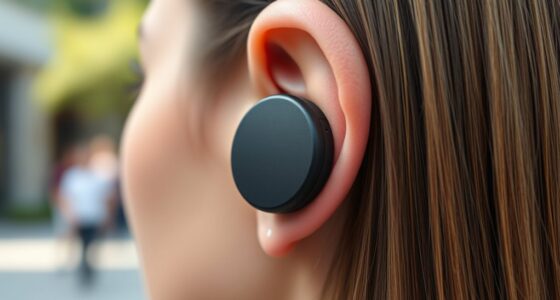
- Use headphones or earbuds with a microphone to improve sound clarity and block background noise.
- Test the camera, microphone, and platform settings before the appointment to prevent technical issues.
- Set up in a quiet, distraction-free space with good lighting to create a comfortable, stress-free environment.

Setting up telehealth for seniors can seem intimidating, but with a few simple steps, it becomes manageable and even empowering. The key is creating a comfortable and functional environment where your loved one feels confident during virtual appointments. Start by choosing a quiet, well-lit space free from distractions. Good lighting is essential so the doctor can see clearly, and natural light works best if available. Position the setup near a window during the day, but avoid direct sunlight that causes glare. If natural light isn’t enough, invest in a soft, adjustable lamp that illuminates the face evenly. Avoid harsh or uneven lighting, which can create shadows or make it hard to see facial expressions.
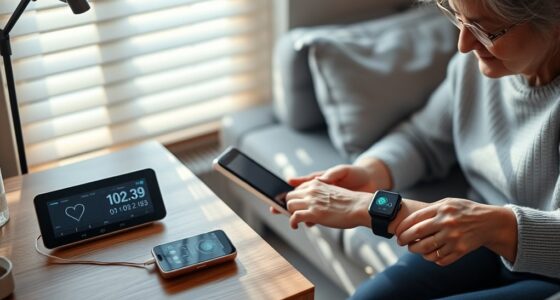
Create a comfortable, well-lit space for stress-free telehealth visits.
Next, focus on the camera. Most smartphones, tablets, and laptops have built-in cameras that work well if positioned correctly. Place the device on a stable surface at eye level to promote natural eye contact and prevent awkward angles. Using a stand or prop helps keep the device steady and at the right height. If your loved one has difficulty holding a device, consider purchasing a simple mount or tripod designed for smartphones or tablets. This ensures the camera stays steady, so the senior doesn’t have to worry about holding or adjusting the device during the appointment. Make sure the camera lens is clean; smudges or dirt can obscure the view, making it harder for the doctor to see clearly.
Sound quality is equally important. Clear audio helps reduce misunderstandings and ensures effective communication. Use headphones or earbuds with a built-in microphone if possible—these often improve sound quality and block out background noise. If headphones aren’t an option, position the device close enough so that the built-in microphone picks up the voice without distortion. Check the audio settings on the device beforehand to verify the microphone and speakers are functioning properly. Test calls are a good way to identify and fix any issues before the actual appointment. Encourage your loved one to speak clearly and directly into the microphone, and remind them to minimize background noise, like TV or radio, during the call. Additionally, choosing a device with good audio quality can make a significant difference in the overall telehealth experience.
Finally, familiarize yourself with the telehealth platform in advance. Practice logging in, adjusting the camera, and troubleshooting common issues. Making sure the device is charged or plugged in guarantees there’s no interruption during the appointment. By focusing on lighting, camera placement, and sound, you create a smooth, stress-free telehealth experience. It’s about making your loved one feel comfortable and confident, so they can get the care they need without unnecessary frustration. With these steps, telehealth becomes a tool for connection and health, not a hurdle.
Frequently Asked Questions
How Can I Ensure My Wi-Fi Connection Is Reliable During Calls?
To guarantee your Wi-Fi connection stays reliable during calls, position your router centrally in your home and avoid obstructions like thick walls or large furniture. Use a wired Ethernet connection if possible for stability. Limit device use during calls to reduce bandwidth strain, and restart your router regularly to clear any glitches. Updating your router’s firmware also helps improve performance and connection stability.
What Privacy Settings Should I Configure for Secure Telehealth Sessions?
You should enable encryption on your video platform to protect your sessions. Check privacy settings to restrict access, ensuring only authorized people can join. Turn off recording features unless necessary, and use strong, unique passwords for your accounts. Regularly update your device’s software and security patches. Make sure your Wi-Fi network is secured with WPA3 or WPA2 encryption, and avoid public Wi-Fi for sensitive telehealth visits to keep your information private.
Are There Specific Devices Recommended for Seniors With Limited Tech Skills?
Imagine a simple, friendly device that feels like an extension of your hand, making telehealth easy and stress-free. For seniors with limited tech skills, recommend a tablet with a large screen, clear audio, and straightforward controls. Devices like the Amazon Fire HD or iPads with accessibility features help you stay connected. They’re designed for ease, giving you confidence and comfort during every virtual appointment.
How Do I Troubleshoot Common Audio or Video Issues During a Session?
If you experience audio or video issues during a session, first check your internet connection—restart your router if needed. Make sure your device’s camera and microphone are enabled and permissions are granted. Try closing other apps that might be using bandwidth. If problems persist, restart your device or update the app. Testing your setup before appointments can help prevent surprises and guarantee a smooth telehealth experience.
What Safety Precautions Should I Take When Setting up Telehealth Equipment?
You should guarantee all cables are securely connected and avoid tripping hazards by organizing cords away from walkways. Keep equipment on stable surfaces and away from liquids to prevent accidents. Use surge protectors to safeguard devices, and check that your environment is well-lit but not overly bright. Regularly inspect your setup for damage or loose parts, and always follow manufacturer instructions to maintain safety during telehealth sessions.
Conclusion
Now that you’ve mastered the meticulous setup for telehealth, you can confidently create a clear, comfortable, and connected space. By balancing lighting, boosting the camera’s clarity, and fine-tuning sound, you’ll foster a fuss-free, friendly environment. With your diligent dedication to detail, you’ll deliver delightful digital doctor visits, ensuring seniors stay safe, sound, and smoothly separated from stress. Embrace this easy, effective setup, and empower every virtual visit with precision and peace of mind.