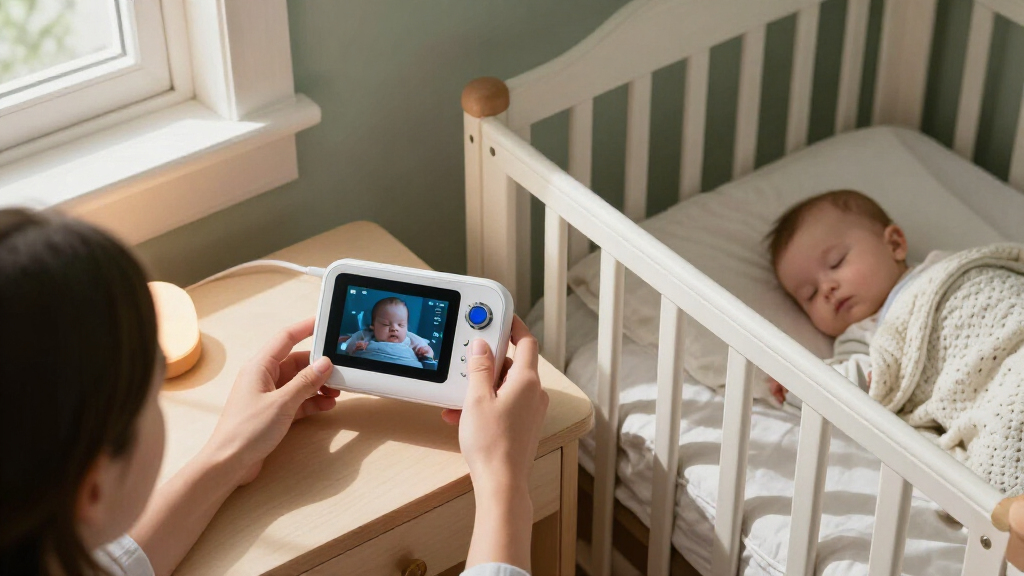

For most families, I’d start with the HelloBaby HB6550Plus: its large 6-inch screen and no-Wi-Fi connection suit parents who want a straightforward, dedicated monitor. The VTech Smart HQ Max Twin is a stronger fit for two-camera viewing, while the Nanit Smart Baby Monitor offers a connected 1080p option for parents who want app access. The main choice is between local monitoring that avoids home Wi-Fi and connected cameras that support phone viewing, along with tradeoffs in screen size, camera coverage, setup, and complexity. A larger display can make checking the crib easier, but it may add bulk; an app can add flexibility, but depends on network access. Read on for my full comparison of 15 baby monitors with camera and guidance on matching one to your home.

Turn the school run and nap time into listening time
- Thousands of audiobooks, podcasts and originals
- Listen on your phone, tablet or Echo — also offline
- Cancel anytime
Complete the kit


Key Takeaways
- Dedicated no-Wi-Fi monitors lead this roundup for simplicity: HelloBaby HB6550Plus pairs a 6-inch display with a direct monitor connection, a useful balance for parents who do not need phone access.
- Two cameras are most useful when they solve a real layout problem: the VTech Smart HQ Max Twin and HelloBaby HB6560-2 offer split-screen viewing for multiple sleep spaces, while a single-camera setup is less complicated for one crib.
- Connected video and local viewing serve different routines: Nanit and VTech VM901 add Wi-Fi-based viewing, while the many HelloBaby options favor a dedicated screen without relying on a home network.
- Screen size changes daily usability more than headline resolution: 6- and 7-inch displays give a broader view at a glance, while compact models such as the VTech VM819 prioritize portability over viewing area.
- Specialty camera formats have narrower appeal: the Tapo C100 can suit buyers seeking an indoor camera, while the Dr.Care VistaView’s clip mount fits a different setup than a conventional nursery camera.
| HelloBaby HB6550Plus 6-Inch No-WiFi Video Baby Monitor with Camera and Two-Way Audio |  | Best for a Large Screen Without Wi-Fi | Display: 6-inch IPS screen | Connection: 2.4GHz FHSS; no Wi-Fi required | Camera movement: 355° pan and 120° tilt | VIEW LATEST PRICE | See Our Full Breakdown |
| HelloBaby HB6550-2 No-WiFi Baby Monitor with Two Cameras and 5-Inch Screen |  | Best for Two Rooms on a Private Connection | Cameras included: 2 | Maximum camera support: 4 cameras | Display: 5-inch IPS screen | VIEW LATEST PRICE | See Our Full Breakdown |
| VTech Smart HQ Max Twin WiFi Baby Monitor with 2 Cameras and 7-Inch Split-Screen Display |  | Best for Simultaneous Two-Room Viewing | Cameras: 2 | Parent unit display: 7-inch split-screen | Camera sensor: 2K | VIEW LATEST PRICE | See Our Full Breakdown |
| AnKeKe ABM570 Baby Monitor with Camera and Audio, 5-Inch 720p Screen, No Wi-Fi |  | Best for No-Wi-Fi Nursery Tools | Display: 5-inch 720p IPS LCD | Connection: 2.4GHz FHSS; no Wi-Fi | Camera movement: 355° pan and 95° tilt | VIEW LATEST PRICE | See Our Full Breakdown |
| GoodBaby 5-Inch No-WiFi Video Baby Monitor with Camera |  | Best for Basic App-Free Monitoring | Display: 5-inch IPS LCD | Video resolution: 480p | Connectivity: 2.4GHz FHSS; no Wi-Fi | VIEW LATEST PRICE | See Our Full Breakdown |
| VTech Advanced HQ Max Baby Monitor with 7-Inch IPS Screen, 360° Pan, Night Vision, and Two-Way Talk |  | Best for a Large, Adjustable Parent-Unit View | Parent unit screen: 7-inch IPS | Video resolution: 600p | Camera movement: 360° pan and 122° tilt | VIEW LATEST PRICE | See Our Full Breakdown |
| Nanit Smart Baby Video Monitor with Camera and Floor Stand, 1080p Wi-Fi |  | Best for App-Based HD Monitoring | Camera resolution: 1080p HD | Connectivity: Wi-Fi; local-network viewing during internet outages | Night vision: Infrared | VIEW LATEST PRICE | See Our Full Breakdown |
| TP-Link Tapo C100 1080p Indoor Security Camera |  | Best Flexible Budget-Style Camera | Resolution: 1080p | Night vision range: Up to 30 feet | Detection: Motion, person, and baby crying | VIEW LATEST PRICE | See Our Full Breakdown |
| VTech VM819 Video Baby Monitor with 2.8-Inch Screen |  | Best for Long Battery Life and Simple Setup | Screen size: 2.8-inch LCD | Video resolution: 480p | Connection: Wireless 2.4 GHz FHSS | VIEW LATEST PRICE | See Our Full Breakdown |
| VTech VM901 Smart Wi-Fi Baby Monitor with 1080p Camera and 5-Inch Screen |  | Best Hybrid Parent-Unit and App Monitor | Camera resolution: 1080p | Parent-unit screen: 5-inch HD | Camera control: Pan, tilt, and zoom up to 10× | VIEW LATEST PRICE | See Our Full Breakdown |
| HelloBaby HB6560 6-Inch No-WiFi Video Baby Monitor with Camera and Audio | 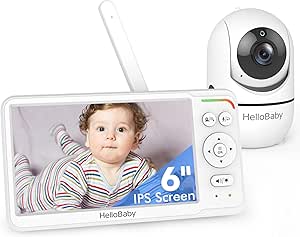 | Best for a Large, Private Screen | Display: 6-inch IPS screen | Camera movement: 355° pan, 120° tilt | Connectivity: 2.4 GHz FHSS; no Wi-Fi | VIEW LATEST PRICE | See Our Full Breakdown |
| HelloBaby HB6550 No-WiFi Baby Monitor with Camera and 5-Inch Screen |  | Best for Expanding to Multiple Rooms | Screen: 5 inches | Camera movement: 355° horizontal pan, 120° vertical tilt | Zoom: 2x digital | VIEW LATEST PRICE | See Our Full Breakdown |
| Dr.Care VistaView 5-Inch 1080p Wi-Fi Baby Monitor with Camera and Clip Mount |  | Best for App Access and Local Recording | Parent unit display: 5 inches | Camera resolution: 1080p | Connectivity: 2.4 GHz FHSS and Wi-Fi | VIEW LATEST PRICE | See Our Full Breakdown |
| HelloBaby HB6560-2 Baby Monitor with 6-Inch Split-Screen Display and 2 Cameras | 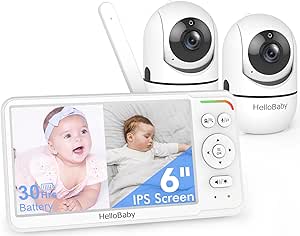 | Best for Monitoring Two Rooms Side by Side | Display: 6-inch IPS split-screen | Included cameras: 2 | Connection: 2.4 GHz FHSS; no Wi-Fi | VIEW LATEST PRICE | See Our Full Breakdown |
| VTimes Non-WiFi Baby Monitor with Camera and Audio, 2.4-Inch Screen, Two-Way Talk, Night Vision, and Temperature Sensor | 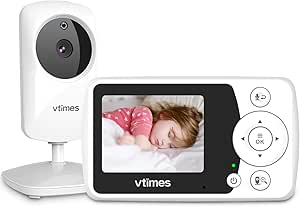 | Best Compact No-Wi-Fi Pick | Screen: 2.4 inches | Video resolution: 480p | Connectivity: Non-Wi-Fi 2.4 GHz FHSS | VIEW LATEST PRICE | See Our Full Breakdown |
| baby monitors with camera | Camera movement |
|---|---|
| HelloBaby HB6550Plus 6-Inch No | 355° pan and 120° tilt |
| HelloBaby HB6550-2 No-WiFi Bab | 355° pan and 120° tilt |
| VTech Smart HQ Max Twin WiFi B | — |
| AnKeKe ABM570 Baby Monitor wit | 355° pan and 95° tilt |
| GoodBaby 5-Inch No-WiFi Video | 355° pan and 120° tilt |
| VTech Advanced HQ Max Baby Mon | 360° pan and 122° tilt |
| Nanit Smart Baby Video Monitor | — |
| TP-Link Tapo C100 1080p Indoor | — |
| VTech VM819 Video Baby Monitor | — |
| VTech VM901 Smart Wi-Fi Baby M | — |
| HelloBaby HB6560 6-Inch No-WiF | 355° pan, 120° tilt |
| HelloBaby HB6550 No-WiFi Baby | 355° horizontal pan, 120° vertical tilt |
| Dr.Care VistaView 5-Inch 1080p | 300° rotation, 65° tilt |
| HelloBaby HB6560-2 Baby Monito | 355° pan, 120° tilt |
| VTimes Non-WiFi Baby Monitor w | — |
More Details on Our Top Picks
HelloBaby HB6550Plus 6-Inch No-WiFi Video Baby Monitor with Camera and Two-Way Audio
The 6-inch IPS display gives this single-camera HelloBaby a roomier view than the 5-inch HB6550-2, which can make checking a sleeping baby easier at a glance. Its 2.4GHz FHSS connection works without Wi-Fi or an app, appealing to parents who prefer a dedicated monitor rather than phone-based access. Remote pan and tilt help reposition the view from the parent unit, while two-way audio, temperature alerts, and an audio-only mode cover common nighttime needs. The tradeoff is that this model includes one camera and supports only two total, while the HB6550-2 arrives with two and expands to four. Its stated long battery range is useful, but the screen size and single-camera setup make it a better fit for one nursery than a multiroom household.
Pros:- Large 6-inch IPS screen is easier to view than the 5-inch display on the HB6550-2.
- Direct 2.4GHz FHSS connection works without Wi-Fi or an app.
- Remote pan and tilt, two-way audio, and invisible infrared night vision support flexible nursery checks.
- Audio-only mode and a stated 18–33-hour battery life can reduce screen use between checks.
Cons:- Includes one camera and supports only two cameras total, limiting multiroom growth.
- Indoor use only.
- The stated night-vision range and battery life are product claims, not guarantees for every home or use pattern.
Best for: Parents who want a large dedicated screen, a direct no-Wi-Fi connection, and one main nursery camera.
Not ideal for: Families who need to monitor several rooms from the start; the HB6550-2 includes two cameras and supports more expansion.
- Display:6-inch IPS screen
- Connection:2.4GHz FHSS; no Wi-Fi required
- Camera movement:355° pan and 120° tilt
- Night vision:Invisible infrared; stated range of 1,000 feet
- Battery life:18–33 hours stated
- Camera capacity:Supports up to 2 cameras
- Additional features:Two-way audio, temperature alerts, 8 lullabies, feeding timer, sound-level LED, and audio-only mode
- Mounting:Tabletop, wall, or ceiling
Our verdict“Choose the HB6550Plus if a larger screen and a private, app-free connection matter more than having multiple cameras.”
HelloBaby HB6550-2 No-WiFi Baby Monitor with Two Cameras and 5-Inch Screen
The two included cameras make the HB6550-2 a practical choice for parents watching a nursery and another room without buying a second camera separately. Unlike the single-camera HB6550Plus, this kit can expand to four cameras, though it shows one camera view at a time rather than split-screen. The 5-inch IPS parent display uses a private FHSS connection without Wi-Fi or an app, and remote pan, tilt, and zoom help adjust the view from the monitor. VOX mode can keep the display quieter until sound is detected. The compromise is clear: households wanting a constant view of both rooms may prefer the VTech Smart HQ Max Twin, which offers split-screen viewing and app access. The HB6550-2 instead favors a simpler, dedicated monitor setup and broader camera capacity.
Pros:- Includes two cameras and supports expansion to four.
- Private 2.4GHz FHSS connection needs no Wi-Fi or app.
- Remote pan, tilt, and zoom help adjust each camera view.
- VOX sound detection, two-way audio, infrared night vision, and temperature monitoring are included.
Cons:- Displays one camera at a time, unlike the split-screen VTech Smart HQ Max Twin.
- The stated 1,000-foot range applies outdoors with the antenna extended.
- Not water resistant, so the system is intended for indoor use.
Best for: Parents who want two cameras in the box, plan to monitor multiple rooms, and prefer a no-Wi-Fi parent unit.
Not ideal for: Caregivers who need to see two rooms at once; this monitor switches between camera views instead of showing split-screen.
- Cameras included:2
- Maximum camera support:4 cameras
- Display:5-inch IPS screen
- Connection:2.4GHz FHSS; no Wi-Fi or app required
- Camera movement:355° pan and 120° tilt
- Battery life:Up to 30 hours in ECO mode
- Features:VOX, two-way audio, infrared night vision, 8 lullabies, and room-temperature monitoring
- Mounting options:Ceiling, wall, crib, desk, or freestanding
Our verdict“Pick the HB6550-2 for a two-camera, app-free setup, but choose a split-screen model if simultaneous room views are a priority.”
VTech Smart HQ Max Twin WiFi Baby Monitor with 2 Cameras and 7-Inch Split-Screen Display
For parents who need to watch two sleeping spaces at the same time, the 7-inch split-screen display is the defining advantage here. The HelloBaby HB6550-2 also includes two cameras, but its parent unit switches between views rather than displaying both together. VTech adds 2K camera sensors, pan and tilt, and substantial zoom from either the parent unit or app, giving caregivers more ways to inspect a room without moving the camera physically. App access also supports shared viewing and recorded clips, unlike the app-free HelloBaby options. That flexibility depends on a usable connection for remote viewing, and the system is intended for indoor use. This is the most feature-rich fit in this group for connected, multiroom monitoring, but it is less suited to families who want to avoid apps or rely only on a self-contained monitor.
Pros:- 7-inch split-screen shows both included cameras at once.
- 2K sensors and wide-angle lenses provide detailed room views.
- Pan, tilt, and up to 24x parent-unit zoom help inspect specific areas.
- App supports remote viewing, shared access, recorded clips, and two-way talk.
Cons:- Remote app viewing depends on a usable signal.
- Indoor use only.
- App and connected features add complexity compared with the direct FHSS HelloBaby monitors.
Best for: Families monitoring two rooms who want simultaneous screen views, app-based remote access, and shared viewing.
Not ideal for: Parents seeking a fully app-free monitor or those without a reliable signal for remote app viewing.
- Cameras:2
- Parent unit display:7-inch split-screen
- Camera sensor:2K
- Camera view and movement:Wide-angle; pan and tilt
- Zoom:Up to 24x from parent unit and up to 30x from app
- App:MyVTech Baby Plus; supports remote viewing and shared access
- Night and audio features:Automatic night vision and two-way talk
- Additional features:Multi-color night light, lullabies, VOX mode, and recorded clips
Our verdict“Choose the Smart HQ Max Twin if seeing two rooms at once and accessing cameras through an app outweighs the appeal of a simpler no-Wi-Fi system.”
AnKeKe ABM570 Baby Monitor with Camera and Audio, 5-Inch 720p Screen, No Wi-Fi
The ABM570 stands out among the no-Wi-Fi picks for combining a 720p display with practical routines such as feeding reminders and temperature alerts. Its 355° pan, 95° tilt, and 4× zoom offer more adjustment than the GoodBaby SM663’s 2× zoom, although the AnKeKe has a narrower stated 75° viewing angle that may call for more camera movement to cover the room. The FHSS connection avoids an app and cloud access, while VOX mode and two-way talk add useful options for quieter monitoring and remote reassurance. A stated standby time of up to 100 hours is attractive, but standby is not the same as continuous screen-on use. Compared with the larger-screen HelloBaby HB6550Plus, this is the more compact 5-inch choice, with extra routine features in exchange for less vertical tilt.
Pros:- 5-inch 720p IPS display provides a stated higher resolution than the GoodBaby SM663’s 480p video.
- FHSS connection works without Wi-Fi, an app, or cloud access.
- Camera offers 355° pan, 95° tilt, and up to 4× zoom.
- Includes VOX, two-way talk, temperature alerts, feeding reminders, and 8 lullabies.
Cons:- The 75° viewing angle may require pan and tilt to cover the room.
- The stated 1,000-foot signal range applies to open areas.
- Up to 100 hours is listed as standby time, not continuous screen-on battery life.
Best for: Parents who want an app-free monitor with feeding reminders, temperature alerts, and adjustable camera zoom.
Not ideal for: Caregivers who need a broad fixed camera view or extensive tilt; its stated viewing angle is 75° and tilt is 95°.
- Display:5-inch 720p IPS LCD
- Connection:2.4GHz FHSS; no Wi-Fi
- Camera movement:355° pan and 95° tilt
- Zoom:Up to 4×
- Viewing angle:75°
- Battery:3,500mAh; up to 100 hours standby stated
- Signal range:Up to 1,000 feet in open areas
- Additional features:Infrared night vision, two-way talk, VOX, temperature alerts, feeding reminders, and 8 lullabies
Our verdict“Choose the ABM570 if you want a no-Wi-Fi monitor with useful feeding and temperature tools, and can work with its narrower camera view.”
GoodBaby 5-Inch No-WiFi Video Baby Monitor with Camera
The GoodBaby SM663 keeps the core camera-monitor setup straightforward: a 5-inch screen, direct FHSS connection, remote pan and tilt, and two-way audio. It is a simpler single-camera alternative to the HelloBaby HB6550-2, which includes two cameras and supports expansion to four. The GoodBaby still provides night vision, temperature alerts, feeding alarms, and lullabies, so it covers routine nursery checks without requiring Wi-Fi or an app. The main compromise is video detail: its listed 480p resolution is lower than the AnKeKe ABM570’s 720p display. Battery life is stated as up to 30 hours in VOX mode, but only up to 10 hours with the screen on, so families who keep the video display active may need to recharge more often. Its 2× zoom is also less flexible than the AnKeKe’s 4×.
Pros:- 2.4GHz FHSS connection works without Wi-Fi.
- Remote 355° pan, 120° tilt, and 2× zoom adjust the camera view.
- Includes two-way audio, infrared night vision, temperature alerts, feeding timer, and 8 lullabies.
- VOX mode is listed for up to 30 hours of battery life.
Cons:- Listed video resolution is 480p, lower than the AnKeKe ABM570’s 720p display.
- Battery life is listed as up to 10 hours with the screen on.
- Includes one camera, with no multi-camera capacity specified.
Best for: Parents who want one camera, a dedicated no-Wi-Fi monitor, and basic audio and nursery alerts.
Not ideal for: Caregivers who want sharper listed video, multiple cameras, or long battery life with the display continuously on.
- Display:5-inch IPS LCD
- Video resolution:480p
- Connectivity:2.4GHz FHSS; no Wi-Fi
- Camera movement:355° pan and 120° tilt
- Zoom:2×
- Battery:3,500mAh; up to 30 hours in VOX mode or 10 hours with screen on
- Range:Up to 1,000 feet stated
- Features:Two-way audio, infrared night vision, temperature alerts, feeding timer, and 8 lullabies
Our verdict“Pick the GoodBaby for simple, app-free checks with one camera, but choose the AnKeKe for higher listed resolution or stronger zoom.”
VTech Advanced HQ Max Baby Monitor with 7-Inch IPS Screen, 360° Pan, Night Vision, and Two-Way Talk
The 7-inch IPS screen and remotely controlled 360° pan, 122° tilt, and 4× zoom make this the strongest fit here for caregivers who want to inspect a wide nursery from a dedicated handheld unit. Its encrypted FHSS connection works without Wi-Fi or an app, unlike the Nanit Smart Baby Video Monitor, which is built around smartphone access and connected features. The tradeoff is 600p video: the broad viewing controls help locate and check on a baby, but detail is lower than the Nanit’s 1080p stream or the VTech VM901’s 1080p camera. A claimed video battery life of up to 12 hours is useful for extended monitoring, though shorter than the VM819’s listed 19 hours. I’d choose it for screen size and camera control, not maximum image sharpness.
Pros:- Large 7-inch IPS parent-unit screen
- Remote 360° pan, 122° tilt, and up to 4× zoom
- Encrypted FHSS connection works without Wi-Fi, internet, or an app
- Two-way talk, soothing sounds, and a multicolor night light
Cons:- 600p resolution is lower than the 1080p Nanit and VTech VM901
- Up to 12 hours of video battery life is shorter than the VM819’s listed video runtime
- Not water resistant
Best for: Caregivers who want a large dedicated screen, remote camera movement, and monitoring that does not depend on Wi-Fi.
Not ideal for: Buyers who prioritize high-definition detail or the longest listed video battery life; the VM901 and VM819 better match those needs.
- Parent unit screen:7-inch IPS
- Video resolution:600p
- Camera movement:360° pan and 122° tilt
- Zoom:Up to 4×
- Connection:Encrypted 2.4 GHz FHSS; no Wi-Fi required
- Transmission range:Up to 1,000 feet
- Parent-unit battery:5,000 mAh; up to 12 hours video or 18 hours audio-only
- Audio and soothing features:Two-way talk, 5 lullabies, 5 ambient sounds, and a 7-color night light
Our verdict“Choose this VTech if you want a large no-Wi-Fi parent unit with broad remote camera control and can accept 600p video.”
Nanit Smart Baby Video Monitor with Camera and Floor Stand, 1080p Wi-Fi
The 1080p camera, infrared night vision, and customizable motion and sound alerts make the Nanit the most app-centered choice in this group. It also tracks temperature and humidity and supports multiple caregivers, which can suit households where more than one adult checks in by phone. Compared with the VTech Advanced HQ Max, Nanit offers sharper listed video and shared smartphone access, but it needs Wi-Fi for initial setup and relies on a phone rather than a dedicated parent screen. Local-network viewing can continue during internet outages, a useful distinction from a system that depends entirely on an outside connection. The main ongoing tradeoff is that sleep insights, video history, and automatic milestone captures require a subscription after the included trial. I’d favor it for connected monitoring, not for families seeking a simple, subscription-free screen.
Pros:- 1080p video with infrared night vision
- Customizable motion and sound alerts
- Tracks nursery temperature and humidity
- Supports multiple caregivers and local-network viewing during internet outages
Cons:- Initial setup requires internet access and Wi-Fi
- Advanced sleep insights, video history, and milestone captures require a paid subscription after the trial
- Smartphone-centered monitoring may not suit caregivers who prefer a dedicated parent unit
Best for: Families who want HD smartphone viewing, shared caregiver access, and nursery temperature and humidity readings.
Not ideal for: Caregivers who want a dedicated parent-unit screen, setup without Wi-Fi, or advanced sleep features without a continuing subscription.
- Camera resolution:1080p HD
- Connectivity:Wi-Fi; local-network viewing during internet outages
- Night vision:Infrared
- Audio:Two-way audio
- Alerts:Customizable motion and sound detection
- Environment monitoring:Temperature and humidity
- Mounting:Floor stand or wall mount
- Security:256-bit AES encryption and two-factor authentication
- Included subscription trial:3 months of Nanit Insights Sleep Plan
Our verdict“Pick Nanit for sharp app-based video and shared monitoring if you are comfortable with Wi-Fi setup and subscription-gated sleep features.”
TP-Link Tapo C100 1080p Indoor Security Camera
The Tapo C100 stands apart from dedicated baby monitors such as the VTech VM819: it is a wired indoor security camera that sends alerts and video through the Tapo app, rather than pairing with a portable parent unit. Its 1080p video, baby-cry detection, and night vision up to 30 feet cover core visual check-in needs, while a microSD slot supports local recording without requiring cloud storage. Alexa, Google Assistant, and RTSP/ONVIF support also make it a more adaptable choice for homes already using smart-home or network-camera systems. That flexibility comes with compromises for nursery use: the camera needs continuous corded power, and buyers must supply the microSD card if they want local recording. I’d pick it for a fixed camera with broad integration options, not for portable, standalone monitoring.
Pros:- 1080p video with night vision up to 30 feet
- Detects motion, people, and baby crying
- Supports local recording to a microSD card up to 512 GB
- Works with Alexa, Google Assistant, and RTSP/ONVIF
Cons:- Requires a corded electric connection
- MicroSD card is not included and cloud storage requires a subscription
- Does not include a dedicated parent unit like the VTech VM819
Best for: Caregivers who already use a smartphone or smart-home setup and want a fixed indoor camera with baby-cry alerts and local recording.
Not ideal for: Families who need a portable parent unit, wireless camera power, or a monitor that works independently of app and network setup.
- Resolution:1080p
- Night vision range:Up to 30 feet
- Detection:Motion, person, and baby crying
- Audio:Two-way audio with built-in siren
- Local storage:microSD card up to 512 GB; card not included
- Cloud storage:Tapo Care subscription
- Compatibility:Amazon Alexa, Google Assistant, RTSP/ONVIF
- Power and use:Corded electric; indoor use
Our verdict“Choose the Tapo C100 for a fixed, app-based camera with local-storage and smart-home flexibility, rather than a standalone baby-monitor system.”
VTech VM819 Video Baby Monitor with 2.8-Inch Screen
The VM819 is a straightforward pick for caregivers who value a direct, encrypted connection and long stretches away from a charger more than a large, detailed picture. Its listed runtime reaches 19 hours of video or 29 hours in audio-only mode, outlasting the VTech Advanced HQ Max’s stated video runtime. The tradeoff is a compact 2.8-inch screen and 480p resolution, which make it less suitable for closely checking small visual details than the larger-screen Advanced HQ Max or the 1080p VM901. Automatic infrared night vision, 2× zoom, sound-activated screen mode, and a temperature sensor add practical nursery functions without an app or cloud account. I’d choose this for a simple overnight setup; families who regularly want a broad view of the room should move up to the Advanced HQ Max.
Pros:- Encrypted 2.4 GHz FHSS connection works without Wi-Fi, internet, or an app
- Up to 19 hours of video battery life and 29 hours of audio-only use
- Automatic infrared night vision and 2× digital zoom
- Two-way talk, sound-activated screen, soothing sounds, and temperature sensor
Cons:- 480p video offers less detail than the 1080p VM901 and Nanit
- The 2.8-inch screen is much smaller than the VTech Advanced HQ Max’s 7-inch display
- No remote pan or tilt
Best for: Caregivers who want a no-Wi-Fi monitor with a dedicated screen, long listed battery life, and basic two-way nursery features.
Not ideal for: Buyers who need a large screen, sharper video, or remote pan and tilt; the Advanced HQ Max offers a wider, more adjustable view.
- Screen size:2.8-inch LCD
- Video resolution:480p
- Connection:Wireless 2.4 GHz FHSS
- Video range:Up to 1,000 feet
- Battery life:Up to 19 hours video or 29 hours audio-only
- Night vision and zoom:Automatic infrared night vision; 2× digital zoom
- Audio features:Two-way talk, sound-activated screen, and 3-level sound indicator
- Soothing sounds and sensor:Two lullabies, two ambient sounds, and a temperature sensor
Our verdict“Choose the VM819 for long-running, app-free monitoring when battery life matters more than screen size and image detail.”
VTech VM901 Smart Wi-Fi Baby Monitor with 1080p Camera and 5-Inch Screen
The VM901 is a useful middle ground between a self-contained monitor and an app-only camera: caregivers can check the nursery on its 5-inch parent-unit screen at home, then use the MyVTech Baby app for remote access. Its 1080p camera with pan, tilt, and up to 10× zoom offers more listed resolution and zoom than the VTech Advanced HQ Max, though the Advanced HQ Max has a larger 7-inch screen and works without Wi-Fi. Movement and temperature alerts, automatic night vision, and two-way talk add practical remote-check-in tools. The app side depends on an internet connection, so it is less suited to families who want every viewing option to function offline. Compared with the Nanit, the VM901 includes a dedicated screen; compared with the VM819, it adds HD video and app access but gives up the simpler no-Wi-Fi setup.
Pros:- Combines a dedicated 5-inch parent unit with MyVTech Baby app access
- 1080p camera with pan, tilt, and up to 10× zoom
- Automatic night vision and two-way talk
- Movement and nursery-temperature alerts
Cons:- Remote app monitoring requires an internet connection
- The parent-unit range is listed as up to 1,000 feet
- Requires Wi-Fi-based app access, unlike the offline VTech VM819 and Advanced HQ Max
Best for: Households that want a dedicated parent screen at home plus app access for remote check-ins and camera control.
Not ideal for: Caregivers who want monitoring without Wi-Fi or internet, or who prefer a larger parent-unit display than 5 inches.
- Camera resolution:1080p
- Parent-unit screen:5-inch HD
- Camera control:Pan, tilt, and zoom up to 10×
- Parent-unit range:Up to 1,000 feet
- App:MyVTech Baby
- Night vision:Automatic
- Communication:Two-way talk
- Alerts:Movement and nursery temperature
Our verdict“Pick the VM901 if you want both a dedicated screen and app-based remote access, and can rely on an internet connection for the app.”
HelloBaby HB6560 6-Inch No-WiFi Video Baby Monitor with Camera and Audio
The 6-inch IPS display gives this no-Wi-Fi monitor more viewing room than the HB6550’s 5-inch screen, which can make checking a sleeping baby easier from across the room. Its camera remotely pans 355° and tilts 120°, so I’d favor it over a fixed-view option when the crib or play area needs broader coverage. The FHSS connection works without an app or Wi-Fi, while infrared night vision, two-way audio, and sound-level LEDs offer several ways to check in. Up to two cameras can be shown in split screen, though the HB6550 supports up to four, making that a better fit for a larger household. The tradeoff is a heavier 680 g monitor and limited compatibility with other monitor models.
Pros:- Large 6-inch IPS screen with split-screen support for up to two cameras
- Remote 355° pan and 120° tilt help cover more of the nursery
- Encrypted 2.4 GHz FHSS connection works without Wi-Fi or an app
- Two-way audio, infrared night vision, and sound-level indicators
Cons:- Supports only two cameras, fewer than the HB6550’s four-camera capacity
- At 680 g, the monitor is relatively heavy to carry around
- Not compatible with other monitor models
Best for: Parents who want a larger dedicated screen, private no-Wi-Fi viewing, and the option to monitor up to two rooms.
Not ideal for: Families planning to monitor three or more rooms or add cameras from other monitor systems; this model supports only two cameras and is not compatible with other monitor models.
- Display:6-inch IPS screen
- Camera movement:355° pan, 120° tilt
- Connectivity:2.4 GHz FHSS; no Wi-Fi
- Camera capacity:Up to 2 cameras with split screen
- Battery life:16–30 hours
- Maximum talking range:305 meters
- Night vision and audio:Infrared night vision; two-way audio
- Additional features:Room temperature alerts, 8 lullabies, VOX/ECO mode, feeding timer, sound-level LED indicators
Our verdict“Choose the HB6560 if a roomy screen and private, app-free monitoring matter more than broad camera expansion.”
HelloBaby HB6550 No-WiFi Baby Monitor with Camera and 5-Inch Screen
The HB6550’s standout advantage is support for up to four cameras, giving it more room to grow than the HB6560, which tops out at two. Its 5-inch screen is smaller, but remote pan and tilt, 2x digital zoom, and infrared night vision help make a single camera useful across changing nursery layouts. The FHSS link requires no Wi-Fi, a practical choice for families who want a dedicated parent unit rather than app-based viewing. Up to 30 hours of monitor battery life also suits long stretches away from an outlet. This is the more flexible HelloBaby pick for households adding rooms, though its camera needs corded power; the compact-screen VTimes, by contrast, is more portable but offers fewer camera-expansion details and a much smaller display.
Pros:- Supports up to four cameras, more than the HB6560
- Remote 355° pan, 120° tilt, and 2x digital zoom
- No-Wi-Fi FHSS connection with digital encryption
- Up to 30 hours of monitor battery life
Cons:- The 5-inch screen is smaller than the HB6560’s 6-inch display
- Camera requires corded electric power
- Not water resistant
Best for: Families who want a no-Wi-Fi monitor that can grow to cover several rooms with up to four cameras.
Not ideal for: Parents who want a large viewing screen or a camera that can operate away from a corded power source.
- Screen:5 inches
- Camera movement:355° horizontal pan, 120° vertical tilt
- Zoom:2x digital
- Connectivity:2.4 GHz FHSS; no Wi-Fi required
- Camera capacity:Up to 4 cameras
- Monitor battery life:Up to 30 hours
- Night vision and audio:Infrared night vision; two-way audio
- Power and mounting:Battery-powered monitor; corded camera; tabletop, wall, ceiling, crib, or freestanding mounting
Our verdict“Pick the HB6550 if adding cameras across multiple rooms matters more than having the largest screen.”
Dr.Care VistaView 5-Inch 1080p Wi-Fi Baby Monitor with Camera and Clip Mount
The VistaView combines a 5-inch parent unit with smartphone app access, giving it a more connected approach than the app-free HelloBaby HB6550. Its 1080p camera, motion and sound alerts, and temperature and humidity monitoring can help parents check more than the live image alone. I’d choose it over the HB6550 when remote viewing and local SD card recording matter; the HelloBaby is simpler for households that prefer to avoid Wi-Fi altogether. The VistaView also includes split-screen viewing, two-way talk, lullabies, and access sharing for up to five family members. Its tradeoffs are the added setup and storage decisions: the SD card is not included, cloud storage is optional, and Wi-Fi support is limited to 2.4 GHz. Battery life reaches up to 15 hours in VOX mode, but continuous streaming is listed at up to 11 hours.
Pros:- 1080p camera can be viewed on the parent unit or through the smartphone app
- Local recording supports an SD card up to 128GB
- Motion, sound, temperature, and humidity alerts
- 256-bit AES encryption, exclusive user pairing, and an optional Wi-Fi-off mode
Cons:- SD card is not included and cloud storage is optional
- Wi-Fi operates on the 2.4 GHz band only
- Continuous streaming battery life is up to 11 hours
Best for: Parents who want both a dedicated monitor and phone access, plus local recording and alerts for room conditions.
Not ideal for: Families seeking a strictly offline monitor or those who want recording without buying a separate SD card or choosing optional cloud storage.
- Parent unit display:5 inches
- Camera resolution:1080p
- Connectivity:2.4 GHz FHSS and Wi-Fi
- Camera movement:300° rotation, 65° tilt
- Zoom:2x and 4x digital
- Battery life:Up to 11 hours continuous streaming; up to 15 hours in VOX mode
- Storage:Up to 128GB SD card, not included; optional cloud storage
- Security:256-bit AES encryption, optional Wi-Fi-off mode, exclusive user pairing
- Alerts and sharing:Motion, sound, temperature, and humidity alerts; share access with up to five family members
Our verdict“Choose the VistaView if you want app access and recording options, and are comfortable with Wi-Fi setup and separate storage.”
HelloBaby HB6560-2 Baby Monitor with 6-Inch Split-Screen Display and 2 Cameras
Unlike the single-camera HB6560, this bundle includes two cameras and a 6-inch split-screen display, so parents can view two rooms at once without switching feeds. Its no-Wi-Fi 2.4 GHz FHSS connection keeps the system centered on a dedicated parent unit, while remote pan and tilt, infrared night vision, and two-way audio cover everyday nursery monitoring. The HB6550 can expand to four cameras, so it suits families expecting to add more rooms; this HB6560-2 is the clearer fit when two-room viewing is the immediate need. VOX/ECO mode can extend monitor life, though the stated 16–30 hours varies with use, and the up-to-1,000-foot range applies outdoors rather than guaranteeing the same performance inside. Mounting is limited to tabletop or wall options.
Pros:- Includes two cameras and a split-screen 6-inch IPS display
- No-Wi-Fi FHSS connection works without an app
- Remote pan and tilt with infrared night vision
- VOX/ECO mode can extend battery life
Cons:- Includes two cameras but does not list support for adding more
- Up-to-1,000-foot range is specified for outdoor conditions
- Battery life varies from 16 to 30 hours depending on use
Best for: Parents who want to watch two children or rooms simultaneously on one private, no-Wi-Fi parent unit.
Not ideal for: Households that may need more than two cameras or expect the stated outdoor range to apply unchanged through indoor walls.
- Display:6-inch IPS split-screen
- Included cameras:2
- Connection:2.4 GHz FHSS; no Wi-Fi
- Camera movement:355° pan, 120° tilt
- Maximum range:Up to 1,000 feet outdoors
- Battery life:16–30 hours
- Night vision and audio:Infrared night vision; two-way audio
- Additional features:Room-temperature alerts, 8 lullabies, feeding timer, sound-level LED indicator, VOX/ECO mode
Our verdict“Choose the HB6560-2 when you need two-room viewing now, rather than the HB6550’s greater stated capacity for future camera additions.”
VTimes Non-WiFi Baby Monitor with Camera and Audio, 2.4-Inch Screen, Two-Way Talk, Night Vision, and Temperature Sensor
The VTimes keeps the setup simple: a 2.4-inch screen, one camera, and an encrypted FHSS connection with no Wi-Fi or app pairing. Its small display makes it more portable than the 5-inch HB6550, but that convenience comes with a clear viewing tradeoff: the camera’s listed 480p video offers less detail than the VistaView’s 1080p feed. Automatic infrared night vision and two-way talk provide basic day-and-night checks, while the temperature sensor adds a useful room readout. Sound-activated ECO mode lets the screen sleep and wake when it detects noise, which can help conserve monitor battery. This is a straightforward option for families who value compactness over a large image, camera expansion, or app access; the product data does not specify a battery runtime or multi-camera capacity.
Pros:- Compact 2.4-inch monitor pairs without Wi-Fi or an app
- Encrypted 2.4 GHz FHSS connection
- Automatic infrared night vision and two-way audio
- Sound-activated ECO mode can conserve monitor battery
Cons:- 480p video and a 2.4-inch screen provide less viewing detail than the VistaView’s 1080p camera and 5-inch unit
- No multi-camera capacity or battery runtime is listed
- Listed for indoor use, limiting placement options
Best for: Parents who want a compact, portable, app-free monitor for basic single-room viewing.
Not ideal for: Caregivers who need a large, detailed screen, multiple-camera viewing, or a monitor with a specified long battery runtime.
- Screen:2.4 inches
- Video resolution:480p
- Connectivity:Non-Wi-Fi 2.4 GHz FHSS
- Audio:Two-way audio
- Night vision:Automatic infrared
- Zoom:2x digital
- ECO mode:Screen sleeps and wakes when sound is detected
- Mounting and use:Free-standing or bracket mounting; indoor use
Our verdict“Pick the VTimes for compact, basic no-Wi-Fi monitoring, but choose a larger-screen model if image detail is a priority.”
How We Picked
I compared these 15 baby monitors with camera by asking how well each setup fits common nursery routines: checking a sleeping baby from a dedicated parent unit, viewing two spaces, or using a phone over Wi-Fi. I weighed connection type, screen size, camera coverage, stated resolution, two-way audio, and mounting format as practical factors rather than treating the longest feature list as the best choice. I also considered how much setup and network dependence each option asks of parents.
The ranking gives priority to clear, convenient everyday viewing and a useful balance of functions and tradeoffs. Models with a dedicated screen and straightforward local connection rank well for families who want dependable nursery viewing without app setup; Wi-Fi picks rise for buyers who specifically value phone access or high-resolution video. Dual-camera systems earn a place for multi-room needs, while compact or indoor-security-camera options rank lower for general nursery use because their strengths fit narrower routines. Product details can vary by bundle, so I’d check the included cameras, mounts, and connection requirements before choosing.
Factors to Consider When Choosing Baby Monitors With Camera
Before choosing among these baby monitors with camera, I’d start with the way you plan to check in—not the feature list. A monitor that works well in a small bedroom may be awkward across a larger home, and adding a second camera only helps when you have another space or child to watch.
Choose Local Viewing or Wi-Fi Access
A dedicated no-Wi-Fi monitor connects its camera to a parent unit, so you can check the room without setting up an app or relying on your home internet. That simplicity suits parents who want a separate screen beside the bed, but it usually limits viewing to the included unit and the system’s own connection range. A Wi-Fi monitor can make phone viewing possible, which helps when another caregiver is away from the parent unit. Its usefulness depends on setup, network availability, and the app’s current functions. A common mistake is assuming every Wi-Fi camera will work as a complete baby monitor with the same alerts and controls. I’d choose based on where and how you’ll view the feed, then confirm what the product supports.
Match Screen Size to Where You’ll Watch
A larger parent-unit display makes it easier to check a camera image from across a room, especially during quick nighttime glances. That benefit comes with a bigger device that may take more bedside space and be less convenient to carry around. Compact screens are easier to move or pack, but fine details and a broad view can be harder to make out. Think about whether you’ll keep the unit in one place, carry it between rooms, or rely mostly on a phone. Don’t treat resolution as a substitute for display size: a sharp image on a small screen may still be less comfortable to monitor. The right balance depends on viewing distance and how often you need to move the parent unit.
Add a Second Camera Only for a Second Viewing Need
Two-camera bundles can help when you want to watch two children, a crib and play area, or separate rooms from one parent unit. Split-screen viewing lets both feeds remain visible, while a system that switches between cameras may require more attention to check each space. For a single crib, an extra camera can mean more setup and equipment without improving the view you use most. Check whether the second camera comes in the bundle and whether the monitor supports the viewing layout you expect. Camera placement matters too: two cameras do not automatically provide a better angle if both are aimed at the same area. Choose the number of cameras to match your floor plan, not just the bundle’s headline.
Check Camera Placement Before You Buy
How a camera mounts can determine whether it has a clear view of the sleep space without taking up useful surfaces. A stand, clip, or wall placement each fits different furniture and room layouts, so check what is included and what mounting position the camera needs. A clip-style option may work well for an existing edge or rail, but it may not suit every crib or shelf. Avoid placing a camera where cords, hardware, or the device itself could be reached by a child. Also think about whether the camera angle will still work as the room changes. A product’s mounting flexibility is valuable only if it fits your actual nursery setup.
Decide Which Extras You Will Actually Use
Two-way talk, night vision, and room-temperature readings can add convenience, but they do not replace a usable camera view or a connection that fits your routine. Talk-back can help you respond remotely, while night vision matters when the room is dark and temperature readings may offer a quick environmental reference. These features vary by model, so I’d confirm exactly which functions are included rather than assuming every monitor offers them. More options can also mean extra menus, app settings, or devices to maintain. A common buying error is paying attention to a long feature list before deciding how you’ll use the monitor each day. Prioritize one or two functions that solve a recurring problem in your home.
Treat Network Dependence as a Household Choice
With Wi-Fi models, consider whether the nursery has a reliable signal and whether the people who need access are comfortable using an app. A connected camera can offer convenient phone viewing, but the experience relies on network and account setup in a way a dedicated local monitor does not. Check the manufacturer’s connection and app requirements before purchase, particularly if you expect more than one caregiver to view the feed. For a no-Wi-Fi system, check the stated range and think about walls, floors, and where the parent unit will sit. Neither connection style is automatically right for every household. Choose the one whose limitations are easiest for your family to manage.
Frequently Asked Questions
Should I choose a no-Wi-Fi monitor or a Wi-Fi baby camera?
I’d choose a no-Wi-Fi model if you want a dedicated parent screen and prefer not to depend on an app or home internet for routine viewing. A Wi-Fi option makes more sense if phone access is a priority, such as when caregivers want to check the feed away from the parent unit. The tradeoff is that app viewing brings network setup and account requirements into the decision. Check the individual model’s connection method rather than assuming that every camera labeled Wi-Fi works the same way. Your usual viewing location is the clearest way to decide.
Is a two-camera baby monitor worth choosing for one child?
Usually, a second camera is useful only if you want to view two separate places, such as a crib and another sleep space. For one crib in one room, a single camera can be easier to place and manage. A two-camera system may still suit a family planning for a second child or needing to keep an eye on another room, but check whether it shows both feeds at once or switches between them. The VTech Smart HQ Max Twin and HelloBaby HB6560-2 are aimed at buyers with a clearer multi-camera need. I’d avoid choosing a bundle solely because it includes more hardware.
Does a bigger monitor screen matter more than 1080p video?
It depends on how you watch. A larger parent-unit screen can make a quick glance easier, especially from across a room, while higher resolution can provide a more detailed image on a compatible display. A phone-based 1080p feed may suit parents who value app access, but it is not the same experience as a large dedicated screen. The roundup includes both large-screen no-Wi-Fi options and connected 1080p models, so the distinction is practical, not just technical. I’d prioritize the screen or viewing method you’ll use most often.
Can I use an indoor security camera as a baby monitor?
An indoor camera such as the TP-Link Tapo C100 may suit a buyer who wants a connected camera view, but it may not provide the same dedicated parent-unit experience as a purpose-built baby monitor. Compare the available audio, alerts, viewing controls, and mounting options with the routine you need. Also check whether the camera’s app and network requirements fit how caregivers will access it. A security camera is a narrower match if you want a simple bedside screen or a bundled two-camera parent-unit system. I’d choose one only after confirming its functions cover your nursery needs.
What should I check before buying a baby monitor for two rooms?
Start by checking that the monitor supports two cameras and that the included bundle actually contains both. Then confirm whether its display can show both feeds together or whether you’ll need to switch between cameras. Think through camera placement, the parent unit’s range across your home, and whether both rooms have a suitable mounting location. A split-screen display can make simultaneous checks easier, but the smaller feed area may be less detailed than viewing one camera at a time. These checks help avoid buying a dual-camera system that does not match how you plan to use it.
Conclusion
For a balanced dedicated setup, I’d choose the HelloBaby HB6550Plus as best overall: its large screen and no-Wi-Fi format suit straightforward daily viewing. For best value in features, the HelloBaby HB6550 is a sensible place to start if you want a simpler single-camera system, while the Nanit Smart Baby Monitor is my best premium-style pick for buyers prioritizing connected 1080p viewing and a floor stand. Beginners who want a dedicated screen without app setup should look first at the HelloBaby HB6550 or HB6550Plus; parents watching two spaces should compare the VTech Smart HQ Max Twin with the HelloBaby HB6560-2. For a compact setup, the VTech VM819 trades screen area for a smaller form, and the Tapo C100 is best reserved for buyers comfortable using an indoor security camera as their nursery camera. Choose the connection style and viewing layout that fit your home before weighing secondary features.