
TL;DR
Family-friendly smart home devices can make everyday routines easier with lighting, leak alerts, thermostats, and other useful tools. Their value depends on simple controls, compatibility, privacy settings, age-appropriate access, and what still works when the internet goes down.
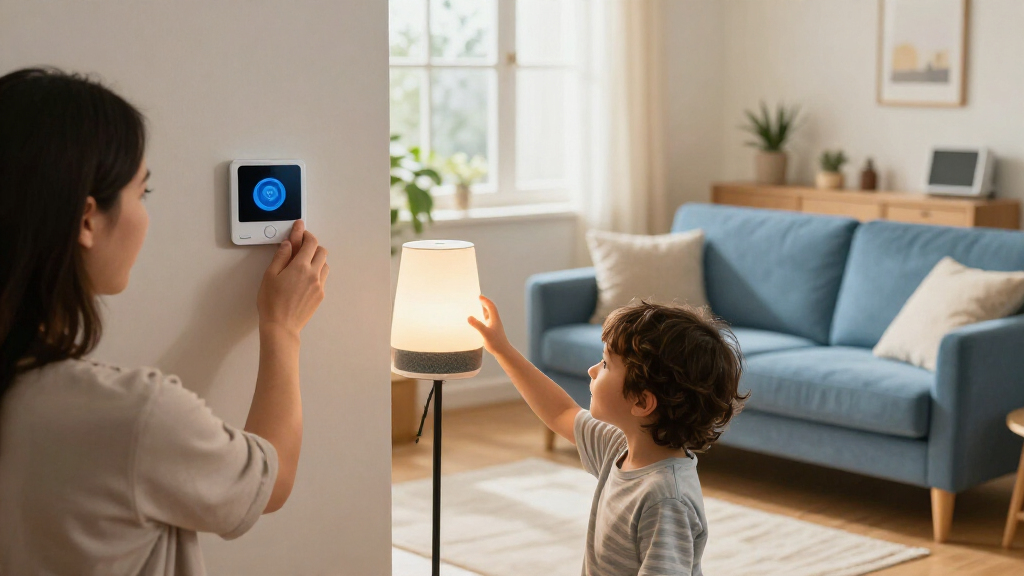
A hallway light that switches on before your child reaches the stairs sounds like a small thing. At 6:45 on a rainy school morning, with wet shoes by the door and a baby on your hip, small things can make the whole routine feel smoother. That is where family-friendly smart home devices can help: they connect everyday tools to controls and routines that suit the people in your home.

Turn the school run and nap time into listening time
- Thousands of audiobooks, podcasts and originals
- Listen on your phone, tablet or Echo — also offline
- Cancel anytime
But a connected gadget is not automatically simpler or safer. A camera, smart speaker, or lock can collect sensitive information, and even a well-designed device can frustrate your family if it needs a new app, loses its connection, or confuses a visiting grandparent. You’ll get more from products that offer clear controls, suitable access, and a reliable fallback.
This guide covers useful places to start, how to check compatibility and privacy, and what to plan for when the internet or power fails. You’ll also find practical setup steps, including age-appropriate access and a reminder to check the CPSC recall database before buying child-related products. Think of it as choosing a few reliable helpers for your household, not turning your home into a science project.
Start with one recurring problem, such as a dark hallway or a possible leak, and trial one device before expanding.
Choose controls that work for children, visitors, and less tech-savvy household members; keep a physical option where it matters.
Check exact model compatibility, hub requirements, subscription costs, and offline behavior before buying.
Use unique passwords, multifactor authentication, software updates, limited permissions, and clear household rules to protect privacy.
For child-related products, check age guidance and current CPSC recalls; connected devices do not replace supervision or pediatric guidance.
Start with the routine your family wants to fix
Family-friendly smart home devices are most useful when they solve a specific, repeating problem, such as a dark hallway, a forgotten light, or an unnoticed leak. Begin with one friction point your household encounters every week, then choose a device that makes that moment easier for everyone who uses it.
For example, imagine a child heading downstairs before sunrise. A motion-activated smart bulb can brighten the landing without anyone hunting for a switch, while a physical switch remains available if the sensor misses someone. The tradeoff is that a sensor can trigger at the wrong time, or fail to notice someone moving slowly. A short trial shows whether its placement and sensitivity fit your household before you depend on it. Or picture a washing machine tucked in a cupboard: a leak sensor on the floor can send an alert if water appears. That alert may give you time to act, though it does not replace regular checks or a plan to turn off the water.
Common starting points include smart lighting, thermostats, leak sensors, video doorbells, and connected smoke or carbon monoxide alarms. Each addresses a different kind of friction. Lighting can reduce the need to reach a switch; a leak sensor can shorten the time between a problem starting and someone noticing; a thermostat can make schedules easier to manage. The right pick depends on your home, daily routines, and budget. A thermostat may help you manage heating, but savings depend on your equipment, settings, climate, and energy prices.
Keep the first purchase modest. Try one room or one routine for a few weeks, and ask whether your partner, child, or babysitter can use it without a lesson. Consider whether it has added setup, charging, app, or subscription work. A friendly smart home is one where the devices can make everyday routines easier without making every family member depend on a phone or voice command.
Products Worth Considering

LEVOIT Vital 200S-P Smart Air Purifier for Large Rooms, White

Philips Hue Bridge Pro Smart Lighting Hub

Philips Hue Iris Smart LED Table Lamp, White
As an affiliate, we earn on qualifying purchases.
Choose controls every household member can use
A family-friendly smart home device should have controls that make sense to the people who need it, including visitors and household members who do not use the same apps or voice assistants. Look for physical buttons, clear app controls, and optional voice commands rather than a product that works only one way. Multiple control options matter because a household’s needs change: a phone may be convenient for one adult but out of reach for a child, visitor, or person with limited mobility.
Say your kitchen lights follow a voice routine, but your six-year-old cannot pronounce the room name and your visiting aunt does not want to talk to a speaker. A regular wall switch gives both a dependable option. Similarly, an automated reminder might help a family member keep track of a routine, while a printed note or ordinary alarm still works if the network drops. The fallback may mean less automation, but it prevents a single app, account, or connection from becoming the only route to a basic task.
Accessibility features can make a difference for people with mobility, vision, hearing, or cognitive needs. Automated lighting can illuminate a route to the bathroom; app controls can place switches at a reachable height; and visual or vibration alerts may help someone who cannot hear an announcement. The benefit depends on whether the feature fits the person’s actual routine: an alert that is too subtle, too frequent, or difficult to acknowledge can create more frustration than help. Those features work best when you offer a backup that suits the person using them.
Before buying, check how setup works, whether children need individual accounts, and whether guests can access basic functions without your password. Account design affects both convenience and privacy: a shared adult login may be easier to set up, but it can give children or guests broader access than intended. For products intended for children, check the manufacturer’s age guidance and current CPSC recall information. A smart device should fit a child’s age and abilities; an app label alone cannot take the place of adult judgment and supervision.
Check compatibility before you buy another app
Devices from different brands can work together only when their models, platforms, and supported features match. Check the exact model and feature list against your existing smart home system before you buy, and do not assume that two products will cooperate just because both have Wi-Fi. Compatibility determines whether a device can be controlled alongside the rest of your home or leaves you managing another separate app and set of routines.
For instance, a family might already use one platform to control a living-room speaker and lights. A new door sensor may join the same system, require a separate hub, or support only some features in that platform. Matter, an industry standard backed by many major smart home companies, aims to help compatible devices work across platforms. Support still varies by product and feature, so look for the specific model’s compatibility details. Even when basic control works, a platform may not support every automation or status update you expect.
A hub or bridge may help coordinate devices or keep some controls local, but some products connect directly to Wi-Fi. Ask what the device needs to work: a hub, an always-on internet connection, a subscription, or a particular phone. Each requirement adds a dependency and may affect how the device behaves during an outage or after a service changes. Also check whether core functions stop when a paid plan ends. For a video doorbell, for example, live viewing might work without a subscription while stored clips do not.
Make a small compatibility list before checkout: your existing platform, the device model, required hub, subscription cost, and any features you care about. Include features such as notifications or automations, not just whether the device appears in the app. That quick check can prevent a drawer full of mismatched plugs and a confusing collection of apps. Compatibility is about the exact product and feature, not the brand name on the box alone.
Protect family privacy with simple settings and clear rules
Smart home privacy comes down to knowing what a device can capture, who can access it, and how long information stays available. Cameras, microphones, location services, and children’s accounts may collect sensitive details, so review their settings before you place devices around your home. These choices have a practical effect: they determine who can see household activity and whether a recording remains accessible after the moment has passed.
Take a video doorbell: it may record a courier at the front step, but its microphone could also catch family conversations when someone opens the door. Check what starts a recording, whether clips go to cloud storage, who can view them, and how you can pause or delete them. A longer recording history can help you review an event, but it also means more stored footage and more account access to manage. Tell children, visitors, and babysitters where cameras or speakers are installed and what they do.
Use a strong, unique password for each account, turn on multifactor authentication where available, install software updates, and limit account access to people who need it. These steps reduce the chance that one reused password or an old account gives someone access to cameras, locks, or family routines. A camera shutter or microphone mute button can help you pause recording during private moments, though you should check whether it physically disconnects the sensor or only changes a software setting. Some devices process certain tasks locally at home, which can limit data sharing or improve response time, but features differ by product. Check the privacy details rather than relying on a “local” label.
Give children age-appropriate permissions. You might let them control their bedroom lamp while keeping purchases, door locks, and security cameras limited to an adult account. A family rule can be as simple as: “We do not use the indoor camera to watch people at home.” Clear expectations help household members understand when devices are active and who can use them, making it easier to keep the technology comfortable as well as technically protected.
Make a fallback plan for outages and device failures
Smart home devices work best when you know what they do without internet, power, or cloud services. Before relying on a device for a daily routine, check which controls continue locally and keep a manual backup for anything that affects access, lighting, or safety. This distinction matters because a device can still be powered on while losing the app, remote notifications, or voice feature your family expects to use.
Suppose your family gets home during an internet outage. A smart lock may still open with a keypad or physical key, or it may rely on an app that cannot reach the lock remotely. Check the manufacturer’s instructions before you depend on it, and give trusted adults a backup key or a clear way to enter. Automated lighting should also have a wall switch, and remote alerts should not be your only way to learn about a hazard. The right backup depends on the failure: an internet outage differs from a power cut, when a powered lock or router may stop working altogether.
Connected smoke and carbon monoxide alarms can send useful phone notifications, but you still need working alarms and an emergency plan. A phone alert that arrives late, or not at all, should not be the only protection. For infant sleep, feeding, or medical questions, use guidance from your pediatric clinician; a connected monitor or app is not a substitute for pediatric advice.
Check the manufacturer’s support policy and how the device behaves if a company changes its service. Ask whether the basic control still works and whether the product needs ongoing updates. Then try a simple outage rehearsal: turn off your phone’s Wi-Fi and see whether you can still switch on the hall light or unlock the door. This test checks one specific dependency, so also consider what you would do during a power cut or if the device itself fails. A two-minute test can reveal a gap before a stormy night does.
Use this five-step plan to add devices without the clutter
A simple buying process helps you pick devices that fit your household instead of collecting gadgets that create more work. Follow these five steps before you add a new product, and give each device a real trial in the routine it is meant to improve.
- Name one problem. Choose something specific, such as a dark stairway or a recurring worry about a basement leak.
- Check the household fit. Decide who will use the device, whether it suits each child’s age, and which controls family members or guests need.
- Check compatibility and costs. Confirm the exact model works with your platform, then add any hub, battery, subscription, and replacement costs.
- Review privacy and safety. Check recording settings, account permissions, update support, and applicable CPSC recalls for child-related products.
- Test the backup. Confirm which controls work without internet, and keep a physical key, switch, or other suitable manual option where needed.
For example, if your real problem is the hallway at night, one smart bulb and its ordinary switch may be enough. Try it for a few weeks; ask whether it turns on at the right times, bothers anyone sleeping nearby, or causes confusion. Adjust the schedule or sensor before buying bulbs for every room.
That slow, practical approach keeps costs visible and lets your family decide whether the device earns its place. A connected thermostat or plug may help manage energy, but the results depend on your home, climate, settings, and rates. Let experience guide expansion: add another device only when the first one solves a problem with little upkeep.
Frequently Asked Questions
Which smart home devices are most useful for families?
Common starting points include smart lighting, thermostats, leak sensors, video doorbells, and connected smoke or carbon monoxide alarms. The best choice depends on your household’s routines and needs. Start with one recurring problem, such as a dark landing or a washing machine near a drain, and choose a device that addresses it.
Are smart home devices safe for children?
Families can use smart devices with suitable permissions, privacy settings, supervision, and clear household rules. Match access to each child’s age and abilities; a child may be able to control a bedroom light without needing access to locks or purchases. For products intended for children, check age guidance and current CPSC recall information.
Do I need a smart home hub?
Some devices connect directly to Wi-Fi, while others need a hub or bridge for setup, coordination, or local control. Check the exact product’s requirements and whether a hub adds cost or changes what works during an internet outage. A hub is useful only if it supports the devices and features your family wants.
Can smart home devices work without internet?
Some basic functions may continue locally, while remote access, voice assistants, notifications, or cloud recordings may stop. Offline behavior varies by device and feature, so check the manufacturer’s instructions before you buy. Keep a suitable manual control, such as a light switch or physical key, for essential tasks.
How can I protect my family’s privacy?
Review what the device records, when it records, and where it stores information. Use strong unique passwords, multifactor authentication, software updates, and limited account access, and tell household members and guests where cameras or microphones are installed. Turn off features you do not need.
Can smart home devices save money on energy?
Connected thermostats, plugs, and lighting can help you monitor or manage energy use, but savings are not guaranteed. Results depend on your home, equipment, settings, climate, and utility rates. Check the upfront price and any ongoing fees before treating a device as a money-saving purchase.
Conclusion
Choose a smart home device because it solves a problem your family actually has, then check that everyone can use it and that a sensible backup exists. Review the privacy settings, account permissions, compatibility, and ongoing costs before you add more.
When the lights click on for a sleepy child and the hallway glows softly instead of staying dark, the technology has done its job. Start with one useful change and let your household decide what comes next.