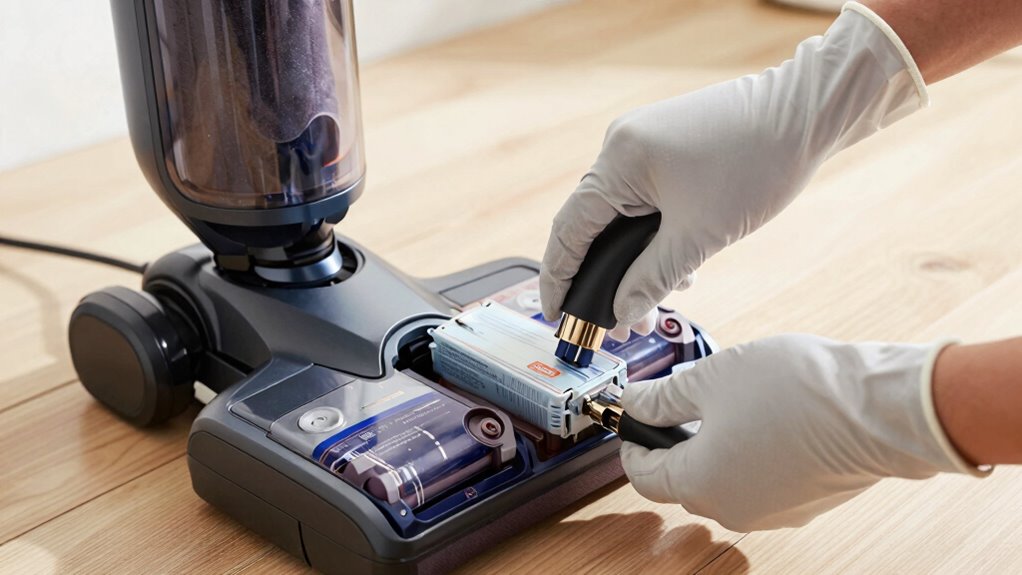

Replacing the battery in your cordless vacuum can extend its lifespan and restore performance more than many realize. Proper maintenance, like monitoring capacity and avoiding overcharging, helps prevent early degradation. If you notice shorter run times or frequent recharges, a new battery can make your vacuum feel brand new again. Understanding how battery health impacts ownership can save you money and frustration. Keep going for insights on how to keep your vacuum working at its best.

Turn the school run and nap time into listening time
- Thousands of audiobooks, podcasts and originals
- Listen on your phone, tablet or Echo — also offline
- Cancel anytime
Key Takeaways
- Replacing a faulty battery can restore a cordless vacuum’s performance and extend its usable life.
- Battery decline often goes unnoticed, leading owners to replace the entire vacuum prematurely.
- Proper battery maintenance delays the need for replacement, preserving the vacuum’s value.
- Battery replacements are typically more cost-effective than purchasing a new vacuum.
- Regular monitoring and timely replacement of batteries can significantly change ownership experience.
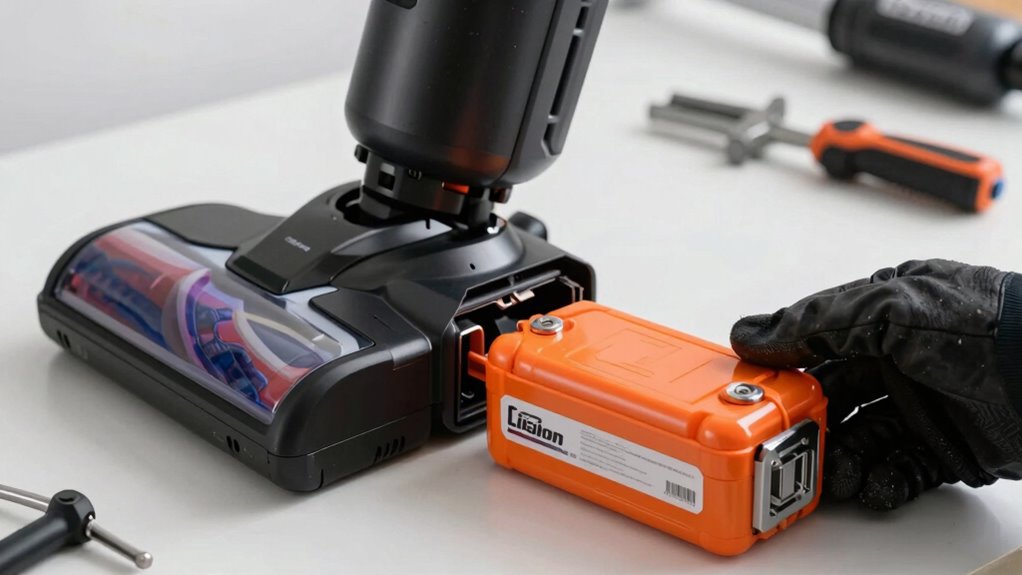
Owning a cordless vacuum offers convenience and mobility, but it also means you’ll eventually need to replace the battery to keep it running at peak performance. The battery lifespan isn’t indefinite, and understanding how your charging habits impact it can save you money and frustration. Over time, batteries degrade, leading to shorter run times and less effective cleaning. Many people don’t realize that how you charge your vacuum influences this process markedly. Proper battery maintenance can significantly extend its lifespan, saving you the expense of frequent replacements.
Your charging habits play a vital role in extending or shortening your battery’s life. If you tend to leave your vacuum plugged in constantly or recharge it after every use, you might unknowingly be accelerating battery wear. Lithium-ion batteries, common in cordless vacuums, perform best when kept between 20% and 80% charge. Charging to full 100% or letting it drain completely before recharging can cause stress on the battery, reducing its overall lifespan. To optimize battery health, it’s better to avoid overcharging and to unplug once it reaches a full charge, especially if you won’t use it immediately. Additionally, understanding battery cycle management can help you make better decisions about charging patterns. Being aware of battery degradation over time can help you plan for replacements before your vacuum’s performance drops significantly. Regularly monitoring your device’s battery capacity is also essential, as it provides insight into its ongoing health and longevity.
Avoid overcharging and unplug once full to extend your cordless vacuum’s battery life.
The reality is that most batteries don’t just fail overnight; they slowly lose capacity over many charging cycles. As your battery ages, you’ll notice decreased run times, meaning you’ll need to recharge more often or switch to a backup. This gradual decline often surprises users who expect their vacuum to work just as well as it did when new. Replacing the battery, consequently, becomes necessary sooner than expected, especially if you haven’t been mindful of proper charging habits. Being proactive with battery health can help you extend the usable life of your vacuum. Regularly monitoring your battery’s health can provide early warning signs of decline, allowing for timely replacements.
Products Worth Considering

Dyson V8 Cordless Vacuum

Ring Battery Doorbell and Chime (3rd Gen), Satin Nickel

Shark Navigator Robot Vacuum with 30-Day Self-Empty Base, White (AV2110S)
As an affiliate, we earn on qualifying purchases.
Frequently Asked Questions
How Long Does a Typical Cordless Vacuum Battery Last Before Needing Replacement?
A typical cordless vacuum battery lasts about 2 to 3 years before needing replacement. Over time, you’ll notice a declining battery lifespan and power decline, which reduces cleaning efficiency. As the battery ages, it can’t hold a charge as long, prompting the need for a replacement to restore peak performance. Regularly monitoring your vacuum’s battery health helps you identify when it’s time for a fresh one, ensuring your device continues working effectively.
Are Third-Party Batteries Safe to Use in Cordless Vacuums?
Using third-party batteries might seem tempting, but it’s like inviting an uninvited guest to your dinner party—sure, it might work, but safety’s off the table. They often lack proper battery compatibility and can pose charging safety risks. Stick to original batteries to guarantee your vacuum runs smoothly and safely. Otherwise, you risk damage, reduced performance, or even a fiery surprise—definitely not the kind of upgrade you’re after.
Can I Replace the Battery Myself or Do I Need Professional Help?
You can replace the battery yourself with some DIY tips, but always prioritize battery safety. First, turn off and unplug your vacuum. Use the right tools and follow your vacuum’s manual carefully. Handle batteries with care, avoiding punctures or exposure to heat. If you’re unsure or uncomfortable, seek professional help. Proper installation guarantees safety and peak performance, saving you time and potential damage.
How Does Battery Age Affect Vacuum Performance Over Time?
As your vacuum’s battery ages, battery degradation reduces its power efficiency, meaning it won’t last as long or perform as well. Over time, you’ll notice decreased suction and shorter cleaning sessions. This decline happens because the battery can’t hold as much charge, limiting your vacuum’s effectiveness. Regularly replacing the battery restores power efficiency, helping your vacuum operate like new and ensuring you get peak cleaning results.
What Are the Signs That My Vacuum’s Battery Needs Replacement?
You might notice your vacuum’s battery needs replacement if it charges quickly but runs out much sooner than before. Battery technology evolves, but poor charging habits—like overcharging or letting it fully discharge—can accelerate decline. Signs include reduced suction power, longer charge times, or the vacuum losing power mid-clean. Recognizing these signs early helps you decide when to replace the battery, ensuring your vacuum remains effective and prolonging its lifespan.
Conclusion
Replacing your cordless vacuum’s battery can dramatically extend its lifespan, often more than you’d expect. Did you know that nearly 60% of cordless vacuum owners keep their machines longer with a simple battery swap? It’s a small upgrade with a big impact, saving you money and hassle. So next time your vacuum slows down, consider a battery replacement—you might just keep it running like new for years to come.